Sign in to Mod The Sims
 Subtle Glance Eye Replacements (Smaller Pupil & Iris!)
 Subtle Glance Eye Replacements (Smaller Pupil & Iris!)


SubtleGlanceEyes-01.jpg - width=800 height=800
SubtleGlanceEyes-02.jpg - width=800 height=800
SubtleGlanceEyes-03.jpg - width=800 height=800
SubtleGlanceEyes-04.jpg - width=800 height=800
SubtleGlanceEyes-05.jpg - width=800 height=800
SubtleGlanceEyes-06.jpg - width=800 height=800
SubtleGlanceEyes-07.jpg - width=800 height=800

One of the things that bugged me most about TS3 eyes (and most of the replacement sets I've seen) is that the pupil and iris were unrealistically huge, which makes sims look as if they're tripping on mushrooms. While that's cool if you're into that sort of thing (duuuuude), it makes it really hard to make good celebrity sim likenesses, since the defaults are just way bigger than normal human eyes.
So I have unbiggenated them!
Due to the textures being somewhat lighter than the default, you may need to darken/desaturate your sims' eyes a little bit. This is on purpose - I found you couldn't do really bright, light eye colours very easily with the defaults, nor did you retain any detail going into darker shades. This way, you only lose the texture if you make your sims' eyes truly black, but there's still discernable variation at extremely dark brown and such.
Because of the unbiggenation, I have had to replace both the actual eye texture itself as well as the overlay. This means that these will -not- be compatible with any other textures that also replace the overlay. These are thus incompatible with my Custard faces. I've switched to Aikea Guinea's faces - or you can use my original face replacements that come with the body skin. Or any other face replacements that don't touch the overlays.
These may look a bit strange due to the smaller pupil and iris on certain eye shapes. I didn't find I had to adjust the eye shapes of any of my sims, but your mileage may vary.
Installation Instructions:
1. Download the file.
2. Extract from the RAR.
3. Install the Package File. Recommended is use of the Helper Monkey linked there.
4. Delete your cache files from My Documents\Electronic Arts\The Sims 3\ - the four files with cache in the filename.
5. Play!
If you want to remove them, just delete the file from Mods\Packages and delete your cache files and they'll be gone.
Model Credits:
Models are my Lucas, Diana, Eric, Roxie, and Merit, plus TummyZa's Raymond and Princess Leia's Leah.
Thanks to:
Pinstruck for the base texture. I had permission previously from ages ago to edit)
Poconopixie, for the sclera texture and overlay texture. This usage is allowed in her TOU - link unavailable; there wasn't any website listed in her readme that came along with the textures.
Aikea Guinea, for the info on making eyes.
Peter Jones, for S3PE.
Cmomoney, for the name.
|
SubtleGlance-EyeReplacements.rar
Download
Uploaded: 19th Jul 2009, 835.8 KB.
21,630 downloads.
|
||||||||
| For a detailed look at individual files, see the Information tab. | ||||||||
Install Instructions
1. Click the download button, or the filename, to download the file to your computer.
2. Extract the zip, rar, or 7z file. Now you will have either a .package or a .sims3pack file.
For Package files:
1. Cut and paste the file into your Documents\Electronic Arts\The Sims 3\Mods\Packages folder. If you do not already have this folder, you should read the full guide to Package files first: Sims 3:Installing Package Fileswiki, so you can make sure your game is fully patched and you have the correct Resource.cfg file.
2. Run the game, and find your content where the creator said it would be (build mode, buy mode, Create-a-Sim, etc.).
For Sims3Pack files:
1. Cut and paste it into your Documents\Electronic Arts\The Sims 3\Downloads folder. If you do not have this folder yet, it is recommended that you open the game and then close it again so that this folder will be automatically created. Then you can place the .sims3pack into your Downloads folder.
2. Load the game's Launcher, and click on the Downloads tab. Find the item in the list and tick the box beside it. Then press the Install button below the list.
3. Wait for the installer to load, and it will install the content to the game. You will get a message letting you know when it's done.
4. Run the game, and find your content where the creator said it would be (build mode, buy mode, Create-a-Sim, etc.).
Extracting from RAR, ZIP, or 7z: You will need a special program for this. For Windows, we recommend 7-Zip and for Mac OSX, we recommend Keka. Both are free and safe to use.
Need more help?
If you need more info, see:
- For package files: Sims 3:Installing Package Fileswiki
- For Sims3pack files: Game Help:Installing TS3 Packswiki
Loading comments, please wait...


Uploaded: 19th Jul 2009 at 1:40 AM
-
Eye Shine- Eye Default Replacements For Sims 3
by Rockermonkey 26th Jun 2009 at 5:54pm
-
Default Eye Replacements: GlistenEyes
by sprinkz 3rd Jul 2009 at 8:04pm
-
Default Eye Replacements-Vivid Eyes
by JillianWong 7th Jul 2009 at 5:06pm
-
Triple Eye Default Replacements - clear & radiant styles
by icedmango 7th Jul 2009 at 5:06pm
-
BrightEyes Default Eye Texture Replacements
by Miniie 9th Jul 2009 at 8:01am
-
shadowwolf5889's Default Eye Replacements
by shadowwolf5889 12th Jul 2009 at 7:41pm
-
Default Eye Replacements-Vibrant Eyes
by JillianWong 15th Jul 2009 at 10:40am
-
Even More Default Eye Replacements [Updated 8/12/10]
by shadowwolf5889 updated 22nd Jan 2010 at 3:15am
-
DEFAULT Multicolor eyes (smaller pupil & Iris) + UNICOLOR version *NEW
by -Shady- updated 9th Jan 2010 at 11:42am
-
Intuition Eyes TS3 Default Replacements.
by Goldeneyes 10th Jan 2011 at 8:46pm


-
Art Nouveau Morning Glory Wall and Floor Set
by HystericalParoxysm 4th Nov 2006 at 5:11pm
A lovely pastel morning glory Art Nouveau design, with a wall, a carpet, and a linoleum floor. more...
 5
9.9k
10
5
9.9k
10
-
Whipped Cream Lipstick (Fixed 16 Dec 09)
by HystericalParoxysm 31st Oct 2009 at 8:31pm
Because what's a better topping for pudding than whipped cream? I wanted a nice detailed lip for TS3 that more...
-
"You're not leaving the house dressed like that, young lady!" - Female Modesty Set (AL)
by HystericalParoxysm updated 2nd Sep 2008 at 1:10am
:here: Updated 17 Sept 2008: Fixed issue with the fat morph asploding on the teen female halter top. more...
-
by HystericalParoxysm updated 30th Sep 2006 at 6:02am
Already done it in child and adult, so here's the toddler version. more...
-
by HystericalParoxysm 14th Aug 2007 at 12:09pm
Though she goes to work every day wearing an apron and makes expensive coffee drinks in tiny cups, Kiana's real more...
-
-
Normal Skin for Good and Evil Witches (REALLY FIXED - Finally! 07 Sept 08!)
by HystericalParoxysm updated 27th Aug 2008 at 9:14pm
:here: What this is for: After playing with Apartment Life only a little thus far, I've decided my favourite more...
+1 packs
231 294.7k 724 Apartment Life
-

No Fight Effects/No Slap Effects
by HystericalParoxysm 13th Jun 2009 at 2:53pm
What does this do? This is a set of two small texture replacer mods, which remove the silly cartoony more...
-
by HystericalParoxysm 19th Nov 2013 at 10:15am
Default replacement textures for afHairPixie more...
 11
47.4k
195
11
47.4k
195
Hair » Female » Young Adult
-
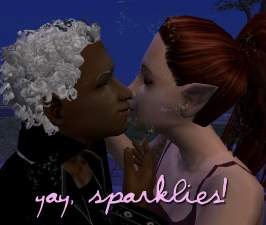
Yay, Sparklies! (Animated Accessory)
by HystericalParoxysm 6th May 2006 at 7:44am
So I was laying in bed going to sleep one night about a week ago and I was more...
91
156.3k
77