Sign in to Mod The Sims
 Medieval Sword & Shield
 Medieval Sword & Shield


MedievalSword&Shield_01.jpg - width=500 height=642
MedievalSword&Shield_02.jpg - width=700 height=648
MedievalSword&Shield_03.jpg - width=700 height=639
MedievalSword&Shield_04.jpg - width=700 height=474
MedievalSword&Shield_05.jpg - width=750 height=697
MedievalSword&Shield_channels.jpg - width=700 height=485
MedievalSword&Shield_genders.jpg - width=500 height=490
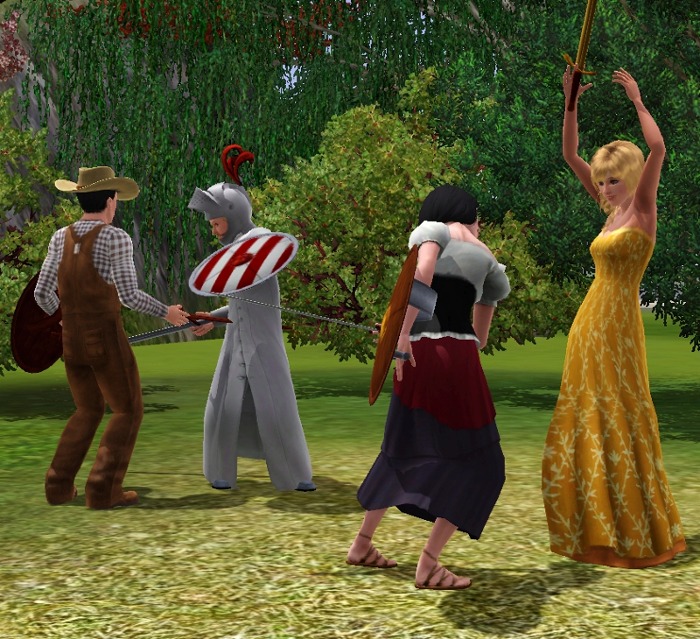
 Let your sims start an epic battle!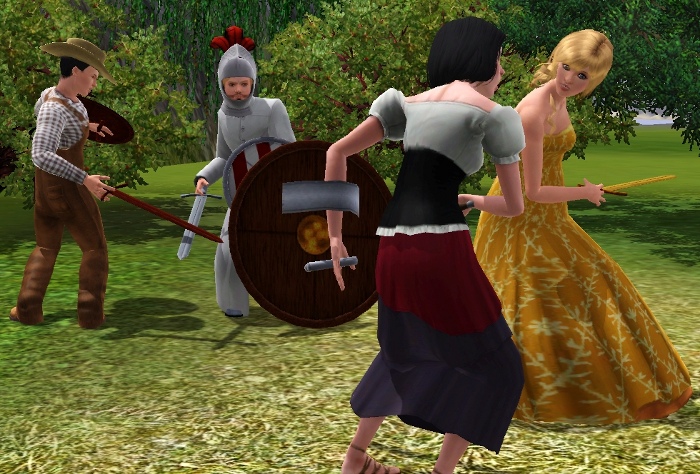
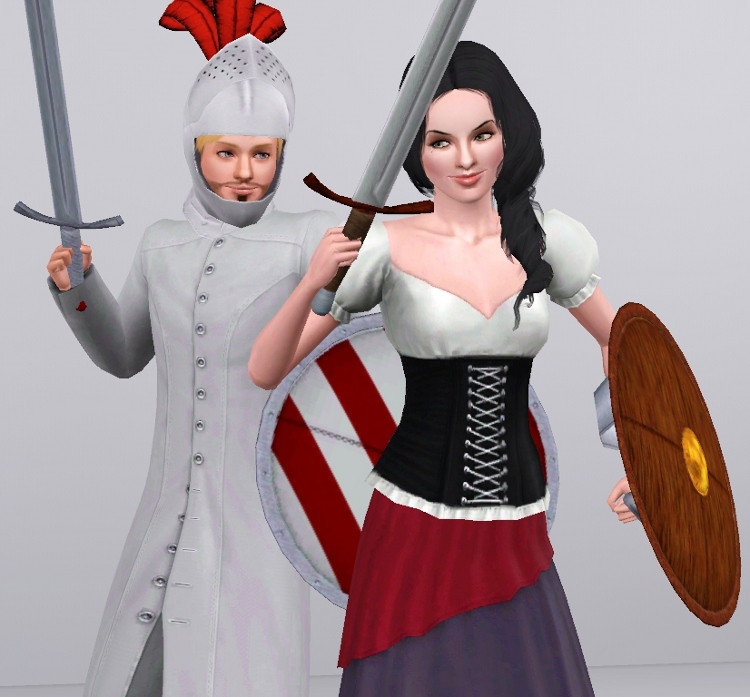
Info
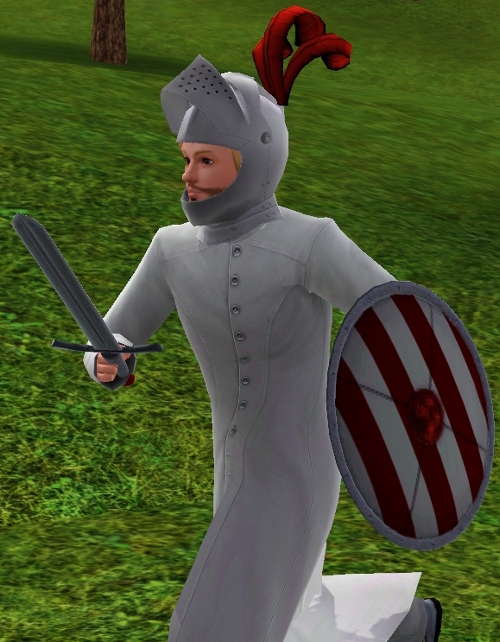
Channels explanation shown below. Both accessories are for both genders, teen-to-elder. You can find the sword under bracelets, and the shield under rings, for everyday, formal, swimwear, sleepwear, and athletic. The sword is assigned to the right hand, and the shield to the left upper arm.Enjoy! ^-^
Polygon Counts:
Sword: 394 polys
Shield: 1239 polys
Additional Credits:
All the people in the CFF!
Hairs: The Store, XM Sims. Clothing: All About Style, The Store and by me. Helmet by EsmeraldaF Eye replacement by Syera Skin replacement from Club Crimsyn Others by Lemon Leaf, The Sims World and Subaxy
This is a new mesh, and means that it's a brand new self contained object that usually does not require a specific Pack (although this is possible depending on the type). It may have Recolours hosted on MTS - check below for more information.
|
MedievalShieldOnly.rar
Download
Uploaded: 4th Apr 2010, 560.4 KB.
6,714 downloads.
|
||||||||
|
MedievalSword&Shield.rar
Download
Uploaded: 4th Apr 2010, 828.7 KB.
19,133 downloads.
|
||||||||
|
MedievalSwordOnly.rar
Download
Uploaded: 4th Apr 2010, 268.4 KB.
11,027 downloads.
|
||||||||
| For a detailed look at individual files, see the Information tab. | ||||||||
Install Instructions
1. Click the download button, or the filename, to download the file to your computer.
2. Extract the zip, rar, or 7z file. Now you will have either a .package or a .sims3pack file.
For Package files:
1. Cut and paste the file into your Documents\Electronic Arts\The Sims 3\Mods\Packages folder. If you do not already have this folder, you should read the full guide to Package files first: Sims 3:Installing Package Fileswiki, so you can make sure your game is fully patched and you have the correct Resource.cfg file.
2. Run the game, and find your content where the creator said it would be (build mode, buy mode, Create-a-Sim, etc.).
For Sims3Pack files:
1. Cut and paste it into your Documents\Electronic Arts\The Sims 3\Downloads folder. If you do not have this folder yet, it is recommended that you open the game and then close it again so that this folder will be automatically created. Then you can place the .sims3pack into your Downloads folder.
2. Load the game's Launcher, and click on the Downloads tab. Find the item in the list and tick the box beside it. Then press the Install button below the list.
3. Wait for the installer to load, and it will install the content to the game. You will get a message letting you know when it's done.
4. Run the game, and find your content where the creator said it would be (build mode, buy mode, Create-a-Sim, etc.).
Extracting from RAR, ZIP, or 7z: You will need a special program for this. For Windows, we recommend 7-Zip and for Mac OSX, we recommend Keka. Both are free and safe to use.
Need more help?
If you need more info, see:
- For package files: Sims 3:Installing Package Fileswiki
- For Sims3pack files: Game Help:Installing TS3 Packswiki
Loading comments, please wait...


Uploaded: 4th Apr 2010 at 1:26 AM
Updated: 6th Apr 2010 at 8:27 PM
#medieval, #medieval challenge, #sword, #shield, #accessories, #battle, #male, #female, #teen, #elder, #adult, #young adult
-
by Shep 4th Jul 2009 at 12:43pm
 37
145.7k
204
37
145.7k
204
-
by newone08 3rd Nov 2009 at 12:31am
33
104.6k
233
-
by newone08 5th Nov 2009 at 5:27pm
23
72.3k
120
-
by Claeric 3rd Mar 2010 at 7:18pm
28
69.7k
177
-
-
by cutsocks 28th Sep 2010 at 4:03am
19
33.2k
57
-
by Chicken0895 14th Mar 2011 at 5:09am
14
28.6k
32
-
-
-
by GallifreyBakerSt 9th Nov 2014 at 9:15pm
9
16.4k
60


-
-

-
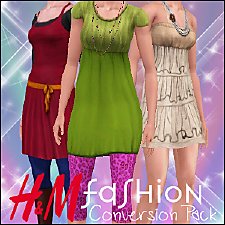
H&M Fashion - Conversion Pack!
by Anubis360 4th Nov 2009 at 2:02pm
Hi there! I was missing so badly these outfits for The Sims 3! more...
110
267k
510
-
Chic Boulevard Dress ~ Teen-to-Adult
by Anubis360 3rd Dec 2010 at 6:37pm
Dress with sleeves and belt for female teens, young adults and adults more...
61
273k
802
-
'Nouk Side Braid' Conversion - All ages!
by Anubis360 22nd Nov 2009 at 9:45pm
Hi there! Here I am, with a new conversion. I took the time for make this hair for all ages! more...
126
418.6k
1k
Hair » Female » Young Adult
-
Agustin Exclusive Hair ~ All ages, both genders!
by Anubis360 12th Feb 2010 at 10:37am
Hi there! more...
40
90.9k
183
-
-
-
-
Agustin Kate Hudson's Ponytail ~ All ages!
by Anubis360 12th Mar 2010 at 11:18pm
Hi there! more...
82
327.2k
839
Hair » Female » Young Adult