
 Sign in to Mod The Sims
 Towel Wrap - LN
 Towel Wrap - LN


towelWrap01.jpg - width=1024 height=661
towelWrap02.jpg - width=1024 height=661

So this is for Emino - who wanted me to bribe poor fansee (with smex!zOMG!) to get her to make this for TS3. This mod simply takes those towels and makes them show up in the catalog. I chose to enable them for swimwear only, if you want them elsewhere in your catalog then feel free to edit for your own personal use.
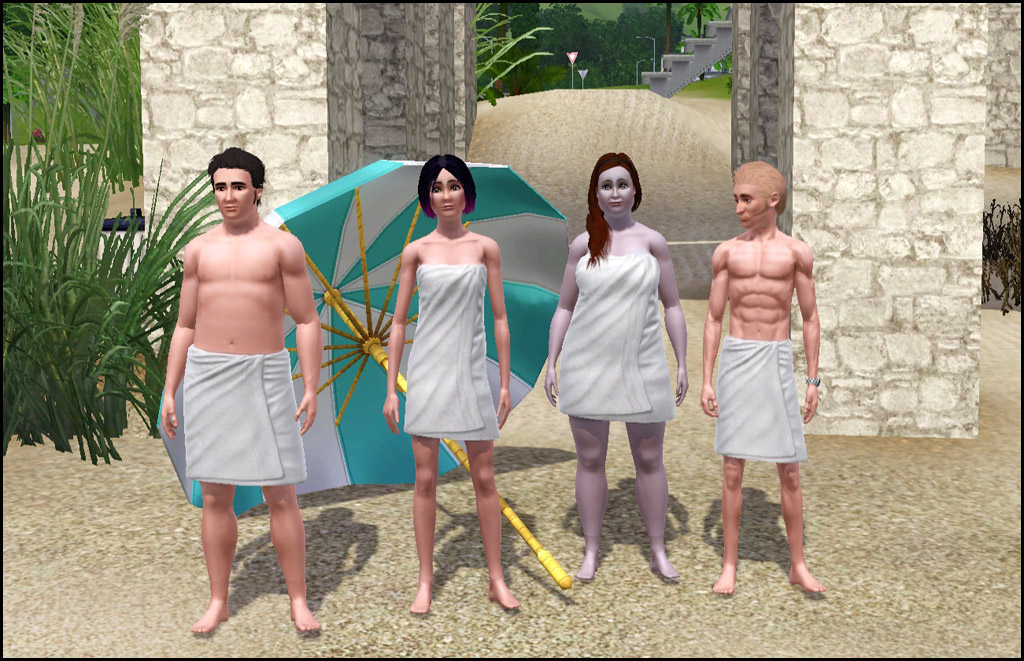
- Swimwear
- Two Channels - Same as game one
- Polys - Um...none. There is no mesh included. =)
- Appears to have all morphs for normal, fat, fit, thin
- NOT available for teens - If I figure out how to make a new mesh I will see what I can do
- NOT enabled for pregnant women - Appears to be no morph
Compatibility
This alters the CASP resource from Late Night to make it show up in swimwear and will conflict with any other mod that alters this specific resource.
|
HL_TowelWraps.rar
Download
Uploaded: 21st Nov 2010, 2.8 KB.
15,860 downloads.
|
||||||||
| For a detailed look at individual files, see the Information tab. | ||||||||
Install Instructions
1. Click the download button, or the filename, to download the file to your computer.
2. Extract the zip, rar, or 7z file. Now you will have either a .package or a .sims3pack file.
For Package files:
1. Cut and paste the file into your Documents\Electronic Arts\The Sims 3\Mods\Packages folder. If you do not already have this folder, you should read the full guide to Package files first: Sims 3:Installing Package Fileswiki, so you can make sure your game is fully patched and you have the correct Resource.cfg file.
2. Run the game, and find your content where the creator said it would be (build mode, buy mode, Create-a-Sim, etc.).
For Sims3Pack files:
1. Cut and paste it into your Documents\Electronic Arts\The Sims 3\Downloads folder. If you do not have this folder yet, it is recommended that you open the game and then close it again so that this folder will be automatically created. Then you can place the .sims3pack into your Downloads folder.
2. Load the game's Launcher, and click on the Downloads tab. Find the item in the list and tick the box beside it. Then press the Install button below the list.
3. Wait for the installer to load, and it will install the content to the game. You will get a message letting you know when it's done.
4. Run the game, and find your content where the creator said it would be (build mode, buy mode, Create-a-Sim, etc.).
Extracting from RAR, ZIP, or 7z: You will need a special program for this. For Windows, we recommend 7-Zip and for Mac OSX, we recommend Keka. Both are free and safe to use.
Need more help?
If you need more info, see:
- For package files: Sims 3:Installing Package Fileswiki
- For Sims3pack files: Game Help:Installing TS3 Packswiki
Loading comments, please wait...


 View with Names
Uploaded: 21st Nov 2010 at 12:13 AM
Updated: 26th Jun 2012 at 3:19 PM
#towels, #towelwrap, #swim towel, #luniegamefix
-
by RoguePilot 7th Jul 2009 at 5:59pm
-
by kuchikisan92 18th Jul 2009 at 11:02am
 59
138.1k
181
59
138.1k
181
-
-
by kuchikisan92 6th Aug 2009 at 7:25pm
22
91.3k
108
-
-
-
by Kiara24 11th Mar 2011 at 10:58am
12
27.4k
28
-
-
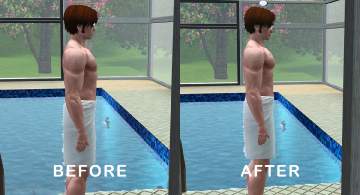
Developed Pectoral Muscles Morph for Male Nude Top (Part 4) - Towel Wrap
by MMAA 15th Dec 2021 at 8:35pm
+1 packs
5 6.1k 8 Late Night
Male » Mixed Sets » Adult
-


-


by HugeLunatic 22nd May 2026 at 4:41pm
 2.2k
1
2.2k
1
-
by HugeLunatic 27th Apr 2013 at 2:06pm
I like to use this table with the IKEA JULES chair that came with the IKEA pack, but the table more...
+1 packs
9 13.2k 19 Ikea Home
-
by HugeLunatic 29th Aug 2011 at 8:12am
Cottage apartments originally was a two story affair with a garage tucked under, but when the budget went over the more...
9
33.2k
63
-
N8iveSims Presents - First Nations - The Seminole
by N8iveSims 25th Apr 2007 at 7:42am
Check out the comments section for more great stuff! more...
183
226.5k
125
-
by HugeLunatic 15th Nov 2014 at 3:56am
A basic modern easel, designed to match the desk "The Recognizer" in game, but will work in more...
 57
65.1k
331
57
65.1k
331
-
by HugeLunatic 18th Jun 2011 at 6:59pm
The Heritage is typical of many traditionally styled homes built from the 1930s through the 1960s. more...
+4 packs
6 17k 15 World Adventures
 Ambitions
Late Night
Ambitions
Late Night
 Generations
-

"Sheep and Sheep" Painting [CEP-EXTRA]
by HugeLunatic updated 17th Jun 2025 at 2:03am
Childs painting from FreeTime that makes the canvas and frame separately recolorable. more...
+1 packs
3 20.6k 28 Free Time
-
by HugeLunatic 13th Feb 2014 at 2:55am
I made a box. That plays sounds. Impressed, no? A modern take on the "boombox". more...
14
13.1k
44
-
by HugeLunatic updated 16th Apr 2010 at 3:12pm
I really like the modern design of the vRoom! more...
-
Gardening Badge from Hydroponics
by HugeLunatic updated 21st May 2022 at 1:08pm
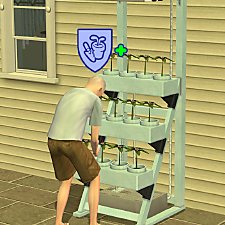
I wanted my sims to earn gardening badges from using the Hydroponic career reward. more...
+2 packs
18 10.7k 68 Open for Business
 Seasons


Packs Needed
| Expansion Pack | |
|---|---|
| Late Night |
About Me
Pet Stories || Dog Agility Items? || Castaway Stories || Holy Simoly Extras
4esf Archive || Holy Simoly Archive || CEP-Extras List || Buyable Game Objects
lunie content from GoS/s2a
 Installation of CEP Extras
-the package with pfiles appended to the name will go into your cep extras folder where your game is installed (typically c drive, you do you)
-the other goes in CEP extra folder in documents.
The following locations are what I am aware of, beyond that you'll have to do some searching.
Downloads Folder:
C:\Users\<user>\Documents\EA Games\The Sims 2 Legacy
C:\Users\<user>\Documents\EA Games\The Sims 2 Ultimate Collection
With multiple launchers, the location for your game install will vary.
C:\Program Files\EA GAMES\The Sims 2 Legacy\TSData\Res\Catalog\zCEP-EXTRA
C:\Program Files\EA GAMES\The Sims 2\TSData\Res\Catalog\zCEP-EXTRA
C:\Program Files (x86)\EA GAMES\The Sims 2\TSData\Res\Catalog\zCEP-EXTRA