
 Sign in to Mod The Sims
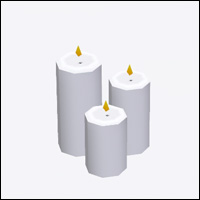
 Mood-Lite Candle
 Mood-Lite Candle


Screenshot-47.gif - width=220 height=270
Screenshot-70.jpg - width=374 height=524
Screenshot-68.jpg - width=1196 height=490
F144/V144
|
joey_candle_recolor2.7z
Download
Uploaded: 25th Jul 2011, 26.9 KB.
9,592 downloads.
|
||||||||
| For a detailed look at individual files, see the Information tab. | ||||||||
Install Instructions
1. Click the download button, or the filename, to download the file to your computer.
2. Extract the zip, rar, or 7z file. Now you will have either a .package or a .sims3pack file.
For Package files:
1. Cut and paste the file into your Documents\Electronic Arts\The Sims 3\Mods\Packages folder. If you do not already have this folder, you should read the full guide to Package files first: Sims 3:Installing Package Fileswiki, so you can make sure your game is fully patched and you have the correct Resource.cfg file.
2. Run the game, and find your content where the creator said it would be (build mode, buy mode, Create-a-Sim, etc.).
For Sims3Pack files:
1. Cut and paste it into your Documents\Electronic Arts\The Sims 3\Downloads folder. If you do not have this folder yet, it is recommended that you open the game and then close it again so that this folder will be automatically created. Then you can place the .sims3pack into your Downloads folder.
2. Load the game's Launcher, and click on the Downloads tab. Find the item in the list and tick the box beside it. Then press the Install button below the list.
3. Wait for the installer to load, and it will install the content to the game. You will get a message letting you know when it's done.
4. Run the game, and find your content where the creator said it would be (build mode, buy mode, Create-a-Sim, etc.).
Extracting from RAR, ZIP, or 7z: You will need a special program for this. For Windows, we recommend 7-Zip and for Mac OSX, we recommend Keka. Both are free and safe to use.
Need more help?
If you need more info, see:
- For package files: Sims 3:Installing Package Fileswiki
- For Sims3pack files: Game Help:Installing TS3 Packswiki
Loading comments, please wait...
Uploaded: 25th Jul 2011 at 12:52 PM
-
by lemoncandy 25th Sep 2009 at 6:26pm
 34
68.3k
115
34
68.3k
115
-
by xdarkshadowx 24th Oct 2009 at 9:58pm
14
19.9k
37
-

by cmomoney 16th Mar 2010 at 7:51am
33
65.5k
207
-
by cmomoney 20th Mar 2010 at 9:51pm
28
55.3k
200
-
-
-
by newshoes 4th Mar 2012 at 12:01am
66
163.8k
429
-
by RagdollVioletNeko 16th Oct 2017 at 6:15pm
1
6.1k
16
-
Halloween Paintings - 14 Different Designs - Shiftable
by marydehoyos 11th Oct 2024 at 8:25am
7
1.5k
10
-

-
by omegastarr82 22nd Jan 2012 at 2:23pm
This mod changes the CASP files of the hidden stylist CAS items that come with Ambitions. more...
+1 packs
19 45.5k 111 Ambitions
-

by omegastarr82 11th Sep 2013 at 1:13pm
This is my 'Zayn' top, to continue my One Direction set. more...
-
by omegastarr82 16th Mar 2012 at 1:13pm
This fixes the stencil on these paintings. more...
-

Ultra Lounge unCAStables made CAStable
by omegastarr82 7th Jan 2013 at 4:13pm
This makes the items that come with the Sims 3 Store Ultra Lounge set CAStable. more...
-
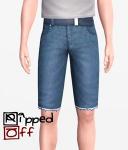
by omegastarr82 17th Jun 2012 at 8:28am
Let there be leg!!! more...
+1 packs
21 65.7k 111 World Adventures
Male » Everyday » Young Adult
-
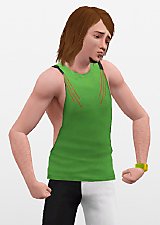
Muscle Shirt - UPDATED 08.18.2012
by omegastarr82 updated 19th Aug 2012 at 4:53am
Let There Be Arms!!! more...
-

KP's Watermelon Romper Fix - Updated
by omegastarr82 updated 4th Jun 2012 at 7:51pm
This fixes the thin and fit morphs for the Katy Perry outfit that came with the special edition of the more...
-

Vineyard Vittles Dining Table Fix
by omegastarr82 26th May 2012 at 7:39pm
This simple mod fixes the Vineyard Vittles Dining Table. more...
-
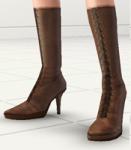
by omegastarr82 updated 11th Feb 2011 at 12:23am
To continue with my "For Men" series I give you high heeled boots. more...
-

by omegastarr82 25th Mar 2012 at 7:47pm
Store CC more...








About Me
Usually don't do requests, but if it's something that tickles my fancy I just might do it.