
 Sign in to Mod The Sims
 Bug Antennae Accessories
 Bug Antennae Accessories


iconFixed.jpg - width=1012 height=1035
Recoloring.jpg - width=482 height=400
TypesFIX.jpg - width=1920 height=2064
They are enabled for all categories except random, and work for male and female, teen through elder. (Edit: added versions for child and toddler as well!)
They are adjustable using the Hat Sliders, and are categorized as glasses in CAS.
There are four variants, and you can have all of them in your game at once; they do not replace each other.
(Edit: face slider issue has been fixed, if you have the broken one please redownload and replace)
Polygon counts:
LOD 0 (butterfly 1 and 2)-------- 684
LOD 0 (moth1) ----------------- 802
LOD 0 (moth2)----------------- 744
LOD 1 and 2 (butterfly 1 and 2) -- 174
LOD 1 and 2 (moth1) ------------ 242
LOD 1 and 2 (moth2) ------------ 210
| Filename | Type | Size |
|---|---|---|
| CalliaEG_BugAntennae_Acc.zip | zip | |
| AntennaButterfly1_CalliaEG.package | package | 1127357 |
| AntennaButterfly2_CalliaEG.package | package | 1125938 |
| AntennaMoth1_CalliaEG.package | package | 1170012 |
| AntennaMoth2_CalliaEG.package | package | 1155032 |
| Filename | Type | Size |
|---|---|---|
| Antennae_ChildAndToddler_CalliaEG.zip | zip | |
| Antenna_Butterfly1_Toddler_CalliaEG.package | package | 1127383 |
| Antenna_Butterfly2_Toddler_CalliaEG.package | package | 1125895 |
| AntennaButterfly1_Child_CalliaEG.package | package | 1127345 |
| AntennaButterfly2_Child_CalliaEG.package | package | 1125869 |
| AntennaMoth1_Child_CalliaEG.package | package | 1169980 |
| AntennaMoth1_Toddler_CalliaEG.package | package | 1170025 |
| AntennaMoth2_Child_CalliaEG.package | package | 1154970 |
| AntennaMoth2_Toddler_CalliaEG.package | package | 1155075 |
This is a new mesh, and means that it's a brand new self contained object that usually does not require a specific Pack (although this is possible depending on the type). It may have Recolours hosted on MTS - check below for more information.
|
Antennae_ChildAndToddler_CalliaEG.zip
Download
Uploaded: 22nd Jun 2023, 6.20 MB.
2,357 downloads.
|
||||||||
|
CalliaEG_BugAntennae_Acc.zip
| face slider issue has been fixed, please redownload this version and replace the old one
Download
Uploaded: 21st Jun 2023, 3.10 MB.
3,544 downloads.
|
||||||||
| For a detailed look at individual files, see the Information tab. | ||||||||
Install Instructions
1. Click the download button, or the filename, to download the file to your computer.
2. Extract the zip, rar, or 7z file. Now you will have either a .package or a .sims3pack file.
For Package files:
1. Cut and paste the file into your Documents\Electronic Arts\The Sims 3\Mods\Packages folder. If you do not already have this folder, you should read the full guide to Package files first: Sims 3:Installing Package Fileswiki, so you can make sure your game is fully patched and you have the correct Resource.cfg file.
2. Run the game, and find your content where the creator said it would be (build mode, buy mode, Create-a-Sim, etc.).
For Sims3Pack files:
1. Cut and paste it into your Documents\Electronic Arts\The Sims 3\Downloads folder. If you do not have this folder yet, it is recommended that you open the game and then close it again so that this folder will be automatically created. Then you can place the .sims3pack into your Downloads folder.
2. Load the game's Launcher, and click on the Downloads tab. Find the item in the list and tick the box beside it. Then press the Install button below the list.
3. Wait for the installer to load, and it will install the content to the game. You will get a message letting you know when it's done.
4. Run the game, and find your content where the creator said it would be (build mode, buy mode, Create-a-Sim, etc.).
Extracting from RAR, ZIP, or 7z: You will need a special program for this. For Windows, we recommend 7-Zip and for Mac OSX, we recommend Keka. Both are free and safe to use.
Need more help?
If you need more info, see:
- For package files: Sims 3:Installing Package Fileswiki
- For Sims3pack files: Game Help:Installing TS3 Packswiki
Loading comments, please wait...
Uploaded: 21st Jun 2023 at 11:39 AM
Updated: 22nd Jun 2023 at 6:45 AM
-
by Shep 4th Jul 2009 at 12:43pm
 37
145.7k
204
37
145.7k
204
-
8 Tribal Back Tattoos - Recolorable & For Both Genders (Teen - Elder)
by newone08 updated 18th Aug 2009 at 2:45am
50
218.1k
304
-
by newone08 3rd Nov 2009 at 12:31am
33
104.6k
233
-
by newone08 5th Nov 2009 at 5:27pm
23
72.3k
120
-
-
-
-
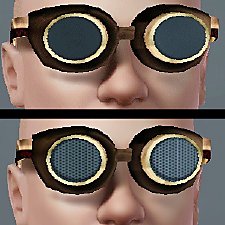
Goggles! Plain or with a grid, on your eyes or forehead.
by sionelle updated 31st Jan 2012 at 9:34pm
11
46.8k
129
-
-
by GrahammerTek 29th Jun 2023 at 3:28pm
2
2k
12


-
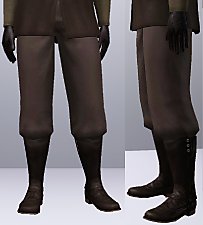
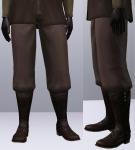
Baggy Pants (that work with boots)
by Callia-Evergreen updated 20th Feb 2016 at 2:08am
These pants are converted from the french farmer outfit from world adventures into a pair of pants that can be more...
19
39.5k
126
Male » Mixed Sets » Adult
-
by Callia-Evergreen updated 29th Jan 2016 at 11:14pm
Update! more...
-
by Callia-Evergreen 23rd Jan 2017 at 1:08am
Jada Orson was born a vampire on the night of the full moon. more...
-
Basegame Fitted Tank as Accessory
by Callia-Evergreen 4th Feb 2022 at 10:45am
This is a version of the basegame tank top made into an accessory. more...
5
6.2k
31
-
by Callia-Evergreen 27th Jun 2023 at 8:15am
3
3.9k
12
-
Short Riding Boots (that work with pants)
by Callia-Evergreen updated 17th Jan 2022 at 9:55am
Last time I made the baggy pants that work with boots; this time it's EA's riding boots made to fit more...
-
Warrior's Edge: 10 More Warpaints
by Callia-Evergreen 3rd Jun 2016 at 8:43pm
More warpaint for your sims! more...
6
12.7k
59
-
by Callia-Evergreen 16th Dec 2013 at 6:36pm
Chell is the "silent protagonist" of the Portal game series. The version of Chell I have made is from Portal 2. more...
29
36.3k
99
-

by Callia-Evergreen 18th Nov 2024 at 2:25pm
-
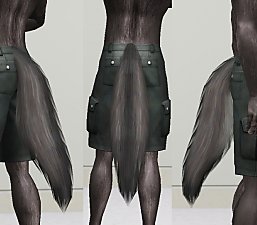
by Callia-Evergreen updated 6th Feb 2022 at 10:45am
Several years ago I made a wolf tail accessory (https://modthesims.info/d/551977/wolf-tails-for-all.html), designed to use transparency effects to look like fur. more...
13
23.4k
56

About Me
I don't mind if you edit/use my sims content, but please give credit.
I'm not taking requests.
My DeviantArt page: http://camkitty2.deviantart.com/
I mostly post non-sims art there, but I also sometimes post pictures of sims stuff I am working on or have not released.
I only make content for Sims 3, not 2 or 4.