
 Sign in to Mod The Sims
 Bella & Mortimer *Animated* Snow Globe
 Bella & Mortimer *Animated* Snow Globe

Snapshot_NEW.jpg - width=600 height=315

By Numenor - DO NOT CLONE - Visit www.numenor-moddings.com for full Copyright Policy
This object is an evolution of my Maxis 'Lost & Found' #12 (that is just a simple, static, broken globe).
FEATURES
- Breakable object: once bought from the catalog, this Snow Globe is "new" (not broken), but it will break up after it has been used several times. When it breaks up, it can be repaired, but obviously the glass will show the marks of the breakings
 If you want a brand new look, you need to but a brand new one :D
 - Embedded custom light: this snow globe contains an embedded light that will turn automatically on and off when an interaction occurs; the light can also be manually turned on/off; needless to say, the light works as long as the globe isnot broken...
- Animated snow: the snow inside the globe will animate every time a Sim interacts with it, or if you manually "Switch On" the globe.
- Interactions available: the Sims can either Admire the globe or [/B]Mourn[/B] Bella.
IN-GAME USAGE INSTRUCTIONS
When you click on the Snow Globe, you will see, depending on the state of the object, the following Pie Menu options: Switch On, Switch Off, Admire, Mourn and Repair; just like many other objects of mine, the interactions are available only if needed: you can't Switch On the globe if it is already On, or it is broken; you can't Repair it if it's not broken, and so on...
INSTALLATION INSTRUCTIONS
Extract the package from the archive and put it in your Downloads folder; no further action is required (in particular, there is no additional file for the light definition to be put in the "CEP3_CustomLights" foder).
Delete the package from the Downloads to uninstall.
Please note that:
1) the Snow Globe has its own GUID (different than the Maxis Lost & Found one);
2) thought it has a light, it is a decorative object: you can find it in the "Sculptures" section, at a price of only §15 (a bargain!
 )
)3) the mesh is composed by 1282 faces / 1063 vertices: it's not a very low value, but blame Maxis, that created the major part of the mesh

4) this object will work with any game configuration.
CREDITS and ACNOWLEDGMENTS:
Maxis - For the original mesh and the Bella&Mort texture
Real and Asdf - For their support and valuable input
Numenor (that's me!
- For the light, the animated graphics, the interactions and anything else Please report any bug you might find in this object.
This is a new mesh, and means that it's a brand new self contained object that usually does not require a specific Pack (although this is possible depending on the type). It may have Recolours hosted on MTS - check below for more information.
|
Numenor_Bella.and.Mort_SnowGlobe.rar
Download
Uploaded: 19th Jan 2006, 87.6 KB.
18,952 downloads.
|
||||||||
| For a detailed look at individual files, see the Information tab. | ||||||||
Install Instructions
1. Download: Click the download link to save the .rar or .zip file(s) to your computer.
2. Extract the zip, rar, or 7z file.
3. Place in Downloads Folder: Cut and paste the .package file(s) into your Downloads folder:
- Origin (Ultimate Collection): Users\(Current User Account)\Documents\EA Games\The Sims™ 2 Ultimate Collection\Downloads\
- Non-Origin, Windows Vista/7/8/10: Users\(Current User Account)\Documents\EA Games\The Sims 2\Downloads\
- Non-Origin, Windows XP: Documents and Settings\(Current User Account)\My Documents\EA Games\The Sims 2\Downloads\
- Mac: Users\(Current User Account)\Documents\EA Games\The Sims 2\Downloads
- Mac x64: /Library/Containers/com.aspyr.sims2.appstore/Data/Library/Application Support/Aspyr/The Sims 2/Downloads
- For a full, complete guide to downloading complete with pictures and more information, see: Game Help: Downloading for Fracking Idiots.
- Custom content not showing up in the game? See: Game Help: Getting Custom Content to Show Up.
- If you don't have a Downloads folder, just make one. See instructions at: Game Help: No Downloads Folder.
Loading comments, please wait...


Uploaded: 18th Jan 2006 at 5:33 PM
Updated: 19th Jan 2006 at 10:46 PM
-
by boblishman 11th Feb 2005 at 8:23pm
 42
43.1k
14
42
43.1k
14
-
-
by gromit 11th Jun 2005 at 2:01pm
43
53.7k
53
-
by gromit 22nd Jun 2005 at 2:16pm
49
85.6k
96
-
by Eleonora 26th Jan 2006 at 8:36am
55
103.4k
45
-
by moonlight_muse 29th Jan 2006 at 1:47pm
+2 packs
6 10.6k 2 University
 Nightlife
-
by jms 9th Jul 2006 at 2:52am
22
25.3k
11
-

by SnookGee 21st Jul 2006 at 10:42am
53
28.1k
6
-
Planetary Globe L'empereur Recolour
by gothicbimbo 14th Feb 2007 at 1:29pm
+1 packs
3 6.6k 4 Family Fun
-



-
Maxis "Lost & Found" #23: Souvenir Cabinet - *FIXED 18JUNE* - REDOWNLOAD!
by Numenor 17th Jun 2006 at 12:52am
Maxis "Lost & Found" #23 SOUVENIR CABINET UPDATED and FIXED 18 JUNE 2006 - Please REDOWNLOAD more...
105
187.3k
192
-
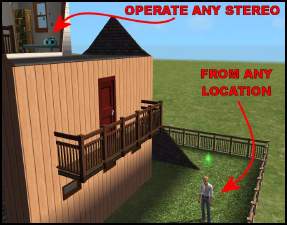
Instant Stereo Op - Global Hack
by Numenor 11th Apr 2007 at 12:22am
INSTANT STEREO OP *Global Hack * Warning: this is a global hack, which means more...
34
49.1k
69
-
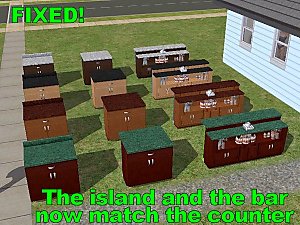
Global FIX - "Night Club" Counter, Island and Bar - *Now included in CEP*
by Numenor 13th Dec 2006 at 11:56pm
MATCHING TOP for the "NIGHT CLUB" Counter, Island and Bar *** NOW INCLUDED IN CEP 7.0 *** more...
+1 packs
14 41.1k 44 Nightlife
-
-
Maxis "Lost & Found" #25: 'Race Car' kid bedroom set - *FOR ANY GAME!* - *UPD 02-jan-07*
by Numenor 31st Aug 2006 at 6:14pm
Maxis "Lost & Found" #25 'RACE CAR' KID BEDROOM SET *For ANY GAME! more...
205
165.3k
65
-
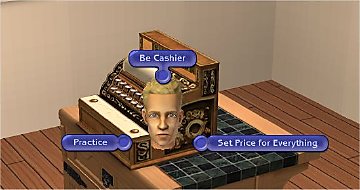
Cash Register Trainer (Custom Version) - *OFB REQUIRED*
by Numenor 14th Jan 2007 at 12:59am
CASH REGISTER TRAINER *OFB REQUIRED* "CUSTOM" VERSION - If you want a "Global Mod" version, download it here more...
+1 packs
33 59.1k 75 Open for Business
-
-
-
Custom objects placeable on OFB displays and shelves *UPD 22APR*
by Numenor 7th Mar 2006 at 9:29pm
CUSTOM OBJECTS PLACEABLE ON O.F.B. more...
+1 packs
322 346k 291 Open for Business
-
Cash Register Trainer (Global Mod version) - *UPD 07 NOV 2008*
by Numenor 14th Jan 2007 at 12:37am
CASH REGISTER TRAINER - *OFB REQUIRED* Compatible with any game up to Apartment Life :new: 07 Nov 2008 - more...
+1 packs
107 197.7k 273 Open for Business

About Me
You may contact me via personal messages here at MTS, and I will reply, but I don't grant I can help you, as a long time has gone by since I created my mods.
This following policy applies to ALL my creations, unless otherwise stated on the download thread.
It's FORBIDDEN: to repost my stuff anywhere.
It's FORBIDDEN: to clone my creations.
It's ALLOWED: to create recolours for my objects (and post them on any site, including paysites), BUT you can't include the mesh in your recolour: you must give credits to me for the mesh, and provide a link to the mesh download thread.
It's ALLOWED: to include my creations in your lots, BUT the lots must be uploaded on free sites (except the Exchange), and you must provide credits and a link to the download thread.