
 Sign in to Mod The Sims
 DEFAULT REPLACE MESH boys cowboy pants, less skinny
 DEFAULT REPLACE MESH boys cowboy pants, less skinny


web0.jpg - width=612 height=588
web1.jpg - width=619 height=593
-----------------------------------------------------------------------
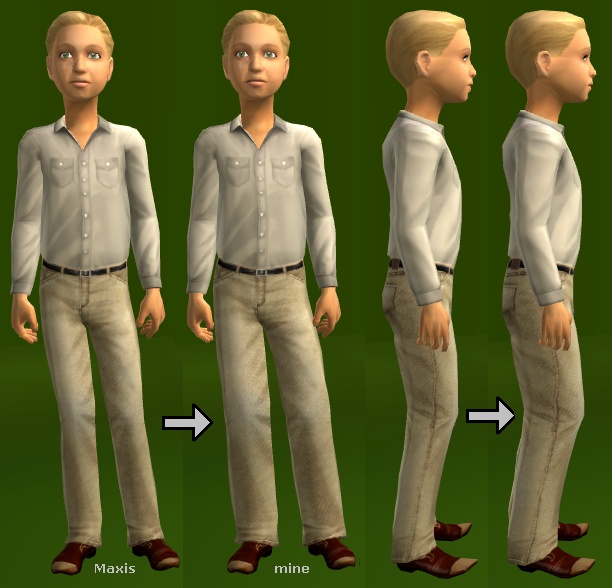
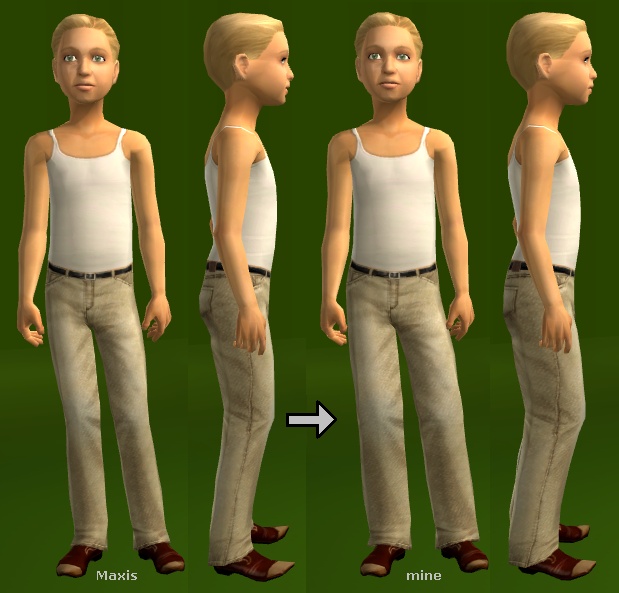
The Maxis boys cowboy pants mesh always looked too skinny to me.
I made it less skinny, more proportional to the upper body, with less pointy shoes.
I modified both the normal and fat meshes, and the LOD mesh for those with much older computers.
This is a DEFAULT REPLACEMENT of the Maxis mesh. Recolors are unaffected by this change.
cowboy pants with cowboy shirt
cowboy pants with tanktop (tshirt top mesh looks the same)
Usage Policy
- You MAY modify this mesh, but please link here for credit.
- You MAY recolor this mesh, but do NOT upload the mesh with recolors. Recolors of this mesh will also work on the original Maxis mesh.
- If you upload a sim (without recolors), you MAY upload the mesh with the sim.
Big Thanks
to the tutorial writers, the creators of SimPE and MilkShape, and Wes for his plugins.
Polygon Counts:
750 regular mesh, same as Maxis original
524 LOD mesh, same as Maxis original
Additional Credits:
skin: Idolatry of Flesh by HP (faces changed by me)
eyes: Keen Eyes by Phaenoh
eyebrows: dragonmandy's brows made into defaults by me
This is a new mesh, and means that it's a brand new self contained object that usually does not require a specific Pack (although this is possible depending on the type). It may have Recolours hosted on MTS - check below for more information.
|
DEFAULT_MESH_cmCowboyPants.zip
Download
Uploaded: 26th Jul 2008, 61.6 KB.
2,801 downloads.
|
||||||||
| For a detailed look at individual files, see the Information tab. | ||||||||
Install Instructions
1. Download: Click the download link to save the .rar or .zip file(s) to your computer.
2. Extract the zip, rar, or 7z file.
3. Place in Downloads Folder: Cut and paste the .package file(s) into your Downloads folder:
- Origin (Ultimate Collection): Users\(Current User Account)\Documents\EA Games\The Sims™ 2 Ultimate Collection\Downloads\
- Non-Origin, Windows Vista/7/8/10: Users\(Current User Account)\Documents\EA Games\The Sims 2\Downloads\
- Non-Origin, Windows XP: Documents and Settings\(Current User Account)\My Documents\EA Games\The Sims 2\Downloads\
- Mac: Users\(Current User Account)\Documents\EA Games\The Sims 2\Downloads
- Mac x64: /Library/Containers/com.aspyr.sims2.appstore/Data/Library/Application Support/Aspyr/The Sims 2/Downloads
- For a full, complete guide to downloading complete with pictures and more information, see: Game Help: Downloading for Fracking Idiots.
- Custom content not showing up in the game? See: Game Help: Getting Custom Content to Show Up.
- If you don't have a Downloads folder, just make one. See instructions at: Game Help: No Downloads Folder.
Loading comments, please wait...


Uploaded: 25th Jul 2008 at 6:22 AM
Updated: 20th Jan 2012 at 12:12 AM
not so skinny cowboy pants for WOMEN, teen to elder, see comments, post #2
.
-
Kids Pants Separates : More and Better! Corduroys! Defaults! (and ALPHA FIX too)
by CatOfEvilGenius 23rd Jul 2008 at 10:37pm
 8
29k
56
8
29k
56
-
DEFAULT REPLACE - af moto pants, af moto jacket + black / red recolor
by CatOfEvilGenius updated 14th Mar 2009 at 8:54pm
-
DEFAULT REPLACE - Not So Skinny Cowboy Pants for TM, YM/AM, EM
by CatOfEvilGenius updated 14th Jun 2009 at 7:18am
-

DEFAULT REPLACE - men's jodhpur pants (OFB needed)
by CatOfEvilGenius 18th Nov 2008 at 1:01am
-
-
-
-
-
-
New Hood and Road Default Replacements!
by LordCrumps 10th May 2022 at 1:41pm
+17 packs
14 23.2k 62 Happy Holiday
 Family Fun
 University
 Glamour Life
 Nightlife
 Celebration
 Open for Business
 Pets
Pets
 H&M Fashion
 Teen Style
 Seasons
 Kitchen & Bath
 Bon Voyage
 Free Time
 Ikea Home
 Apartment Life
 Mansion and Garden


-
Simple Basics: Boatneck Shirts
by CatOfEvilGenius 26th Apr 2014 at 6:22am
boatneck shirt separates for adult and young adult women more...
-
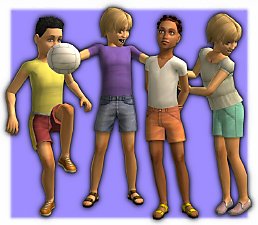
MESH + tons of shorts separates for children, correct UV map! Boys and girls
by CatOfEvilGenius updated 16th Jul 2008 at 3:23am
TONS of shorts, oh my! more...
16
26.2k
33
-
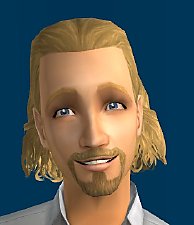
by CatOfEvilGenius 7th Aug 2011 at 7:29pm
Boho hair for men of all ages. more...
-
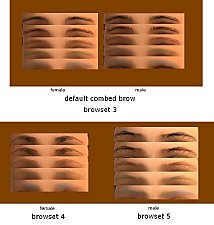
dragonmandy's brows as DEFAULT REPLACEMENTS and *binned* custom brows
by CatOfEvilGenius updated 23rd May 2008 at 1:39am
dragonmandy made the lovely Huge Brow Set . more...
23
93.5k
114
-
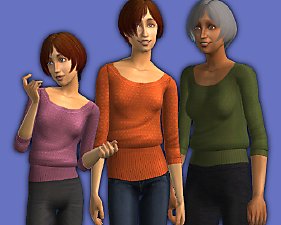
Amaryll sophie MESH/UV EDIT - teen, adult, elder
by CatOfEvilGenius 18th Nov 2015 at 8:16pm
Amaryll sophie sweater without shoulder jaggies for teen through elder. These meshes replace the older meshes by Amaryll, lemonlion, and kalynn06. more...
-
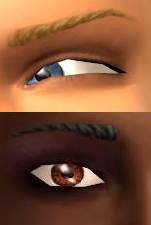
Sclera Blush for Phaenoh's Keen Eyes - look sideways, two shades
by CatOfEvilGenius 30th Mar 2008 at 12:06am
Phaenoh's original Keen Eyes are just lovely, have a 3D look, correct genetics, and townies can use them. more...
3
12.6k
4
-
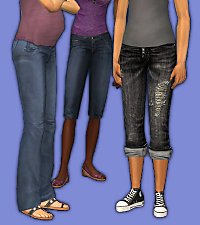
Aikea, HappySim, Sentate Pants as Maternity, with Curvy Morphs, and Untuck Edits
by CatOfEvilGenius 6th Nov 2013 at 7:29am
Aikea, HappySim, and Sentate Pants with pregnancy morphs added, curvy morphs added (Aikea), and untuck recolors enabled or edited more...
-
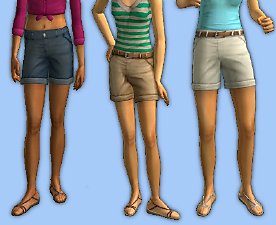
Cuff Shorts! Fixed! Recolored! Age Converted! Teen, Adult, Elder - UPDATE 8/14/2010
by CatOfEvilGenius 20th Jul 2010 at 5:11am
Cuff shorts from Family Fun age converted for adults and elders, fixed for teens. Recolored too. more...
-
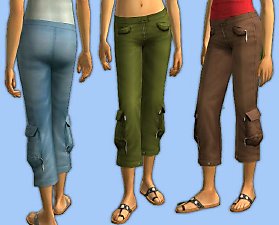
Zippered Pocket Capris for Teens and Adults
by CatOfEvilGenius 16th Aug 2010 at 4:24am
zippered pocket capris for teens, young adults, and adults more...
-
MESH Slim Pants with Calf Boots
by CatOfEvilGenius 14th Mar 2015 at 5:14am
adult and YA female, slim pants with calf boots, curvy and preg morphs, untuckable more...
About Me
+ all my meshes in tables UPDATED 7/19/2010
------------------SOFTWARE--------------------
+ Got mystery recolors with no tooltips in BodyShop? Add filename tooltips automatically!
+ quick and easy hair binner, no SimPE needed
+ MilkShape Plugins
--- Sims Mesh Mirror
--- UV Flip
--- UV Merge