
 Sign in to Mod The Sims
 OFB International Window Extras - Part II - Arches
 OFB International Window Extras - Part II - Arches


ofbArch1.jpg - width=750 height=654
ofbArch2.jpg - width=750 height=654
ofbArch3.jpg - width=750 height=654
ofbArch4.jpg - width=750 height=654

All three arches take there textures from the OFB Glimpse of Freedom short door, the same as the corresponding EA door.
The Arches in 1-tile and 2-tile
- Glimpse of Freedom
- Barely There
- Cloudscene
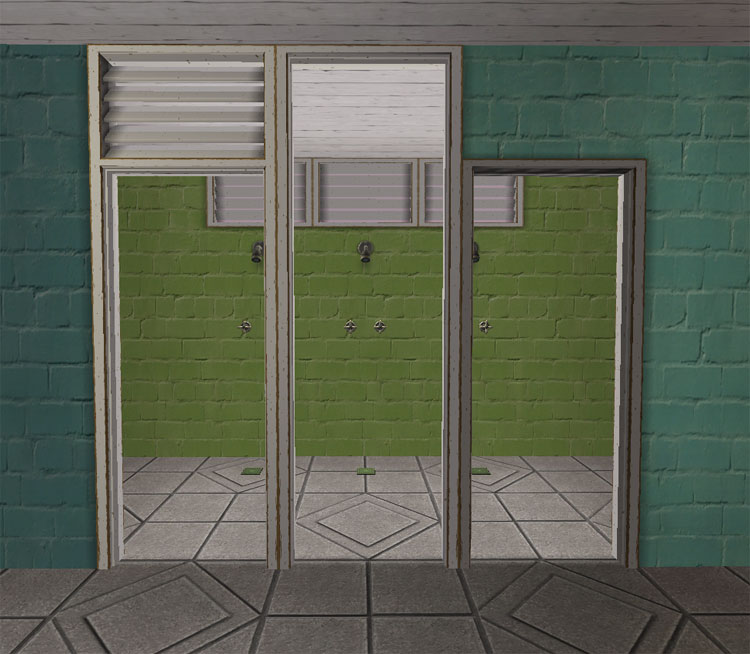
Credit: The recolor shown is by Holy Simoly.
Polygon Counts:
Glimpse of Freedom Arch/Diag - 174
Barely There Arch/Diag - 174
Glimpse of Freedom/Diag - 334
This is a new mesh, and means that it's a brand new self contained object that usually does not require a specific Pack (although this is possible depending on the type). It may have Recolours hosted on MTS - check below for more information.
|
HL_Doors Part II.rar
Download
Uploaded: 31st Jul 2009, 106.4 KB.
13,340 downloads.
|
||||||||
| For a detailed look at individual files, see the Information tab. | ||||||||
Install Instructions
1. Download: Click the download link to save the .rar or .zip file(s) to your computer.
2. Extract the zip, rar, or 7z file.
3. Place in Downloads Folder: Cut and paste the .package file(s) into your Downloads folder:
- Origin (Ultimate Collection): Users\(Current User Account)\Documents\EA Games\The Sims™ 2 Ultimate Collection\Downloads\
- Non-Origin, Windows Vista/7/8/10: Users\(Current User Account)\Documents\EA Games\The Sims 2\Downloads\
- Non-Origin, Windows XP: Documents and Settings\(Current User Account)\My Documents\EA Games\The Sims 2\Downloads\
- Mac: Users\(Current User Account)\Documents\EA Games\The Sims 2\Downloads
- Mac x64: /Library/Containers/com.aspyr.sims2.appstore/Data/Library/Application Support/Aspyr/The Sims 2/Downloads
- For a full, complete guide to downloading complete with pictures and more information, see: Game Help: Downloading for Fracking Idiots.
- Custom content not showing up in the game? See: Game Help: Getting Custom Content to Show Up.
- If you don't have a Downloads folder, just make one. See instructions at: Game Help: No Downloads Folder.
Loading comments, please wait...


-
by LaureaWilwarin 6th Nov 2005 at 5:17pm
 +2 packs
9 9.6k 5
+2 packs
9 9.6k 5 University
 Nightlife
-
-
by Mummysim 2nd Aug 2006 at 4:40am
26
49.2k
39
-
-
-
OFB International Window Extras - Part I Single Tile
by HugeLunatic 30th Apr 2009 at 2:38pm
+1 packs
37 59.8k 108 Open for Business
-
by leefish 3rd Mar 2011 at 5:44pm
21
34.9k
70
-
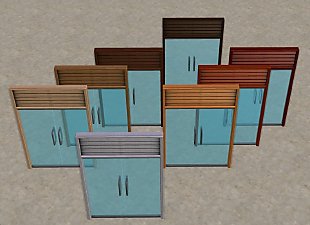
Maxis-match Recolors for OFB International Doors and Windows
by wthrwthoutyu 18th May 2011 at 11:51pm
+1 packs
24 28.6k 61 Open for Business
-
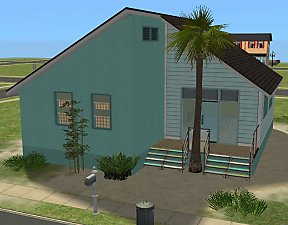
OFB International Window Build in MLC Palette Colours
by celebkiriedhel 3rd Aug 2014 at 8:12am
+2 packs
7 6.2k 8 Open for Business
 Apartment Life
-
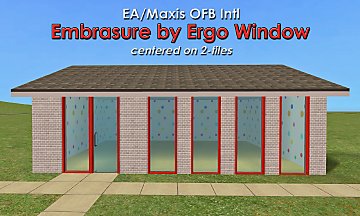
EA/Maxis OFB Embrasure by Ergo Window - centered on 2T
by CatherineTCJD updated 6th Apr 2026 at 8:26pm
+1 packs
7 1.2k 5 Open for Business


-
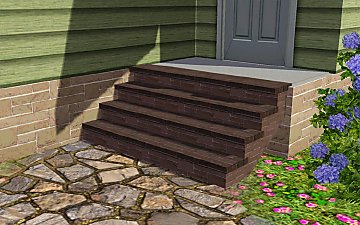
Recolor Your Stairs!! *Updated*
by HugeLunatic 15th Oct 2009 at 9:33pm
Updated Oct-16 - Fixed issue with Sims not using the stair properly. Non-recolorable stairs...what a giant step backwards. more...
 41
64.1k
107
41
64.1k
107
-
-
Mountainside Valley - New Inhabited Base Game/ No CC neighborhood
by Hood Building Group updated 27th Feb 2017 at 2:41pm
"Mountainside Valley's been known for its vast mountain ranges. more...
78
66.6k
121
Miscellaneous » Neighborhoods & CAS Screens » Neighbourhoods and Worlds
-
by HugeLunatic 13th Aug 2012 at 11:49pm
While browsing through game images I found (again) this wall image that wasn't in game. more...
6
13.1k
30
-
Emerald Heights - City Life/Urban Neighborhood Project - No CC
by Hood Building Group 6th Oct 2017 at 12:46pm
A former village with lots of green gardens, transformed into an arid urban city. more...
80
134.8k
276
Miscellaneous » Neighborhoods & CAS Screens » Neighbourhoods and Worlds
-
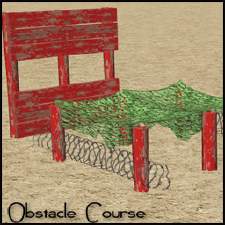

by HugeLunatic 31st May 2015 at 10:00pm
Five recolors of the Obstacle Course Career Reward. more...
8
8.1k
8
-
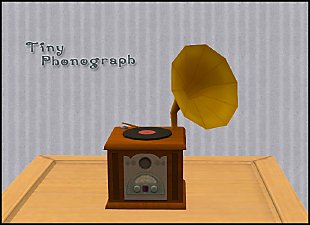
by HugeLunatic 24th Apr 2014 at 2:01am
When I saw this in the TS3 game files, I had to stop what I was working on (too many more...
24
14k
41
-
WA French Mailbox Buyable plus FIX
by HugeLunatic 28th Mar 2011 at 4:42pm
What it does This mod places the mailboxFrench into the Outdoor/Lawn Ornaments category enabling you to buy or delete it. more...
-
by HugeLunatic 31st Oct 2014 at 12:24am
Do your males need a bit more color to their lips? Here is the female matte lipstick converted for more...
-
by Hood Building Group updated 9th Nov 2025 at 1:13pm
Bitville (aka Vincent's Story), a Sims Life Stories neighborhood recreated for TS2. more...
72
80.2k
174
Miscellaneous » Neighborhoods & CAS Screens » Neighbourhoods and Worlds



Packs Needed
| Expansion Pack | |
|---|---|
 | Open for Business |
About Me
Pet Stories || Dog Agility Items? || Castaway Stories || Holy Simoly Extras
4esf Archive || Holy Simoly Archive || CEP-Extras List || Buyable Game Objects
lunie content from GoS/s2a
 Installation of CEP Extras
-the package with pfiles appended to the name will go into your cep extras folder where your game is installed (typically c drive, you do you)
-the other goes in CEP extra folder in documents.
The following locations are what I am aware of, beyond that you'll have to do some searching.
Downloads Folder:
C:\Users\<user>\Documents\EA Games\The Sims 2 Legacy
C:\Users\<user>\Documents\EA Games\The Sims 2 Ultimate Collection
With multiple launchers, the location for your game install will vary.
C:\Program Files\EA GAMES\The Sims 2 Legacy\TSData\Res\Catalog\zCEP-EXTRA
C:\Program Files\EA GAMES\The Sims 2\TSData\Res\Catalog\zCEP-EXTRA
C:\Program Files (x86)\EA GAMES\The Sims 2\TSData\Res\Catalog\zCEP-EXTRA