
 Sign in to Mod The Sims
 The Anywhere Sink
 The Anywhere Sink


SinkDrinkDeskIsland.jpg - width=900 height=529
SinkUsingEndTable.jpg - width=900 height=529
SinkDrinkCounter.jpg - width=900 height=529
SinkWashingTable.jpg - width=900 height=529
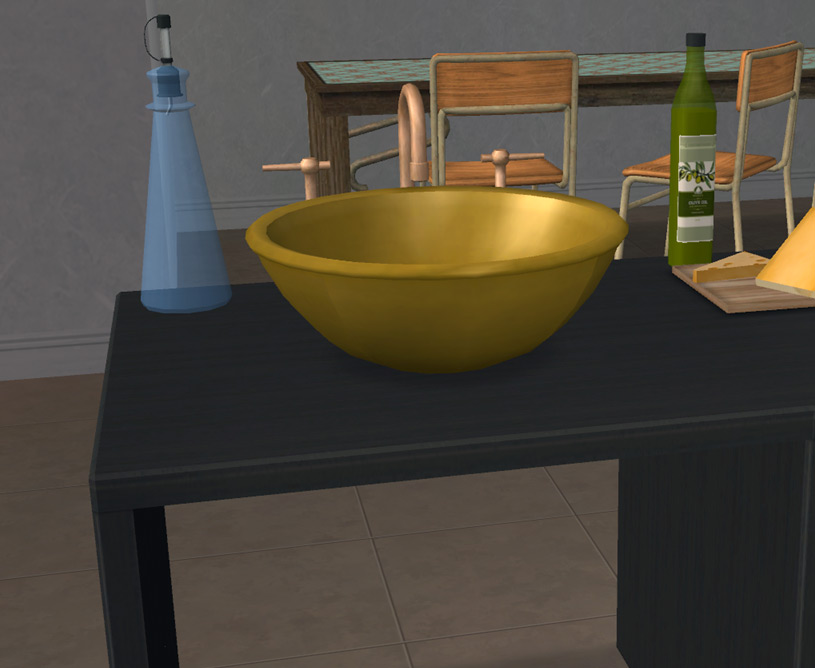
SinkIsland.jpg - width=815 height=668
SinkBathroom.jpg - width=815 height=668
SinkGarage.jpg - width=815 height=668
SinkMAIN.jpg - width=1105 height=651
SinkRotated.jpg - width=815 height=668
SinkInvisible.jpg - width=815 height=668
SinkColors2.jpg - width=1117 height=356
SinkColors1.jpg - width=1117 height=356


This time it was a sink. What? They have plenty of sinks? Yes, yes they do. But those weren't good enough. MarySue Sim's hubby recently surprised her with a kitchen makeover with a new sink. It's a nice enough sink, but it's so stationary. It HAS to be put here, not there. Not to be outdone, MaryEllen Sim talked her hubby into a makeover and came up with a better idea for a sink:
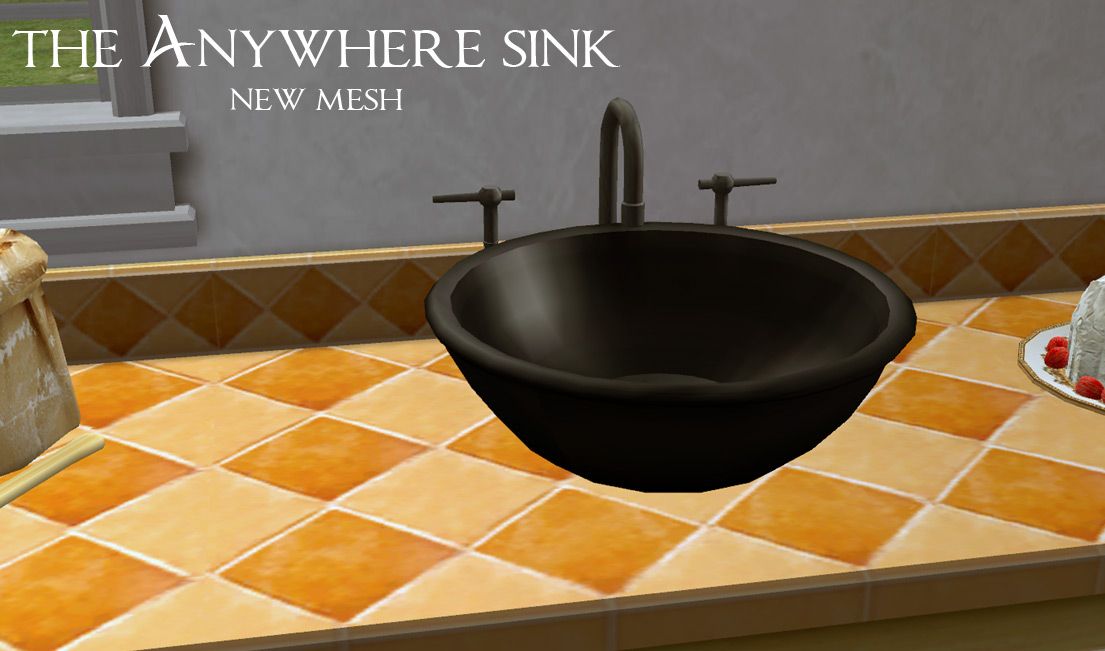
What's so special about this sink? It's just a sink on a counter. True. But true as that may be, this sink can be put anywhere you might want a sink. Need a sink on a table in the garage? Can do. Need a sink on an island in the kitchen? Can do. Feeling silly and want a sink on a desk in an office? Once again, can do. Why, you can even put a sink on a desk disguised as an island if you'd like!
And it'll still work.

The sink is enabled to be placed on counters, tables and end tables. This means that it will also place on any surface cloned from any of those- even a tall 4 drawer filing cabinet if you'd like. (That was rather funny looking!) It can also be placed on coffee tables (or clones of) and the ground, if you'd really like one on the ground. It.will.still.work.
What about the animations? Well, the animations are fine on any surface that's table or end table height. They're a bit off on counters (see screenshot), coffee tables, the floor and wayyy off on a 4 drawer filing cabinet!
What if you use "boolprop allow45degreeangleofrotation true"? The animations are fine (see screenshot).
How about "setquartertileplacement on"? That's where we hit a snag. Snag? What snag? The sink will work with the quartertile cheat as long as you use it with an OMSP. The animations are fine that way, too.
All that said- there may be places the sink won't work. I tried. Narrow shelves seem to be out, as does placing the sink (with cheats) too close to the edge of a surface. Too close? That's hard to judge- if you place it and it won't work, try scooting it back a bit. Other than that, it should work wherever your sims want a sink.
But wait! There's more. If you place the sink on a table in the middle of a room, there are pipes dangling down (see screenshots)! How in the world can you fix that? By using one of the handy-dandy invisible recolors included. There are 4, one for each metal color- using one of those will make the dangly pipes disappear. Each of the sink and metal recolors are separate files so you can delete any that you might not want.
To make a long story even longer, this sink can be placed just about anywhere and still be usable. MaryEllen Sim loves her new sink and will be sure to spread the word! If your sims would like one, it can be found under Plumbing>Sinks for 470 Simleons.
Credit to: TheNinthWave and Karen Lorraine for the suggesting angled and quartertile use. Another pair of eyes, along with the attached minds, if always appreciated.
Polygon Counts:
Sink and faucet: 1438
Each handle: 144
Water: 102
1828 polys total (All Maxis polys!)
 Polycount is over the Maxis guidelines of 800 polys per tile.
That said: here are the polycounts of some Maxis sinks for your viewing pleasure - 1443, 1482, 1276, 1327, 1745. So you can see that this sink isn't too far above what Maxis has already given us. Plus it's an awesome sink.
Additional Credits:
MilkShape, SimPE, PhotoShop CS2, Maxis (for the meshes that I folded, spangled and smashed together to make this mesh)
This is a new mesh, and means that it's a brand new self contained object that usually does not require a specific Pack (although this is possible depending on the type). It may have Recolours hosted on MTS - check below for more information.
|
MLC AnywhereSink Mesh&Recolors.rar
| Mesh and recolors
Download
Uploaded: 18th Mar 2013, 447.8 KB.
13,140 downloads.
|
||||||||
| For a detailed look at individual files, see the Information tab. | ||||||||
Install Instructions
1. Download: Click the download link to save the .rar or .zip file(s) to your computer.
2. Extract the zip, rar, or 7z file.
3. Place in Downloads Folder: Cut and paste the .package file(s) into your Downloads folder:
- Origin (Ultimate Collection): Users\(Current User Account)\Documents\EA Games\The Sims™ 2 Ultimate Collection\Downloads\
- Non-Origin, Windows Vista/7/8/10: Users\(Current User Account)\Documents\EA Games\The Sims 2\Downloads\
- Non-Origin, Windows XP: Documents and Settings\(Current User Account)\My Documents\EA Games\The Sims 2\Downloads\
- Mac: Users\(Current User Account)\Documents\EA Games\The Sims 2\Downloads
- Mac x64: /Library/Containers/com.aspyr.sims2.appstore/Data/Library/Application Support/Aspyr/The Sims 2/Downloads
- For a full, complete guide to downloading complete with pictures and more information, see: Game Help: Downloading for Fracking Idiots.
- Custom content not showing up in the game? See: Game Help: Getting Custom Content to Show Up.
- If you don't have a Downloads folder, just make one. See instructions at: Game Help: No Downloads Folder.
Loading comments, please wait...



Uploaded: 18th Mar 2013 at 2:14 AM
Updated: 3rd Sep 2013 at 6:28 PM
-
-
-
-
by darylmarkloc 28th Jan 2006 at 2:54pm
 14
15.2k
12
14
15.2k
12
-
by 01----Anne 27th Mar 2006 at 4:03pm
6
9.6k
4
-
-
-
-
by mustluvcatz 13th Sep 2009 at 3:03am
37
91.1k
149
-


-
Before & After Fences and Gates
by mustluvcatz 14th Nov 2010 at 6:47pm
After reading a request by Evanesco @ GOS , I decided to give it a shot. more...
20
39.9k
101
-

BG Rolling Hills Painting ~ DEFAULT Replacement
by mustluvcatz 13th Dec 2017 at 5:04am
While downloading some new holiday-themed goodies today, I ran across a download that recommended Michelle's basegame frame recolors . more...
1
7.3k
9
-
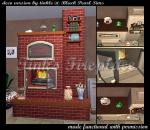
Tink's Fireplace ~ Functional Version
by mustluvcatz 12th Jan 2012 at 5:28pm
Tinkle at Black Pearl Sims made a decorative fireplace that I really like. more...
82
169.6k
387
-
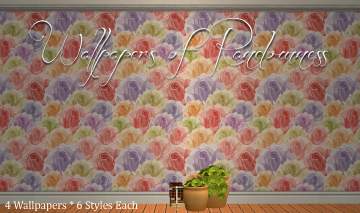
by mustluvcatz 14th May 2014 at 5:03pm
Cold, damp day + a slight case of being bored + Google = 4 completely random wallpapers. more...
6
10.5k
32
-
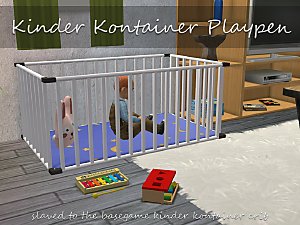

by mustluvcatz 20th Jan 2018 at 6:16am
I recently ended up on the page for Echo's playpen - I honestly have no idea how or why more...
4
23.1k
60
-


Apron On The Wall ~ TS4 to TS2 Conversion
by mustluvcatz 24th Apr 2022 at 9:22pm
When you're not wearing your apron, where oh where do you put it?? On the wall of course!! This spiffy little more...
12
8.5k
46
-


by mustluvcatz 19th Sep 2013 at 12:49am
:here: You can download all 30 recolors in one .rar OR download 1-9, 10-18 or 19-30 in separate .rars. more...
-
Need A New Bed? Build One! ~ Pt 3 ~ 8 New Meshes
by mustluvcatz 25th Oct 2011 at 6:40am
There is a B&B contest going on at Black Pearl Sims. more...
12
31.6k
49
-
Stucco Match Clapboard Siding (Bonus Stucco)
by mustluvcatz 15th May 2013 at 2:17pm
Aha! Something the Marys didn't have anything to do with! more...
11
15.6k
56
-
Stained Beist Thee Glass - Stained Glass Door and Window Set
by mustluvcatz 3rd Apr 2010 at 4:08am
Per suggestion- here is a 2-story stained glass window. more...
18
35.9k
43

About Me
The exception: My TS4 Robert Williamson sim. I would really like it if he's not edited in any way. He's my tribute to Robin Williams, who was someone I greatly admired. Changing him would make him just another sim.