
 Sign in to Mod The Sims
 In The Corner ~ Tables for Corners
 In The Corner ~ Tables for Corners


IYC1.jpg - width=818 height=613
IYC1b.jpg - width=818 height=613
IYC2.jpg - width=818 height=613
IYC3.jpg - width=818 height=263
IYC4.jpg - width=818 height=263
IYC5.jpg - width=818 height=263
Well, to make a short story a bit longer: Since then I've learned a lot more about mapping and have gotten terribly addicted to things having two subsets and shadows (unless shadows look silly and sometimes they do!). So I set out to revamp my edits and realized that there would be a lot of tearing the meshes apart and remapping them. Being a lazy MLC I said (to myself, of course, I only talk to myself when I'm not trying to concentrate, lol) "Nah, I've got a better idea!". Now, it might sound like that better idea was making new meshes and in a way it was. Not too many words ago I called myself lazy - and I am. I took one of my own meshes and just rearranged the parts a bit. That way I didn't really need to remap and the shadows just needed edited. Genius!! (Actually, I do that a lot. So much easier to start out with something I already made.) These new tables look look the old tables I linked to but they are brand new meshes and are even a little lower poly.
PLUS!! You can actually buy a table just like the one I made in real life! I didn't know that until I was looking for ideas for other tables.

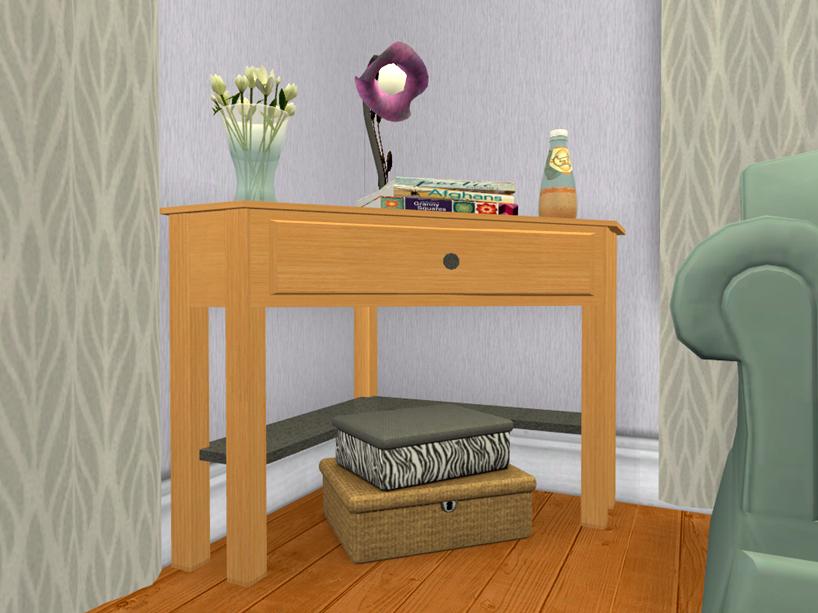
What You Get:
 A corner cabinet A corner table 9 recolors of both subsets - the woods are all Maxis, a few of them are edited Maxis woods I've done to get more colors; the metal and glass are all textures I made.
What You Need To Know:
These are slaved. The cabinet is the master, the table is it's slave There are 2 subsets - the wood and the knob/shelf Both meshes have 4 slots on the topCatalog Location/Simoleons:
Both can be found in Surffaces>Misc for $110 Simoleons
 UPDATED 6/22 to fix catalog descriptions that I forgot to change in the first place! If having the wrong catalog description bothers you just redownload and let files overwrite!
Polygon Counts:
Cabinet - 448
Table - 340
Additional Credits:
SimPE, MilkShape, PhotoShop CS2, EAxis, Little_Tx_Mama for the original corner tables I edited those many moons ago.
This is a new mesh, and means that it's a brand new self contained object that usually does not require a specific Pack (although this is possible depending on the type). It may have Recolours hosted on MTS - check below for more information.
|
MLC-CornerCabinetTable.rar
Download
Uploaded: 22nd Jun 2019, 430.7 KB.
7,159 downloads.
|
||||||||
| For a detailed look at individual files, see the Information tab. | ||||||||
Install Instructions
1. Download: Click the download link to save the .rar or .zip file(s) to your computer.
2. Extract the zip, rar, or 7z file.
3. Place in Downloads Folder: Cut and paste the .package file(s) into your Downloads folder:
- Origin (Ultimate Collection): Users\(Current User Account)\Documents\EA Games\The Sims™ 2 Ultimate Collection\Downloads\
- Non-Origin, Windows Vista/7/8/10: Users\(Current User Account)\Documents\EA Games\The Sims 2\Downloads\
- Non-Origin, Windows XP: Documents and Settings\(Current User Account)\My Documents\EA Games\The Sims 2\Downloads\
- Mac: Users\(Current User Account)\Documents\EA Games\The Sims 2\Downloads
- Mac x64: /Library/Containers/com.aspyr.sims2.appstore/Data/Library/Application Support/Aspyr/The Sims 2/Downloads
- For a full, complete guide to downloading complete with pictures and more information, see: Game Help: Downloading for Fracking Idiots.
- Custom content not showing up in the game? See: Game Help: Getting Custom Content to Show Up.
- If you don't have a Downloads folder, just make one. See instructions at: Game Help: No Downloads Folder.
Loading comments, please wait...



Uploaded: 22nd Jun 2019 at 8:17 AM
Updated: 31st Jul 2019 at 11:24 PM
-
by mickyss 4th Jul 2005 at 4:14am
 115
86.6k
10
115
86.6k
10
-
by Little_Tx_Mama 23rd Jul 2005 at 12:51am
50
55.7k
71
-
by darylmarkloc 28th Jan 2006 at 9:54am
14
15.2k
12
-
by stguy 31st Dec 2006 at 10:45pm
3
13.4k
4
-
by feeEssen 21st Jun 2007 at 6:55pm
5
10.1k
7
-
by JohnBrehaut1 15th Jul 2007 at 11:17am
117
379.9k
528
-
-
by LadyAngel 14th Nov 2013 at 12:16pm
11
11.9k
24
-
by mustluvcatz 17th Jun 2014 at 3:03pm
26
37.5k
152
-

-


Fine Art America ~ 3 Sets of Painting Recolors (non-default)
by mustluvcatz 23rd Dec 2014 at 8:16am
Now that we can recolor objects, I bring you my TS2 Fine Art America Paintings for TS4. more...
 10
13k
55
10
13k
55
-

by mustluvcatz 24th Dec 2012 at 6:01am
I admit it. I'm a sucker for Christmas songs. more...
16
14.3k
36
-

by mustluvcatz 13th Nov 2012 at 1:24am
To late for Halloween but just in time for Thanksgiving.. some new pumpkins. more...
16
26.6k
102
-

Fresh Loaf Carpet Set - 14 Colors (TS2 to TS4)
by mustluvcatz 19th Oct 2014 at 8:03pm
There I was, working away on some tile floors when the word "carpet" flew through my mind. more...
32
29.3k
142
-
by mustluvcatz 19th Dec 2013 at 3:55am
Versions. Alrighty then. :) Here are 4 purely decorative versions of my iSim Tablet computer. more...
13
22k
73
-
Stained Glass Returns (As Chairs?)!
by mustluvcatz 10th Jan 2010 at 8:19pm
Stained glass returns! more...
24
27.9k
37
-
Craftsman Columns ~ aka The Liberated Half-Walls
by mustluvcatz 7th Jan 2017 at 3:49pm
MTS member sara*rose uses the Maxis "Near The Floora" half wall to create Craftsman columns in quite a more...
10
20.4k
46
-
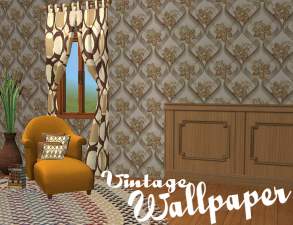

You say "Retro", I say "Vintage"- 12 Wallpapers
by mustluvcatz 14th Sep 2010 at 5:51pm
Twelve wallpapers in 3 styles each of 4 different patterns. more...
11
18k
27
-
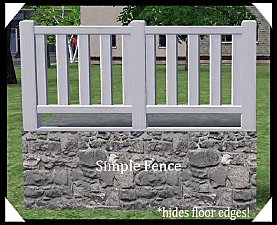
by mustluvcatz 7th Mar 2013 at 5:11am
Are your sims tired of looking at ugly floor edges? Are they going broke buying trim to hide them? Are more...
+1 packs
17 41.4k 146 Nightlife
-
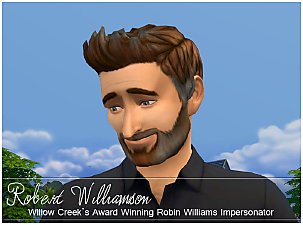

Robert Williamson ~ Celebrity Impersonator
by mustluvcatz 23rd Sep 2014 at 2:56pm
First and foremost: this is not meant to be a celebrity sim/real person. more...


About Me
The exception: My TS4 Robert Williamson sim. I would really like it if he's not edited in any way. He's my tribute to Robin Williams, who was someone I greatly admired. Changing him would make him just another sim.