
 Sign in to Mod The Sims
 EarthBound – Radio Station
 EarthBound – Radio Station


EBradioThumbNew.jpg - width=325 height=225
HowTo_RedoSpecific_EB.jpg - width=1793 height=645
ItsJustMusic!.jpg - width=1096 height=849
31Songs.jpg - width=1920 height=751
EB_RadioMe.jpg - width=720 height=393

EARTHBOUND - RADIO STATION
Requires Freetime
Hi all!

EarthBound...
Some say this game is the best RPG of its time. Possibly the best of all times. <3
Personally? I am obsessed with it. I play mostly as Ness or Lucas in Smash Bros. I love to play EarthBound itself, I finished it many times. I've shown it to family and friends. And I am making EarthBound stuff now. ^^
.
Today, I am NOT bringing you EarthBound though - I am bringing you its AWESOME MUSIC!

EARTHBOUND'S MUSIC
FOR YOUR SIM HOUSES
WHAT IS IT?
It's a new radio station. It's a Global Mod which adds new stuff to your game.
USEFULNESS
It will be useful to you if you're a fan of EarthBound or if you like great videogame music.
ESSENTIAL RESOURCES ONLY
You get the music, the playlist and the folders to place it correctly. Isn't that great?
MOD FUNCTION
Well, it's a new Custom Radio Station. You and your sims get new music to listen to.
MOD TYPE
My mod adds new content to the game. It doesn't conflict with anything. Even if you made other Custom Radio stations before, it won't erase them, it will add a new one to them.
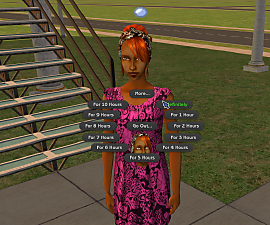
RANDOM PERSON ON THE PICTURES
Well that is me, "dressed as Ness", because I can! ^^
LIST OF SONGS
Some of them in more than one version - all awesome!
Opening Theme
Your Name Please
Battling a weird opponent
Home Sweet Home
Onett
Battling an unsettling opponent
Mayor BH Pirkle
Sanctuary
Hotel
Twoson
Battling a machine
Happy Happy Village
Twoson creepy
Threed
Snowman
Winters
Dusty Dunes Desert
Runaway Five
Summers
Sailing to Scaraba
Lost Underworld
Flying Man
Pokey means business
Get on the bus!
INSTRUCTIONS
How to install your new Radio Station
*** You need Freetime.
1) Pick the group(s) of songs you are interested in
2) Unzip the zips! Put the folder which was in the zips in your My Documents folder. It contains an EA Games folder which should be put where your current one is.
3) Your computer should ask if you wish to MERGE both folders - SAY YES. By saying yes, your computer will copy the songs in the proper place in your Sims 2/Music folder.
4) If you download many zips, your computer will ask if you wish to overwrite a file called customstation.xml - SAY YES, this is the playlist. It will add the custom radio station to your game. If you install all the playlists of this set on top of each other, it doesn't matter because they all contain the same information. If, for any reason, you lose the playlist, and don't know how to make it again, redownload it and place it in your My Documents folder again.
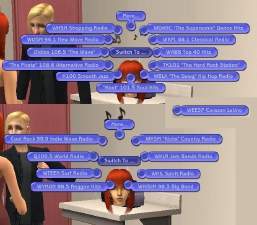
5) IT'S READY! You can now hear your new EARTHBOUND radio station either in the Audio settings or - better! - from a sim's radio.
6) The playlist goes by the order in which those musics are heard while playing EarthBound. If you downloaded them all, EarthBound's opening theme music will be the first one.
---
I hope you enjoy this. Have fun!
This Radio Station will exist here as standalone, and when my EarthBound theme set is complete, this will be a part of it. ^^
*** Sorry if you don't have Freetime!
I tried MTS's tutorial on making radio stations compatible with the Basegame but it didn't work. Fortunately, Freetime still makes this possible.

CREDITS
All credits to respective creators. Here's the links to get to know them and their amazing work better!
Brothers Nylon's YouTube channel
Cat's YouTube channel.
Duane and Brando's BandCamp
Electric Navi's YouTube channel
Josha Morse's BandCamp
Ryan Lafford's YouTube channel
Steven Morris's YouTube channel
Sad Toy Cats's YouTube channel
Songe's YouTube channel
Virt's Last FM profile
PLEASE

DO NOT REDISTRIBUTE ANY OF THE MUSIC!! It is high quality copyrighted material. I had permission (forever ago! lol) from all these amazing musicians to use their pretty songs for this set. Please understand and respect them and their amazing work!
Custom installation instructions! READ ME!
In addition to the normal installation instructions, this download also has a custom instruction, as follows:
1. Download: Click the download link to save the .rar or .zip file(s) to your computer.
2. Extract the zip, rar, or 7z file.
3. INSTRUCTIONS
How to install your new Radio Station
*** You need Freetime.
1) Pick the group(s) of songs you are interested in
2) Unzip the zips! Put the folder which was in the zips in your My Documents folder. It contains an EA Games folder which should be put where your current one is.
3) Your computer should ask if you wish to MERGE both folders - SAY YES. By saying yes, your computer will copy the songs in the proper place in your Sims 2/Music folder.
4) If you download many zips, your computer will ask if you wish to overwrite a file called customstation.xml - SAY YES, this is the playlist. It will add the custom radio station to your game. If you install all the playlists of this set on top of each other, it doesn't matter because they all contain the same information. If, for any reason, you lose the playlist, and don't know how to make it again, redownload it and place it in your My Documents folder again.
5) IT'S READY! You can now hear your new EARTHBOUND radio station either in the Audio settings or - better! - from a sim's radio.
6) The playlist goes by the order in which those musics are heard while playing EarthBound. If you downloaded them all, EarthBound's opening theme music will be the first one.
Need more information?
- For a full, complete guide to downloading complete with pictures and more information, see: Game Help: Downloading for Fracking Idiots.
- Custom content not showing up in the game? See: Game Help: Getting Custom Content to Show Up.
Install Instructions
1. Download: Click the download link to save the .rar or .zip file(s) to your computer.
2. Extract the zip, rar, or 7z file.
3. INSTRUCTIONS
How to install your new Radio Station
*** You need Freetime.
1) Pick the group(s) of songs you are interested in
2) Unzip the zips! Put the folder which was in the zips in your My Documents folder. It contains an EA Games folder which should be put where your current one is.
3) Your computer should ask if you wish to MERGE both folders - SAY YES. By saying yes, your computer will copy the songs in the proper place in your Sims 2/Music folder.
4) If you download many zips, your computer will ask if you wish to overwrite a file called customstation.xml - SAY YES, this is the playlist. It will add the custom radio station to your game. If you install all the playlists of this set on top of each other, it doesn't matter because they all contain the same information. If, for any reason, you lose the playlist, and don't know how to make it again, redownload it and place it in your My Documents folder again.
5) IT'S READY! You can now hear your new EARTHBOUND radio station either in the Audio settings or - better! - from a sim's radio.
6) The playlist goes by the order in which those musics are heard while playing EarthBound. If you downloaded them all, EarthBound's opening theme music will be the first one.
Need more information?
- For a full, complete guide to downloading complete with pictures and more information, see: Game Help: Downloading for Fracking Idiots.
- Custom content not showing up in the game? See: Game Help: Getting Custom Content to Show Up.
Loading comments, please wait...


 View with Names
Uploaded: 21st Aug 2021 at 9:40 PM
Updated: 7th Apr 2022 at 6:12 PM
#EarthBound, #Earth, #Bound, #Earthbound, #Mother 2, #Custom Radio Station, #Radio Station, #Videogame music, #music, #radio, #Many artists, #artists, #musicians, #YouTubers, #Videogame Musicians, #Ness
-
-
by billielith updated 8th Oct 2021 at 4:09pm
 +1 packs
8 30.7k 7
+1 packs
8 30.7k 7 Free Time
-
by billielith 23rd Nov 2021 at 3:49am
+1 packs
3 1.9k 5 Free Time
-
-
-
by heathensimmer 7th Sep 2025 at 1:44am
+1 packs
1.7k 8 Free Time
-
by xXstarcickXx 23rd Oct 2025 at 6:02pm
+1 packs
3 8.8k 19 Pets
Pets
-

by heathensimmer 15th Jun 2026 at 3:49am
1
864
4




-
SERIOUS FREAK GALORE : Chess tables and more - Victor's Summer Sale Volume V
by billielith updated 4th Jul 2011 at 6:08am
Outdoor chess games matching Maxis stuff more...
-
by billielith updated 20th Feb 2015 at 7:35pm
Do you want to save time TWICE? more...
+2 packs
11 16.7k 28 Nightlife
 Open for Business
-
Handsome Actor Ed Quinn, Portraying 3 TV Series' Characters
by billielith 21st Mar 2016 at 6:15am
...as seen in the TV series Eureka, CSI:NY and True Blood. more...
+2 packs
13 21.4k 11 Nightlife
Open for Business
-
by billielith 22nd Dec 2008 at 3:51am
. A nice wallpaper and some carpets for your sims' baby rooms. more...
7
15.6k
14
-
I Saw Three Ships - Ancient Careers for Navigators
by Rue St-Germain updated 6th Jan 2016 at 2:37am
The FRENCH version of the TRADING Career is up! :D more...
+1 packs
52 106.4k 142 Nightlife
-
In College :: Sharlene / Charlie
by billielith 4th Mar 2022 at 7:20pm
. . . Beauty, Brains and Ambition :: Charlie Her real name is Sharlene, but her friends call her Charlie. https://thumbs.modthesims.info/getimage.php?file=2082233 Beautiful, intelligent and ambitiou more...
-
by billielith 28th Jan 2022 at 10:55am
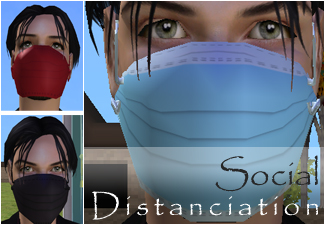
. Social Distanciation COVID-19 ISN'T JUST SOMETHING THAT HAPPENED IN 2020... In some countries (including Canada), people still have to wear face masks, more...
4
5k
12
-
by billielith updated 20th Apr 2012 at 4:43pm
Interesting walls, pretty floors, gorgeous carpets! more...
14
14.3k
7
-
No Valentine Ultra-Short Hair - Add a new age group to your game
by billielith 3rd Apr 2012 at 9:06pm
For sexy greying adult sims and many other sims. Mid-life crisis not included. more...
-
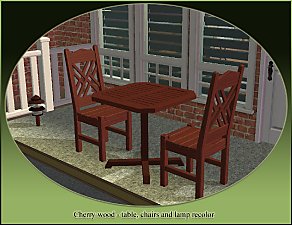
OUTDOORS DINING SET, WITH LAMPS! - Victor's Summer Sale Volume III
by billielith 6th Jun 2011 at 6:25pm
Help your Maxis furniture match itself ! more...

Packs Needed
| Expansion Pack | |
|---|---|
| Free Time |
About Me
Exception : Sepia (my first upload), no credit or link necessary
If you wish to repost my sims, ask first.
If the sim is a sim of you, or a character owned by you, you can repost it at will, with credit + link.
If you want to use my content for unrelated projects, ask first.
In any doubt, ask me.