
 Sign in to Mod The Sims
 Fences - "Lost & Found"
 Fences - "Lost & Found"


pinegultcher-white.png - width=1280 height=800
longhorn-redwood.png - width=1280 height=800
longhorn-green.png - width=1280 height=800
pinegultcher-black.png - width=1280 height=800
pinegultcher-orange.png - width=1280 height=800

These packages contain no meshes or textures, all reference the base game resources. This makes for tiny package sizes.
 Fun Fact
Meshes and textures are what increase package sizes. You too can make any fence "recolor" of a Maxis fence not pull the meshes. Just tick the box in Object Workshop that says "Reference original mesh".
|
HL_maxis-lost-found-fencets.7z
Download
Uploaded: 12th Nov 2021, 4.2 KB.
3,855 downloads.
|
||||||||
| For a detailed look at individual files, see the Information tab. | ||||||||
Install Instructions
1. Download: Click the download link to save the .rar or .zip file(s) to your computer.
2. Extract the zip, rar, or 7z file.
3. Place in Downloads Folder: Cut and paste the .package file(s) into your Downloads folder:
- Origin (Ultimate Collection): Users\(Current User Account)\Documents\EA Games\The Sims™ 2 Ultimate Collection\Downloads\
- Non-Origin, Windows Vista/7/8/10: Users\(Current User Account)\Documents\EA Games\The Sims 2\Downloads\
- Non-Origin, Windows XP: Documents and Settings\(Current User Account)\My Documents\EA Games\The Sims 2\Downloads\
- Mac: Users\(Current User Account)\Documents\EA Games\The Sims 2\Downloads
- Mac x64: /Library/Containers/com.aspyr.sims2.appstore/Data/Library/Application Support/Aspyr/The Sims 2/Downloads
- For a full, complete guide to downloading complete with pictures and more information, see: Game Help: Downloading for Fracking Idiots.
- Custom content not showing up in the game? See: Game Help: Getting Custom Content to Show Up.
- If you don't have a Downloads folder, just make one. See instructions at: Game Help: No Downloads Folder.
Loading comments, please wait...


Uploaded: 12th Nov 2021 at 12:20 PM
#lost & found, #maxis match, #mm, #fence, #pinegultcher, #longhorn
-
by ililas 12th Sep 2005 at 9:43pm
 35
26.1k
4
35
26.1k
4
-
by zedrik 17th Sep 2005 at 8:14am
13
17k
9
-
by crocobaura 17th Jul 2007 at 9:58am
24
76.4k
115
-
-
by HugeLunatic 13th Aug 2012 at 11:49pm
6
13.1k
30
-
by HugeLunatic 27th Jan 2016 at 3:59pm
18
14.4k
48
-
-
Lost & Found Olive Recolors of Zecutine's Step Away With Me Stairs
by HugeLunatic 7th Feb 2018 at 9:51pm
+1 packs
8 12k 27 H&M Fashion
-
by Corax 18th Sep 2022 at 5:40am
2
2.5k
9
-


-
Hydroponic Plant Pot [CEP-EXTRA]
by HugeLunatic 9th Dec 2012 at 9:55pm
This is the flowerpot that you get when harvesting plants from the "Aquagreen Hydroponic Garden". more...
5
28.9k
49
-
-
by HugeLunatic 24th Feb 2018 at 6:49pm
Sometimes you need something a little bit less formal for your sims dining out experience. more...
+1 packs
14 9.5k 37 Nightlife
-
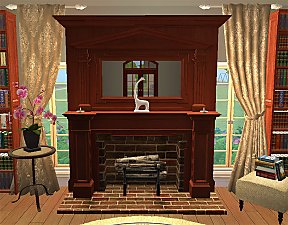
Colonial Fireplace - TS3 Conversion
by HugeLunatic updated 8th Jul 2021 at 1:57pm
A friend had asked if this fireplace from TS3 could be converted to TS2, and well with something involving fireplaces more...
40
94.1k
192
-
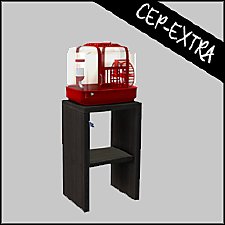
by HugeLunatic updated 30th Mar 2025 at 5:03pm
The small mammal containment now with two subsets! more...
+1 packs
4 7.1k 22 Pets
Pets
-

by Hood Building Group updated 9th Nov 2025 at 1:13pm
Bitville (aka Vincent's Story), a Sims Life Stories neighborhood recreated for TS2. more...
72
80.5k
174
Miscellaneous » Neighborhoods & CAS Screens » Neighbourhoods and Worlds
-
by HugeLunatic 27th Jan 2016 at 3:59pm
Who knew I could still find something hidden in the game files?! more...
18
14.4k
48
-
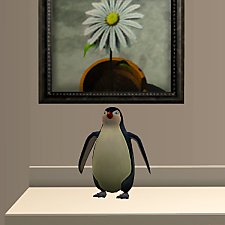
by HugeLunatic 28th Feb 2016 at 2:11pm
The cute little penguin from Seasons now an indoor sculpture. more...
14
8.3k
30
-
Maxis Art Nouveau Open Underneath *Recolorable* Modular Stairs
by HugeLunatic 12th May 2009 at 5:34pm
Updated 19-Dec-09 - with new script file Apparently the range of numbers I have for my modular stairs conflict with more...
36
115.4k
191
-
by HugeLunatic 3rd May 2014 at 1:48pm
Collection of one-tile IKEA dining tables. more...
+1 packs
19 28.4k 90 Ikea Home


About Me
Pet Stories || Dog Agility Items? || Castaway Stories || Holy Simoly Extras
4esf Archive || Holy Simoly Archive || CEP-Extras List || Buyable Game Objects
lunie content from GoS/s2a
Installation of CEP Extras-the package with pfiles appended to the name will go into your cep extras folder where your game is installed (typically c drive, you do you)
-the other goes in CEP extra folder in documents.
The following locations are what I am aware of, beyond that you'll have to do some searching.
Downloads Folder:
C:\Users\<user>\Documents\EA Games\The Sims 2 Legacy
C:\Users\<user>\Documents\EA Games\The Sims 2 Ultimate Collection
With multiple launchers, the location for your game install will vary.
C:\Program Files\EA GAMES\The Sims 2 Legacy\TSData\Res\Catalog\zCEP-EXTRA
C:\Program Files\EA GAMES\The Sims 2\TSData\Res\Catalog\zCEP-EXTRA
C:\Program Files (x86)\EA GAMES\The Sims 2\TSData\Res\Catalog\zCEP-EXTRA