
 Sign in to Mod The Sims
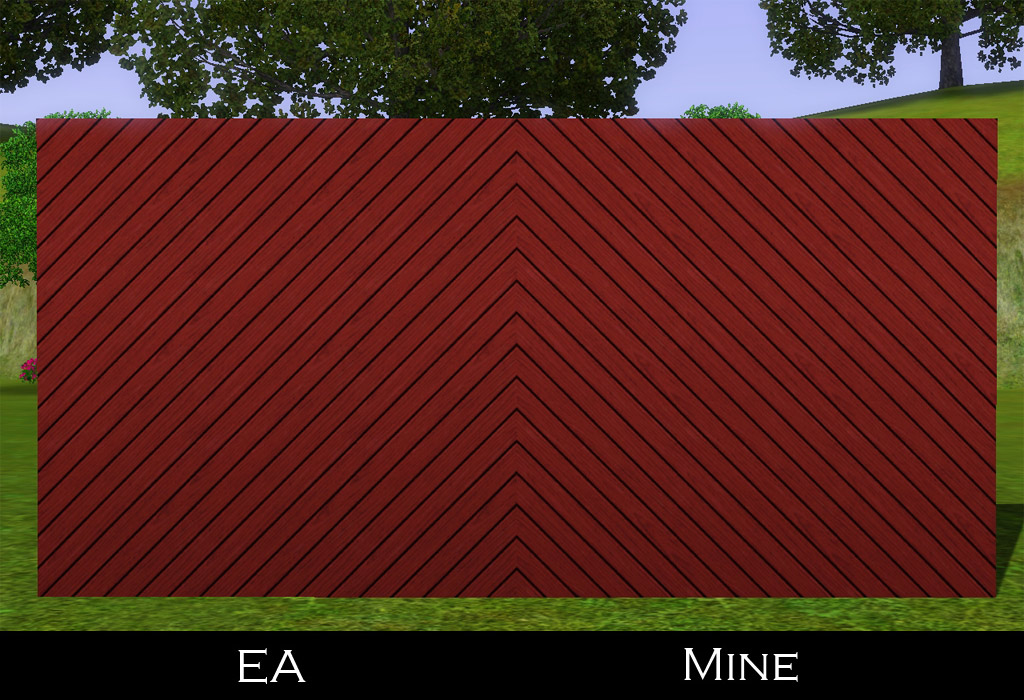
 Wall Slats - Reversed
 Wall Slats - Reversed


wallSlatsReversed01.jpg - width=1024 height=700
wallSlatsReversed02.jpg - width=1024 height=700

| Name | Location | Price | Channels | Presets |
|---|---|---|---|---|
| Diagonal Slats Reversed | Walls/Siding | §7 | 1 | 1 |
| Dual Edged Diagonal Slats Reversed | Walls/Siding | §7 | 2 | 1 |
|
HL_Wall_SlatsReversed.rar
Download
Uploaded: 12th Mar 2012, 248.0 KB.
3,151 downloads.
|
||||||||
| For a detailed look at individual files, see the Information tab. | ||||||||
Install Instructions
1. Click the download button, or the filename, to download the file to your computer.
2. Extract the zip, rar, or 7z file. Now you will have either a .package or a .sims3pack file.
For Package files:
1. Cut and paste the file into your Documents\Electronic Arts\The Sims 3\Mods\Packages folder. If you do not already have this folder, you should read the full guide to Package files first: Sims 3:Installing Package Fileswiki, so you can make sure your game is fully patched and you have the correct Resource.cfg file.
2. Run the game, and find your content where the creator said it would be (build mode, buy mode, Create-a-Sim, etc.).
For Sims3Pack files:
1. Cut and paste it into your Documents\Electronic Arts\The Sims 3\Downloads folder. If you do not have this folder yet, it is recommended that you open the game and then close it again so that this folder will be automatically created. Then you can place the .sims3pack into your Downloads folder.
2. Load the game's Launcher, and click on the Downloads tab. Find the item in the list and tick the box beside it. Then press the Install button below the list.
3. Wait for the installer to load, and it will install the content to the game. You will get a message letting you know when it's done.
4. Run the game, and find your content where the creator said it would be (build mode, buy mode, Create-a-Sim, etc.).
Extracting from RAR, ZIP, or 7z: You will need a special program for this. For Windows, we recommend 7-Zip and for Mac OSX, we recommend Keka. Both are free and safe to use.
Need more help?
If you need more info, see:
- For package files: Sims 3:Installing Package Fileswiki
- For Sims3pack files: Game Help:Installing TS3 Packswiki
Loading comments, please wait...


Uploaded: 12th Mar 2012 at 4:15 PM
Updated: 12th Mar 2012 at 4:45 PM
#slats, #diagonal, #walls, #maxis match, #ea match
-
by daluved1 updated 13th Jan 2011 at 6:20pm
 27
53.2k
107
27
53.2k
107
-
by armiel 27th Jan 2011 at 5:48pm
15
35.9k
96
-
by alexpilgrim 20th Jun 2011 at 7:55pm
61
101.8k
283
-
-
-
by hazelnutter100 28th Nov 2022 at 11:55pm
9
8k
33
-
by aisquared 5th Jul 2024 at 5:46pm
11
2.7k
9
-
by Lo2ta updated 25th Dec 2024 at 8:47am
14
2.4k
16
-
by Lo2ta 3rd Nov 2025 at 6:38pm
606
-

by Lo2ta 26th Feb 2026 at 6:07pm
660
4



-
by HugeLunatic 3rd May 2014 at 1:48pm
Collection of one-tile IKEA dining tables. more...
 +1 packs
19 28.4k 90
+1 packs
19 28.4k 90 Ikea Home
-
by HugeLunatic 18th Nov 2016 at 5:16pm
So round one of bribing y'all is having some positive effects. more...
10
26.8k
64
-
Arbor Falls (aka Free Play): Neighborhood Recreation - No CC
by Hood Building Group 7th Aug 2019 at 1:54pm
Arbor Falls (aka Free Play), a Sims Pets Stories neighborhood recreated for TS2. more...
58
55.1k
153
Miscellaneous » Neighborhoods & CAS Screens » Neighbourhoods and Worlds
-
by HugeLunatic 4th Oct 2019 at 4:53pm
The electronics from The Sim 3 Store Atomic set. more...
+1 packs
12 8.2k 31 Apartment Life
-
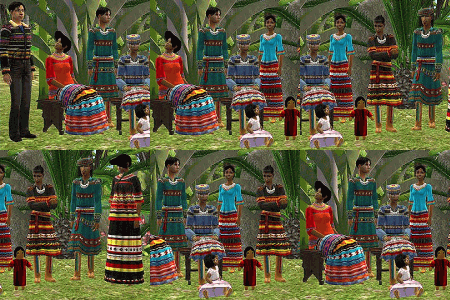
N8iveSims Presents - First Nations - The Seminole
by N8iveSims 25th Apr 2007 at 7:42am
Check out the comments section for more great stuff! more...
183
226.5k
125
-
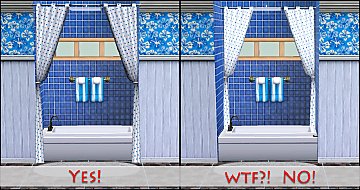
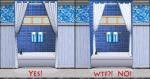
Curtains! Stop Snapping to that Wall!!
by HugeLunatic updated 17th Nov 2010 at 7:01pm
So having curtains snap onto walls is fine, sure no problem. Makes decorating easier for the most part. more...
-
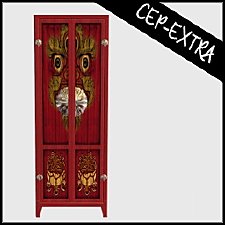
[CEP Extra] OFB Central Asian Armoire
by HugeLunatic 27th Mar 2022 at 8:45pm
This makes the OFB armoire use the textures from the base game. more...
+1 packs
2 3.1k 10 Open for Business
-
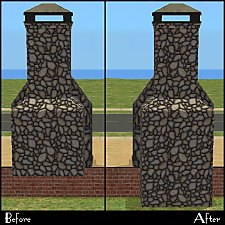
by HugeLunatic 21st Feb 2011 at 12:52am
The base game fireplace chimneys were all made recolorable by Numenor in the CEP. more...
19
46.9k
129
-
by HugeLunatic updated 20th Jul 2022 at 1:31pm
This is another base game double door that apparently has never been made into a one tile. more...
21
33k
68
-
by HugeLunatic 15th Nov 2014 at 3:56am
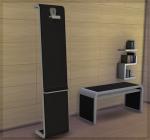
A basic modern easel, designed to match the desk "The Recognizer" in game, but will work in more...
 57
65.1k
331
57
65.1k
331




About Me
Pet Stories || Dog Agility Items? || Castaway Stories || Holy Simoly Extras
4esf Archive || Holy Simoly Archive || CEP-Extras List || Buyable Game Objects
lunie content from GoS/s2a
 Installation of CEP Extras
-the package with pfiles appended to the name will go into your cep extras folder where your game is installed (typically c drive, you do you)
-the other goes in CEP extra folder in documents.
The following locations are what I am aware of, beyond that you'll have to do some searching.
Downloads Folder:
C:\Users\<user>\Documents\EA Games\The Sims 2 Legacy
C:\Users\<user>\Documents\EA Games\The Sims 2 Ultimate Collection
With multiple launchers, the location for your game install will vary.
C:\Program Files\EA GAMES\The Sims 2 Legacy\TSData\Res\Catalog\zCEP-EXTRA
C:\Program Files\EA GAMES\The Sims 2\TSData\Res\Catalog\zCEP-EXTRA
C:\Program Files (x86)\EA GAMES\The Sims 2\TSData\Res\Catalog\zCEP-EXTRA