
 Sign in to Mod The Sims
 The SEP (Slot Enable Package) v. 1.2 *UPD 19may08*
 The SEP (Slot Enable Package) v. 1.2 *UPD 19may08*


1_AnyObject.jpg - width=1024 height=768
2_AnyCounter.jpg - width=1024 height=768


"COUNTERS" - v. 1.2 (19 may 08)
-------------------------------------------------
 19 MAY 2008: UPDATE - Included counters and islands from H&M and Kitchen&Bath! Read the details on Post #2
 WARNING: this is a global mod, i.e. it affects all the lots in the game (but it's NOT a hack: it will NOT be included in exported lots).
WHAT IS THE SEP?
The Slot Enable Packages is module than enables additional slots in the Maxis counters (residential and commercial counters and islands).
Once installed, you'll be able to place objects in new spots, and in new positions, that previously weren't allowed by the game (see below for details).
MODULE 1 - *COUNTERS*
This module (currently the only one available EDIT: this one will forever be the only one available: I'm not going to add other modules
 ) will let you use the corner counters, allowing you to install on them espresso machines, mixers, telephones and anything else (all objects placeable on counters, of course); and the sims will correctly use the objects placed on the corners.
The "SEP-Counters" module will work with *ALL* the existing counters (including the commercial ones) and counter islands shipped with the base game, UNI, NL, OFB, PETS, SSN, H&M and K&B (the other packs don't contain any counter).
Obviously, if you have only the base game, you will NOT find new counters in your catalog!
 But if you have any of the mentioned EP, the SEP will automatically apply on the counters for that EP, enabling the diagonal objects for them.
BASE-GAME and UNI USERS: your game doesn't allow you to create corners using islands (this is a feature introduced with NL; or better, it's a bug that was corrected with Nightlife
 ). Therefore, base-game and UNI users can only use corners created with normal counters.
OFB USERS: the "SEP-Counters" works perfectly with OFB, and will allow you to put sellable objects (or even the cash register) on the corners, and your customer will have no problems in purchasing them; also, you will be able to correctly restock the sold objects (but remember that the game *has* some bugs related to the restocking function! So, don't blame me if your restock signs are misplaced
)INSTALLATION AND USAGE
Extract the package from the zip, and put it into your Downloads folder.
IMPORTANT: the SEP will automatically affect all the counters and islands placed in your lot after having installed the mod; the corners already existing in your lot at the moment of the installation will NOT be automatically "enabled"! You have to pick them, move them around a little, and put them down again (no need to re-buy them).
CREDITS AND ACKNOWLEDGMENTS
As always, credits go to Maxis for the game itself, and for the counters in particular.
Biggest thanks to MaryLou for her tireless beta-testing
LICENSE AGREEMENT
DO NOT repost the SEP, and any of its parts, on any site.
Please BE WARNED that when you clone a Maxis counter with the SEP installed, some parts of the SEP will be included in your clone. This is allowed; but be warned that all the Resource Nodes included in the SEP contain a copyright line: if this is a problem for you, please remove the SEP before cloning Maxis counters..
If your cloned counter or island has the usable corners thanks to the SEP, you MUST give credits to Numenor for that, and put a link to this very thread (in order to allow people to report bugs and receive support).
TECHNICAL EXPLANATION
The Maxis corner counters, basically, have the same slots as the straight counters (one main slot in the center and two decorative slots on the back); but they are all misplaced, so that the objects are not usable, and the routes to the slots are badly tweaked (the sims can't reach the interaction point).
I have moved and rotated the "std_0" slot, and adjusted all the related routes, editing each and every CRES for the Maxis counters, commercial counters and islands. I've also modified the footprint of each corner, to let the sim operate the object from both sides.
On the other hand there was no need to edit the SLOT files themselves; as a consequence, the SEP package(s) contain only Resource Nodes and nothing else.
One special mention is due for the "dec_2" slot. The corners have a third "decorative slot" that is missing in the straight counters; this caused the objects placed in that slot to "disappear" when the corner was moved and given a straight shape. This "dec_2" slot has been removed from all the corners, so that this problem is now fixed.
|
SlotEnablePackage_Counters.zip
Download
Uploaded: 19th May 2008, 8.9 KB.
78,774 downloads.
|
||||||||
| For a detailed look at individual files, see the Information tab. | ||||||||
Install Instructions
1. Download: Click the download link to save the .rar or .zip file(s) to your computer.
2. Extract the zip, rar, or 7z file.
3. Place in Downloads Folder: Cut and paste the .package file(s) into your Downloads folder:
- Origin (Ultimate Collection): Users\(Current User Account)\Documents\EA Games\The Sims™ 2 Ultimate Collection\Downloads\
- Non-Origin, Windows Vista/7/8/10: Users\(Current User Account)\Documents\EA Games\The Sims 2\Downloads\
- Non-Origin, Windows XP: Documents and Settings\(Current User Account)\My Documents\EA Games\The Sims 2\Downloads\
- Mac: Users\(Current User Account)\Documents\EA Games\The Sims 2\Downloads
- Mac x64: /Library/Containers/com.aspyr.sims2.appstore/Data/Library/Application Support/Aspyr/The Sims 2/Downloads
- For a full, complete guide to downloading complete with pictures and more information, see: Game Help: Downloading for Fracking Idiots.
- Custom content not showing up in the game? See: Game Help: Getting Custom Content to Show Up.
- If you don't have a Downloads folder, just make one. See instructions at: Game Help: No Downloads Folder.
Loading comments, please wait...


Uploaded: 28th Mar 2006 at 11:51 PM
Updated: 19th May 2008 at 1:18 AM - Updated to "Kitchen & Bath" SP
-
by dizzy2 27th Jun 2005 at 10:18am
 100
120.1k
107
100
120.1k
107
-
-
-
by cathair2005 30th Jan 2006 at 6:11am
49
54.9k
29
-
-

-
by heathensimmer 7th Sep 2025 at 1:44am
+1 packs
1.7k 8 Free Time
-
by xXstarcickXx 23rd Oct 2025 at 6:02pm
+1 packs
3 8.1k 19 Pets
Pets





-
Bender from "Futurama" cartoon series - OFB REQUIRED!
by Dynamic Duo 21st Apr 2006 at 11:31pm
"Well I don't have anything else planned for today... ...LET'S GET DRUNK!!!" :beer: :Pint: :buddies: Heeeeeere it is! more...
+1 packs
261 214k 99 Open for Business
-
"Ape Essence by Monkeyino" - Vending Rack & Perfume
by MaryLou & Numenor updated 1st Apr 2008 at 3:51am
"APE ESSENCE" BY MONKEYINO - VENDING RACK & PERFUME by MaryLou & Numenor Works with any game up to more...
56
164.4k
77
-
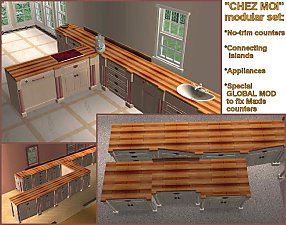
"Chez Moi" Modular Kitchen Set
by MaryLou & Numenor 21st Oct 2006 at 12:09am
"CHEZ MOI" MODULAR KITCHEN SET by MaryLou & Numenor If you liked the "CounterCulture" Modular set more...
-
Photos & Plaques hide with walls down
by Numenor 22nd Feb 2009 at 6:23pm
Photos & Plaques hide with walls down (Object Mods) These mods are more...
46
86.7k
265
-
Invisible Water from Sprinkles - Global Hack - *Seasons Required*
by Numenor 5th Mar 2007 at 10:36pm
INVISIBLE WATER FROM SPRINKLES GLOBAL HACK - SEASONS REQUIRED WARNING: this is a GLOBAL more...
+1 packs
23 31.9k 35 Seasons
-
Maxis "Lost & Found" #15: CAS Micro Spot
by Numenor 20th Jan 2006 at 2:14am
These spot lights weren't actually "hidden": they are used in the CAS screen (both in the screen where the sims more...
54
74.5k
79
-
Kickmouldings & Crowns *UPD 22 FEB 2007*
by MaryLou & Numenor 9th Aug 2006 at 11:28pm
KICKMOULDINGS & CROWNS and HALF-WALL CROWNS by MaryLou and Numenor ------------------------------------------------------------------------------------------------------------------------------ :n more...
90
93.3k
93
-
No Visual Effects for Stereo/Karaoke/DJ Booth - *UPD 19MAR08*
by Numenor 11th Dec 2006 at 12:31am
NOTICE - This is a GLOBAL HACK, which means that: it might be unknowingly included in your uploaded lots more...
35
58.2k
79
-
Bella & Mortimer *Animated* Snow Globe
by Numenor 18th Jan 2006 at 5:33pm
"BELLA & MORTIMER ANIMATED SNOW GLOBE" By Numenor - DO NOT CLONE - Visit www.numenor-moddings.com for full Copyright Policy more...
76
76.2k
149
-
Gorges du Loup (No hacks - No custom content)
by Numenor 10th Apr 2005 at 12:59am
Cost: $ 19,981 (furnished). more...
37
23.2k
9
About Me
You may contact me via personal messages here at MTS, and I will reply, but I don't grant I can help you, as a long time has gone by since I created my mods.
This following policy applies to ALL my creations, unless otherwise stated on the download thread.
It's FORBIDDEN: to repost my stuff anywhere.
It's FORBIDDEN: to clone my creations.
It's ALLOWED: to create recolours for my objects (and post them on any site, including paysites), BUT you can't include the mesh in your recolour: you must give credits to me for the mesh, and provide a link to the mesh download thread.
It's ALLOWED: to include my creations in your lots, BUT the lots must be uploaded on free sites (except the Exchange), and you must provide credits and a link to the download thread.