
 Sign in to Mod The Sims
 The Sims 3 Custom Launcher by Hundefreund
 The Sims 3 Custom Launcher by Hundefreund

Screenshot 2026-06-22 083653.png - width=856 height=652
This is a Custom Launcher I created that's supposed to install things while avoiding problems that the original Sims 3 Launcher tends to make. Right now it is not possible to install things, that's planned for a future update. All you can do right now is look at Sims3Packs and Packages and decrypt them.
Installation
Download your preferred version (either 32 Bit or 64 Bit) and then just extract the contents wherever you like. Then start "Launcher.exe" to start the programme. This programme does not need to be installed, you can simply start it.
Uninstall
Just delete the extracted folder. Also, if you want to delete the preferred settings that were stored, then delete the folder "HFCL_Data" that was created inside your Sims 3 User Files Directory (the one where your savefiles are stored).
Requirements
You need to have Microsoft's .Net Framework 4 in order to use this programme. (It's the same requirement that S3PE has.)
Also, you might need to manually download and install the patch "Microsoft .NET Framework 4 KB2468871" as well.
Technical Info
You can find the source code of this programme on GitHub:
https://github.com/HundefreundTS3/HFFS3CustomLauncher
Notice for Linux Users
I got my programme working on Ubuntu 24.04.4 LTS. I used the following six commands in a terminal:
sudo apt-get install wine
sudo apt install winetricks
winetricks -q dotnet40_kb2468871
winetricks -q dxvk
wine reg ADD 'HKCU\Software\Wine\DllOverrides' '/f' '/v' 'd3d9' '/t' 'REG_SZ' '/d' 'native'
wine reg add "HKCU\\SOFTWARE\\Microsoft\\Avalon.Graphics" /v DisableHWAcceleration /t REG_DWORD /d 1 /f
Then, to start the programme, I switched to the destination of the execution file and entered the following command:
wine Launcher.exe
I cannot promise that it works 100% but the basic features all worked for me, at least with Ubuntu.
Explanation
Happy 17th birthday, The Sims 3! What a number... I've always loved playing it, even despite the problems. I've also always liked what the Community has done to expand the game even more. And now, I think it is high time that I finally contribute as well. So... I want to present to you my very own, personal Custom Launcher for The Sims 3! The original Launcher has always produced problems and headaches, I'm very aware since I've experienced them as well. But I've found out how the install process actually works, and I came to the conclusion: I can reproduce that. No, more than that: I can even improve on it! Well... at least that's the end goal. Right now, the only thing you can do with my Custom Launcher is taking a look at your Sims3Packs and Packages and also decrypt them if you like. However, I've already implemented several quality-of-life features that the original Launcher lacks, like sorting and using in fullscreen and viewing several more columns which can be hidden and unhidden, resized, and reorganised to your heart's content. But you still need the original Launcher for installation right now. I'm currently working on implementing the installation feature, and I even plan on adding several more accommodations: For example, I found out that you can actually install a bare minimum while placing most of the actual stuff into the Mods folder. It will still be registered as being installed, which means that it would be possible to have everything registered as installed while using Create-A-World in this way - no more crashes due to too many installed things! Also, I could make it so that you can merge files in such a way so that my programme can unmerge them for you at any time. And that's just the beginning, there's even more I want to implement. We'll see if I get to it.
| Filename | Type | Size |
|---|---|---|
| HundefreundCustomLauncher (32Bit).zip | zip | |
| HFFS3CustomLauncher.exe | exe | 1898496 |
| HFFS3CustomLauncher.exe.config | config | 679 |
| Microsoft.Threading.Tasks.dll | dll | 37104 |
| Microsoft.Threading.Tasks.Extensions.Desktop.dll | dll | 47424 |
| Microsoft.Threading.Tasks.Extensions.Desktop.xml | xml | 64919 |
| Microsoft.Threading.Tasks.Extensions.dll | dll | 31520 |
| Microsoft.Threading.Tasks.Extensions.xml | xml | 19600 |
| Microsoft.Threading.Tasks.xml | xml | 51059 |
| System.IO.dll | dll | 21144 |
| System.IO.xml | xml | 134 |
| System.Runtime.dll | dll | 22176 |
| System.Runtime.xml | xml | 2972 |
| System.Threading.Tasks.dll | dll | 35016 |
| System.Threading.Tasks.xml | xml | 33808 |
| UserPreferences.xml | xml | 61 |
| Filename | Type | Size |
|---|---|---|
| HundefreundCustomLauncher (64Bit).zip | zip | |
| HFFS3CustomLauncher.exe | exe | 1898496 |
| HFFS3CustomLauncher.exe.config | config | 679 |
| Microsoft.Threading.Tasks.dll | dll | 37104 |
| Microsoft.Threading.Tasks.Extensions.Desktop.dll | dll | 47424 |
| Microsoft.Threading.Tasks.Extensions.Desktop.xml | xml | 64919 |
| Microsoft.Threading.Tasks.Extensions.dll | dll | 31520 |
| Microsoft.Threading.Tasks.Extensions.xml | xml | 19600 |
| Microsoft.Threading.Tasks.xml | xml | 51059 |
| System.IO.dll | dll | 21144 |
| System.IO.xml | xml | 134 |
| System.Runtime.dll | dll | 22176 |
| System.Runtime.xml | xml | 2972 |
| System.Threading.Tasks.dll | dll | 35016 |
| System.Threading.Tasks.xml | xml | 33808 |
| UserPreferences.xml | xml | 61 |
Note from the Creator:
Custom installation instructions! READ ME!
In addition to the normal installation instructions, this download also has a custom instruction, as follows:
1. Download: Click the download link to save the .rar or .zip file(s) to your computer.
2. Extract the zip, rar, or 7z file.
3. Download your preferred version (either 32 Bit or 64 Bit) and then just extract the contents wherever you like. Then start "Launcher.exe" to start the programme. This programme does not need to be installed, you can simply start it.
Need more information?
- For a full, complete guide to downloading complete with pictures and more information, see: Game Help: Downloading for Fracking Idiots.
- Custom content not showing up in the game? See: Game Help: Getting Custom Content to Show Up.
|
HundefreundCustomLauncher (64Bit).zip
Download
Uploaded: Yesterday, 863.8 KB.
15 downloads.
|
||||||||
|
HundefreundCustomLauncher (32Bit).zip
Download
Uploaded: Yesterday, 863.7 KB.
4 downloads.
|
||||||||
| For a detailed look at individual files, see the Information tab. | ||||||||
Install Instructions
1. Download: Click the download link to save the .rar or .zip file(s) to your computer.
2. Extract the zip, rar, or 7z file.
3. Download your preferred version (either 32 Bit or 64 Bit) and then just extract the contents wherever you like. Then start "Launcher.exe" to start the programme. This programme does not need to be installed, you can simply start it.
Need more information?
- For a full, complete guide to downloading complete with pictures and more information, see: Game Help: Downloading for Fracking Idiots.
- Custom content not showing up in the game? See: Game Help: Getting Custom Content to Show Up.
Loading comments, please wait...

Uploaded: Yesterday at 4:07 PM
Updated: Today at 1:03 AM
-
-
-
Custom Launcher with Package Management [Obsolete]
by granthes updated 13th Jun 2011 at 11:55pm
 445
342.9k
220
445
342.9k
220
-
by granthes updated 15th Jul 2012 at 5:12pm
893
841.8k
1.6k
-
LD's Sims3Launcher (EA App/Origin) (1.69)
by LazyDuchess updated 5th Nov 2024 at 6:34am
100
268.2k
414
-

by LazyDuchess updated 22nd Feb 2022 at 8:20pm
10
37.6k
66
-
-
by Just Harry updated 14th Mar 2026 at 11:56pm
253
140.8k
208
-

by Destrospean updated 15th Jun 2026 at 3:18am
91
16.4k
25
-

More Favorites – Add Custom Favorite Food, Music, and Colors
by Destrospean updated 16th Jun 2026 at 11:26pm
26
7.2k
26


-
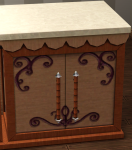
Shoppe Counter Island (Store item) - Fallback Fix [legitimate & decrapified version available]
by Hundefreund 2nd Feb 2026 at 1:27pm
This will repair the Fallback Behaviour of the Shoppe Counter Island which could even cause a softlock in a very rare and specific circumstance. more...
-
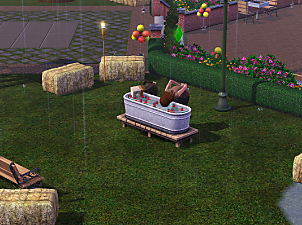

Apple Bobbing Tank - Fix for Children
by Hundefreund 28th Nov 2025 at 1:38am
This will enable children to use the apple bobbing tank from the Seasons expansion pack, no matter in which angle it is placed. more...
-

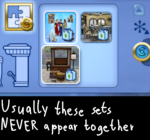
UPDATE 1.1 - Featured Sets (Store) - Unhide Subsets
by Hundefreund updated 7th Mar 2026 at 2:09am
Installing specific Store Sets causes certain Subsets to not appear in the game. This mod will make affected Subsets reappear. more...
-
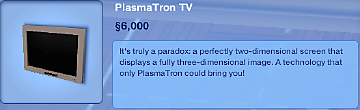
UPDATE 1.1 - PlasmaTron TV (Store item) - Text Fix [legitimate & decrapified version available]
by Hundefreund updated 2nd Apr 2026 at 5:53am
This fix will make the correct text appear for the PlasmaTron TV, an item from The Sims 3 Store. It works for every language. more...
-
Sharper Edge Window (Store item) - Fix to prevent Crash [legitimate & decrapified version available]
by Hundefreund 27th Jan 2026 at 10:48pm
This fix will prevent a crash from happening when attempting to pick up the 'Sharper Edge Window' while it is placed on a diagonal wall. more...
-

UPDATE 1.1 - Featured Sets (Store) - Display Fix
by Hundefreund updated 13th Feb 2026 at 9:40pm
This is for the display of some Featured Sets from The Sims 3 Store which do not show up in the game at all without this fix. more...


