
 Sign in to Mod The Sims
 NL Photo Booth Fix
 NL Photo Booth Fix

photoBooth.jpg - width=850 height=655

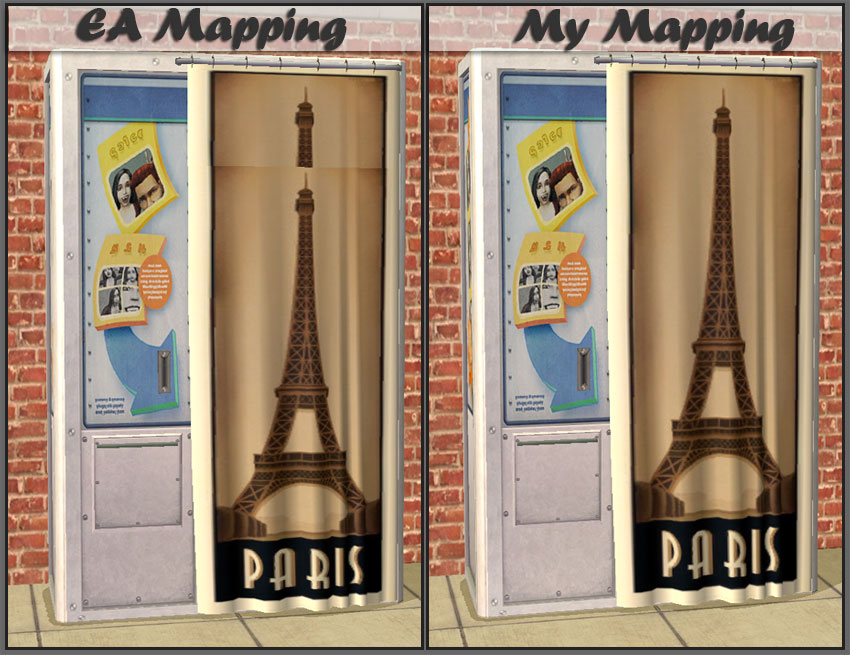
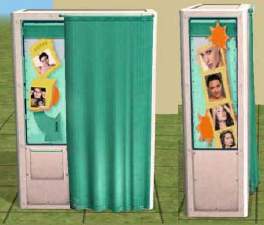
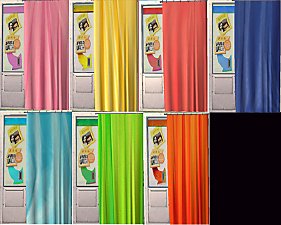
The only thing in the package is the remapped mesh, it will overwrite the original mesh. I remapped just the curtain!
Place in your downloads folder or anywhere else you place game overrides. Will not show a cc asterisk. Recoloring in SimPE will use this remapped mesh when recoloring. Any previous recolors will work and should look just the same (or better!) than the original.
Polygon Counts:
1713 - Same as EA original just remapped the curtain
Additional Credits:
simarillion - for trying sooo hard to make things work with the EA mapping.

This is a new mesh, and means that it's a brand new self contained object that usually does not require a specific Pack (although this is possible depending on the type). It may have Recolours hosted on MTS - check below for more information.
|
HL_NLPhotoBoothFix.rar
Download
Uploaded: 8th Apr 2010, 42.1 KB.
8,218 downloads.
|
||||||||
| For a detailed look at individual files, see the Information tab. | ||||||||
Install Instructions
1. Download: Click the download link to save the .rar or .zip file(s) to your computer.
2. Extract the zip, rar, or 7z file.
3. Place in Downloads Folder: Cut and paste the .package file(s) into your Downloads folder:
- Origin (Ultimate Collection): Users\(Current User Account)\Documents\EA Games\The Sims™ 2 Ultimate Collection\Downloads\
- Non-Origin, Windows Vista/7/8/10: Users\(Current User Account)\Documents\EA Games\The Sims 2\Downloads\
- Non-Origin, Windows XP: Documents and Settings\(Current User Account)\My Documents\EA Games\The Sims 2\Downloads\
- Mac: Users\(Current User Account)\Documents\EA Games\The Sims 2\Downloads
- Mac x64: /Library/Containers/com.aspyr.sims2.appstore/Data/Library/Application Support/Aspyr/The Sims 2/Downloads
- For a full, complete guide to downloading complete with pictures and more information, see: Game Help: Downloading for Fracking Idiots.
- Custom content not showing up in the game? See: Game Help: Getting Custom Content to Show Up.
- If you don't have a Downloads folder, just make one. See instructions at: Game Help: No Downloads Folder.
Loading comments, please wait...


-
Photo Booth Recolours - Set of 5
by waywardpixie 23rd Mar 2006 at 9:19am
 +1 packs
6 9.7k 5
+1 packs
6 9.7k 5 Nightlife
-
-
-
by Chami98minds 16th Dec 2006 at 5:40am
+1 packs
5 10.9k 4 Nightlife
-
Vivikrys_PhotoBoothSet of Recolours
by karidad 27th Sep 2007 at 11:43pm
+1 packs
6 11.9k 13 Nightlife
-
Fully functional phone booth for community lots
by nicvncnt updated 10th Mar 2008 at 2:20am
73
102.1k
227
-
by simarillion 21st Mar 2010 at 6:51pm
+1 packs
5 16.5k 9 Nightlife
-
by simarillion 18th Jun 2010 at 9:59pm
+1 packs
7 20.1k 19 Nightlife
-
Gigi Photo Booth: A TS3 Conversion
by Honeywell 8th Nov 2012 at 10:12pm
+1 packs
39 51k 115 Nightlife
-
by Nopke updated 1st Sep 2024 at 5:49pm
6.9k
34


-


by HugeLunatic 5th Sep 2020 at 4:15pm
I wanted different colors for the wood and metal bits for the hobby plaques that come with Freetime, so I've more...
+1 packs
4 5.8k 20 Free Time
-
by HugeLunatic 14th Mar 2010 at 8:21pm
:here: I've updated with a set for base game. more...
-
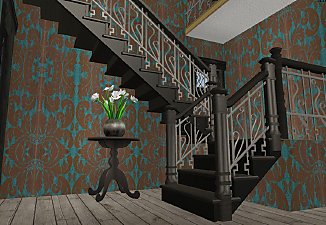
Maxis Art Nouveau Open Underneath *Recolorable* Modular Stairs
by HugeLunatic 12th May 2009 at 5:34pm
Updated 19-Dec-09 - with new script file Apparently the range of numbers I have for my modular stairs conflict with more...
36
115.3k
191
-
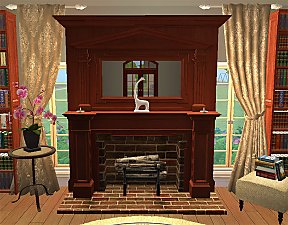
Colonial Fireplace - TS3 Conversion
by HugeLunatic updated 8th Jul 2021 at 1:57pm
A friend had asked if this fireplace from TS3 could be converted to TS2, and well with something involving fireplaces more...
40
94.1k
191
-
by HugeLunatic updated 3rd Jul 2009 at 7:36pm
FreeTime has this wonderful wall hanging quilt that looked just like one of the many blankets that my own kids more...
62
164.1k
391
-
by HugeLunatic 26th Feb 2011 at 8:12pm
After several weeks of head-to-desk banging (resulting in an odd bulge in my forehead) I give you...The Closure! more...
 77
109.3k
315
77
109.3k
315
-
by HugeLunatic 12th Oct 2009 at 5:34pm
A set of edgers to finish off the roof line when using either the M&G or AL Decorative roof pieces. more...
+1 packs
17 31.5k 69 Apartment Life
-
Old World Large Window [CEP-EXTRA]
by HugeLunatic 3rd Feb 2014 at 6:45pm
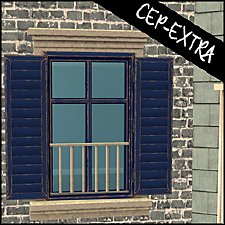
The two-tile bohemian window from AL only had a single subset, so you could only match the wood portion to more...
+1 packs
5 16.7k 44 Apartment Life
-
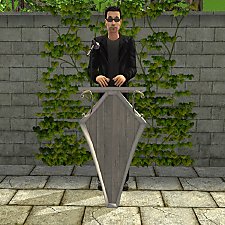
by HugeLunatic updated 4th Feb 2016 at 2:32am
Podium inspired by an image from "The Nightmare Before Christmas". more...
3
5.6k
19
-
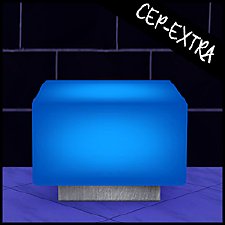
by HugeLunatic updated 30th Oct 2022 at 7:59pm
Thanks to MrsM'Quve for pointing out this blue recolor was just hanging out in the game files and nowhere more...
+1 packs
7 10.6k 27 Nightlife


Packs Needed
| Expansion Pack | |
|---|---|
 | Nightlife |
About Me
Pet Stories || Dog Agility Items? || Castaway Stories || Holy Simoly Extras
4esf Archive || Holy Simoly Archive || CEP-Extras List || Buyable Game Objects
lunie content from GoS/s2a
 Installation of CEP Extras
-the package with pfiles appended to the name will go into your cep extras folder where your game is installed (typically c drive, you do you)
-the other goes in CEP extra folder in documents.
The following locations are what I am aware of, beyond that you'll have to do some searching.
Downloads Folder:
C:\Users\<user>\Documents\EA Games\The Sims 2 Legacy
C:\Users\<user>\Documents\EA Games\The Sims 2 Ultimate Collection
With multiple launchers, the location for your game install will vary.
C:\Program Files\EA GAMES\The Sims 2 Legacy\TSData\Res\Catalog\zCEP-EXTRA
C:\Program Files\EA GAMES\The Sims 2\TSData\Res\Catalog\zCEP-EXTRA
C:\Program Files (x86)\EA GAMES\The Sims 2\TSData\Res\Catalog\zCEP-EXTRA