
 Sign in to Mod The Sims
 Dining for Four
 Dining for Four


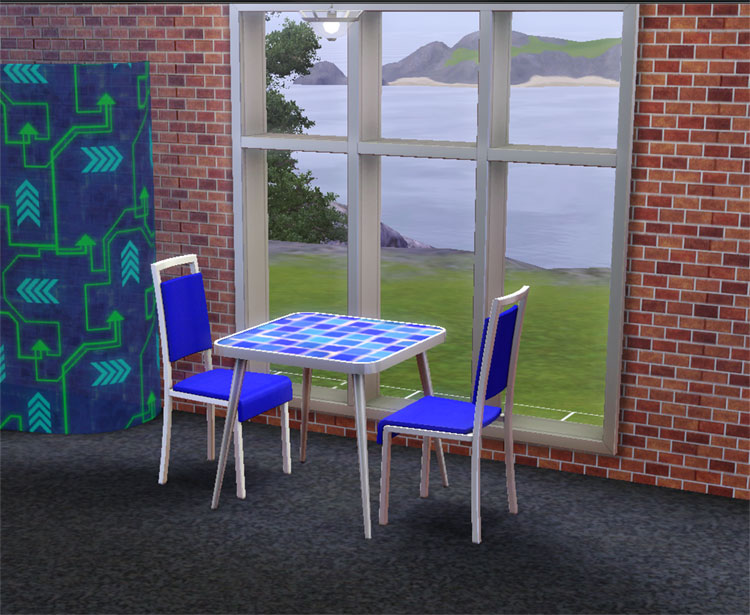
modern1-tile.jpg - width=750 height=615
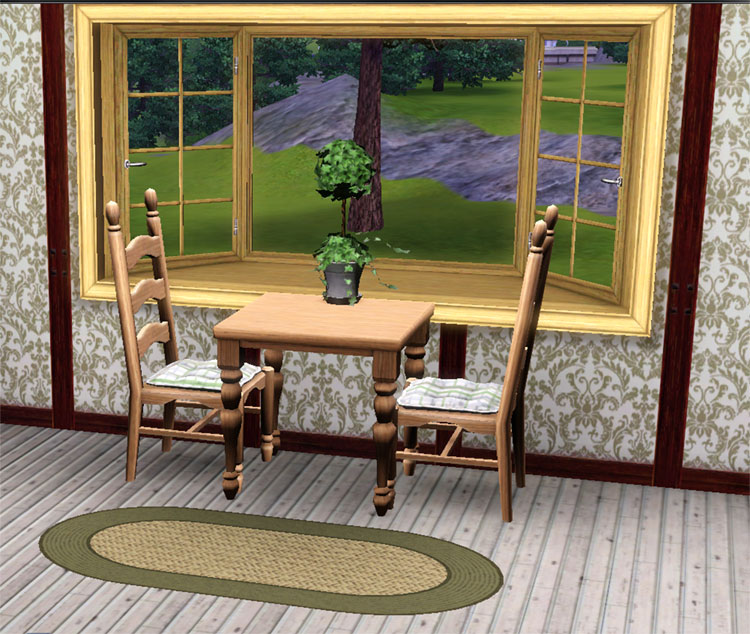
country1-tile.jpg - width=750 height=634
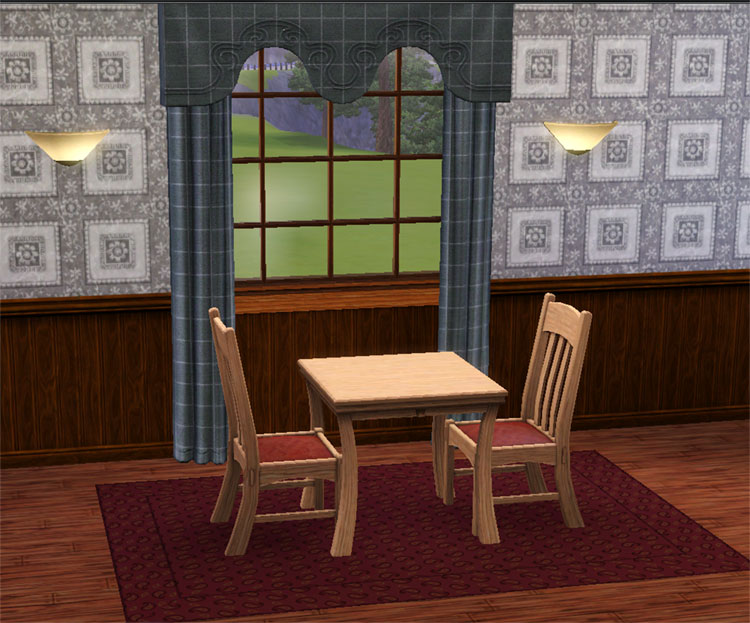
club1-tile.jpg - width=750 height=623

Each table is a half size of the original and costs half the amount. It has all the same default textures as the 2-tile version.
- Found in Surfaces/Dining
- Each has two CAST-able Channels - same as original
- Club §145
- Quaint §105
- Modern §225
Made with Base game and Patch 1.7
Polygon Counts:
Club 500
Quaint 744
Modern 324
This is a new mesh, and means that it's a brand new self contained object that usually does not require a specific Pack (although this is possible depending on the type). It may have Recolours hosted on MTS - check below for more information.
|
HL_Dining1x1.zip
Download
Uploaded: 22nd Dec 2009, 2.27 MB.
11,456 downloads.
|
||||||||
| For a detailed look at individual files, see the Information tab. | ||||||||
Install Instructions
1. Click the download button, or the filename, to download the file to your computer.
2. Extract the zip, rar, or 7z file. Now you will have either a .package or a .sims3pack file.
For Package files:
1. Cut and paste the file into your Documents\Electronic Arts\The Sims 3\Mods\Packages folder. If you do not already have this folder, you should read the full guide to Package files first: Sims 3:Installing Package Fileswiki, so you can make sure your game is fully patched and you have the correct Resource.cfg file.
2. Run the game, and find your content where the creator said it would be (build mode, buy mode, Create-a-Sim, etc.).
For Sims3Pack files:
1. Cut and paste it into your Documents\Electronic Arts\The Sims 3\Downloads folder. If you do not have this folder yet, it is recommended that you open the game and then close it again so that this folder will be automatically created. Then you can place the .sims3pack into your Downloads folder.
2. Load the game's Launcher, and click on the Downloads tab. Find the item in the list and tick the box beside it. Then press the Install button below the list.
3. Wait for the installer to load, and it will install the content to the game. You will get a message letting you know when it's done.
4. Run the game, and find your content where the creator said it would be (build mode, buy mode, Create-a-Sim, etc.).
Extracting from RAR, ZIP, or 7z: You will need a special program for this. For Windows, we recommend 7-Zip and for Mac OSX, we recommend Keka. Both are free and safe to use.
Need more help?
If you need more info, see:
- For package files: Sims 3:Installing Package Fileswiki
- For Sims3pack files: Game Help:Installing TS3 Packswiki
Loading comments, please wait...


Uploaded: 22nd Dec 2009 at 6:56 PM
Updated: 2nd Feb 2012 at 2:07 AM
#ea match, #1 tile, #small dining table, #1x1
-
-
A simple dining table – Update 2014-08-27: Rigfix
by plasticbox updated 2nd Sep 2014 at 8:45pm
 31
48.2k
91
31
48.2k
91
-
Socialite dining set from the Sims 2 - Work with PETS
by TheJim07 11th Mar 2010 at 5:40pm
30
50.7k
135
-
by Lisen801 updated 25th May 2012 at 2:01pm
28
57.5k
127
-
Maxis Match - Side Tables (updated for Pets)
by omegastarr82 updated 17th Dec 2011 at 12:29am
+2 packs
14 29.2k 100 High-End Loft Stuff
 Outdoor Living Stuff
-
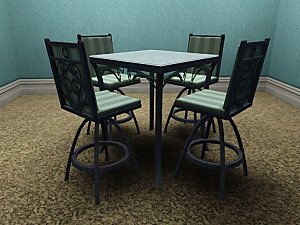
by daluved1 5th Jun 2012 at 4:25pm
21
52.2k
232
-
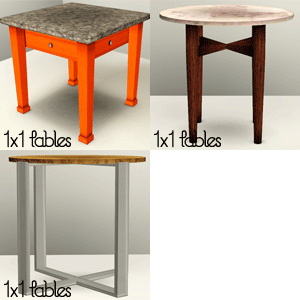
by KiaraRawks 17th Jan 2014 at 9:52am
14
23.2k
145
-
by TheJim07 19th Mar 2015 at 12:35am
9
19.6k
102
-

-
by enable_llamas 5th May 2020 at 1:31pm
4
8.6k
28


-
Garden Heights (aka Best in Show): Neighborhood Recreation - No CC *Update! (V2)* (04/22/2024)
by Hood Building Group updated 22nd Apr 2024 at 12:04am
Garden Heights (aka Best in Show), a Sims Pets Stories neighborhood recreated for TS2 more...
 56
73.2k
146
56
73.2k
146
Miscellaneous » Neighborhoods & CAS Screens » Neighbourhoods and Worlds
-

by HugeLunatic 3rd Apr 2015 at 11:35pm
I was going to do a set for the beach theme in March, but got too busy with work and more...
13
8.3k
27
-
by HugeLunatic 8th Oct 2021 at 4:23pm
This is the sectional sofa, ChocoSofa, from The Sims 3 70s, 80s, & 90s Stuff. more...
+1 packs
2 2.8k 12 Nightlife
-
Novellas Nouveau Bookcase Centered
by HugeLunatic 13th Mar 2018 at 8:31pm
A center version of the Art Nouveau bookcase, with books for dharden, from the base game. more...
3
11.6k
35
-
"Ye Olde Window" aka Colonial Windows II
by HugeLunatic 23rd Sep 2009 at 6:18pm
An extension of the first set of Colonial Windows, sorta. more...
59
163.1k
304
-
by HugeLunatic updated 14th Sep 2024 at 11:25pm
+1 packs
8 10.6k 18 Nightlife
-
by HugeLunatic 28th Jan 2016 at 2:33am
This lot was inspired by The Jessa Channel and this WCIF . Also I was in a building mood. more...
+9 packs
13 12.5k 38 University
Nightlife
University
Nightlife
 Open for Business
 Pets
Pets
 Seasons
 Bon Voyage
 Free Time
 Apartment Life
 Mansion and Garden
-
OFB International Window Extras - Part II - Arches
by HugeLunatic 31st Jul 2009 at 10:50pm
Part II of my OFB International Windows and Doors add on set. more...
+1 packs
8 39k 69 Open for Business
-
by HugeLunatic 11th Feb 2011 at 5:23pm
I was bored and I needed to do something semi-creative besides writing...and I was browsing the WCIF. more...
11
23.5k
56
-
Futur-Nu Prime by Zuper Tech [CEP-EXTRA]
by HugeLunatic updated 30th Nov 2014 at 9:29pm
This enables the second subset for the door. Now both the door and frame are recolorable separately. more...
+1 packs
4 11.6k 21 Pets


About Me
Pet Stories || Dog Agility Items? || Castaway Stories || Holy Simoly Extras
4esf Archive || Holy Simoly Archive || CEP-Extras List || Buyable Game Objects
lunie content from GoS/s2a
 Installation of CEP Extras
-the package with pfiles appended to the name will go into your cep extras folder where your game is installed (typically c drive, you do you)
-the other goes in CEP extra folder in documents.
The following locations are what I am aware of, beyond that you'll have to do some searching.
Downloads Folder:
C:\Users\<user>\Documents\EA Games\The Sims 2 Legacy
C:\Users\<user>\Documents\EA Games\The Sims 2 Ultimate Collection
With multiple launchers, the location for your game install will vary.
C:\Program Files\EA GAMES\The Sims 2 Legacy\TSData\Res\Catalog\zCEP-EXTRA
C:\Program Files\EA GAMES\The Sims 2\TSData\Res\Catalog\zCEP-EXTRA
C:\Program Files (x86)\EA GAMES\The Sims 2\TSData\Res\Catalog\zCEP-EXTRA