
 Sign in to Mod The Sims
 Ugly shell no more!
 Ugly shell no more!


Screenshot-1111.jpg - width=1024 height=768
Screenshot-1256.jpg - width=1024 height=768
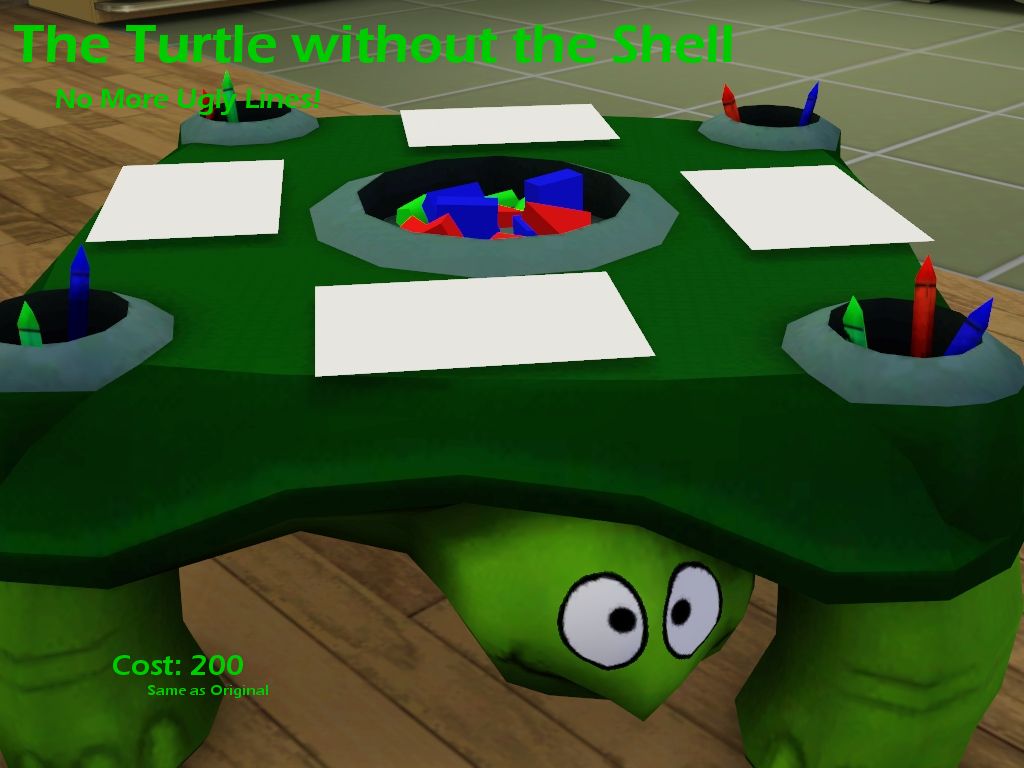
He costs 200 (Same as original) and is in the children sections (Again exactly the same) There are two versions, One is a default which will completely overwrite the old turtle and a normal version which will not overwrite.
Enjoy!
|
TurtleDefault.rar
| Default
Download
Uploaded: 28th Jan 2010, 276.9 KB.
2,275 downloads.
|
||||||||
|
ToyTurtleShelless.rar
| Normal
Download
Uploaded: 28th Jan 2010, 302.4 KB.
3,382 downloads.
|
||||||||
| For a detailed look at individual files, see the Information tab. | ||||||||
Install Instructions
1. Click the download button, or the filename, to download the file to your computer.
2. Extract the zip, rar, or 7z file. Now you will have either a .package or a .sims3pack file.
For Package files:
1. Cut and paste the file into your Documents\Electronic Arts\The Sims 3\Mods\Packages folder. If you do not already have this folder, you should read the full guide to Package files first: Sims 3:Installing Package Fileswiki, so you can make sure your game is fully patched and you have the correct Resource.cfg file.
2. Run the game, and find your content where the creator said it would be (build mode, buy mode, Create-a-Sim, etc.).
For Sims3Pack files:
1. Cut and paste it into your Documents\Electronic Arts\The Sims 3\Downloads folder. If you do not have this folder yet, it is recommended that you open the game and then close it again so that this folder will be automatically created. Then you can place the .sims3pack into your Downloads folder.
2. Load the game's Launcher, and click on the Downloads tab. Find the item in the list and tick the box beside it. Then press the Install button below the list.
3. Wait for the installer to load, and it will install the content to the game. You will get a message letting you know when it's done.
4. Run the game, and find your content where the creator said it would be (build mode, buy mode, Create-a-Sim, etc.).
Extracting from RAR, ZIP, or 7z: You will need a special program for this. For Windows, we recommend 7-Zip and for Mac OSX, we recommend Keka. Both are free and safe to use.
Need more help?
If you need more info, see:
- For package files: Sims 3:Installing Package Fileswiki
- For Sims3pack files: Game Help:Installing TS3 Packswiki
Loading comments, please wait...

Uploaded: 28th Jan 2010 at 6:17 PM
Updated: 28th Jan 2010 at 8:09 PM
-
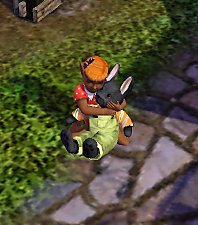
Jellybean Bunny: The New Stuffed Animal on the Block
by iamrosa 12th Dec 2009 at 11:20am
 59
58.9k
156
59
58.9k
156
-
by Lunararc 20th Feb 2010 at 11:56am
10
20.9k
53
-
by joninmobile 26th Jun 2010 at 2:40pm
9
13.6k
27
-
-
by daluved1 updated 29th Oct 2011 at 8:40pm
99
197.3k
510
-
by SierraW 22nd Apr 2011 at 6:13pm
33
39.7k
127
-
by daluved1 28th Jul 2011 at 6:29pm
38
46.2k
145
-
by Danjaley 16th Dec 2013 at 7:52am
65
64.8k
375
-
by Danjaley 23rd Feb 2014 at 1:44am
11
20.2k
112
-


-
-
-
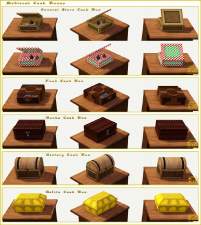
Medieval Cash Registers - Ye Olde Kingdom of Pudding
by The Merrye Makers 1st Jan 2012 at 4:23pm
Community Objects Cash Boxes/Registers made by Hekate999 for The Merrye Makers. Only the General Store register is recolourable. more...
+1 packs
11 43.9k 107 World Adventures
-
-
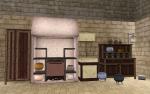
The Medieval Kitchen Part 1 - Ye Olde Kingdom of Pudding
by The Merrye Makers 7th Jan 2012 at 2:24am
A sink, stove, refrigerator, and two decorative cooking pots for medieval castle kitchens. Made by Hekate999 for The Merrye Makers. more...
25
90.8k
209
-
-
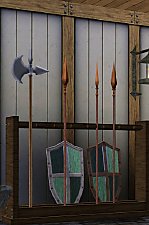
Medieval Armoury Part 2 - Ye Olde Kingdom of Pudding
by The Merrye Makers 16th Dec 2011 at 10:17am
A selection of decorative weapons in the medieval style more...
15
54.5k
144
-
Mystery & Magick Medieval Science Centres - Ye Olde Kingdom of Pudding
by The Merrye Makers 25th Oct 2012 at 6:04pm
Medieval Community Lots with Science Facility rabbithole in two versions - Base Game / World Adventures; Supernatural. Supernatural lot also has Arboretum. more...
+2 packs
4 32.8k 54 World Adventures
 Supernatural
-
Buyable Fire for Story Telling
by Robodl95 5th Nov 2009 at 5:31pm
The title basically describes the whole thing, it's fire and it's buyable...... more...
38
54.7k
68
-


About Me
Please check out my blog: http://lookaplumbob.blogspot.com/
My Policy
- Free sites only (do not even use my items on your models if it is a pay site)
- Be respectful (Do not say you made it)
- Give credit to me and the original creator (depending on the item in question)
- No need to give credit when just using in a story/movie but it is appreciated :)
- Feel free to retexture
- Anything else just ask, I'm sure I'll say yes :)
- Retexturing, converting and stuff like that is all totally fine, just don't claim as your own.
Requests
Yes I do take requests, however you must understand that I am busy with life and other sim projects so I may not be the timeliest.
- I will respond and tell you if I can do it (to get a general idea look around the site to see what I normally do such as age conversions, paintings, t-shirts, retextures, etc.)
- Please tell me how urgently you need it done ("I really need this for a story I'm doing" takes higher priority than "Could you do this? I think it'd be cool")
- One request per person at a time (I'll be lenient if it's urgent though)