
 Sign in to Mod The Sims
 "Little Sister" crib 1-tile
 "Little Sister" crib 1-tile


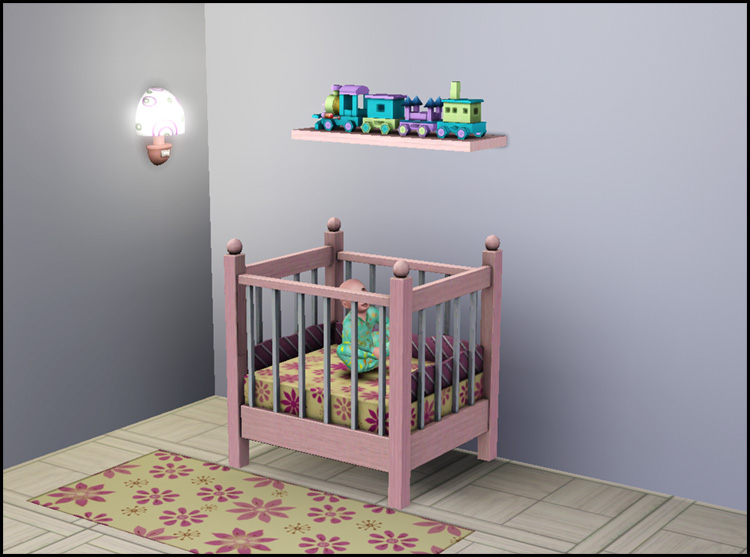
crib01.jpg - width=750 height=557
crib02.jpg - width=750 height=557
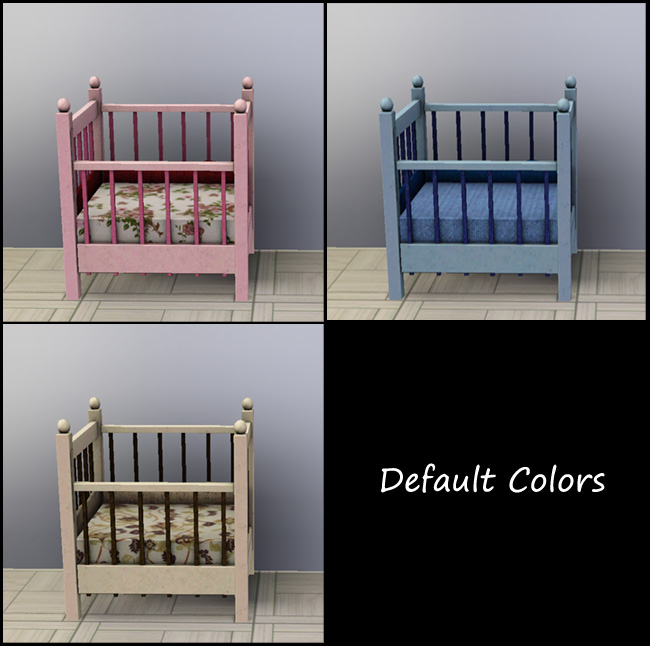
cribDefaults.jpg - width=650 height=646
cribFTPT.jpg - width=500 height=507
cribAccess.jpg - width=500 height=482

I've used v2 by plasticbox because the object now has four useful channels and the mapping on the ruffle makes more sense now than the original EA one.
Channels
- Frame
- Slats
- Mattress
- Ruffle
Basics
- Found in Nursery/Cribs
- Costs §280
- Has all the same presets/Environment Scores/Stats as EA one
Known Issues
The footprint has been adjusted but at this time slots are uneditable. So to accommodate for not being able to move the entry points for placing child in crib as well as where the child sleeps in the crib, I moved the mesh itself slightly off center. Otherwise your poor toddler sim would be decapitated.
 The dark wood shows where the actual footprint of the crib is and you can see the crib sits off center. The second side effect of uneditable slots is the entry point, the adult sims slightly clips the corner post, the toddler however will stand in the crib and not clip the end post.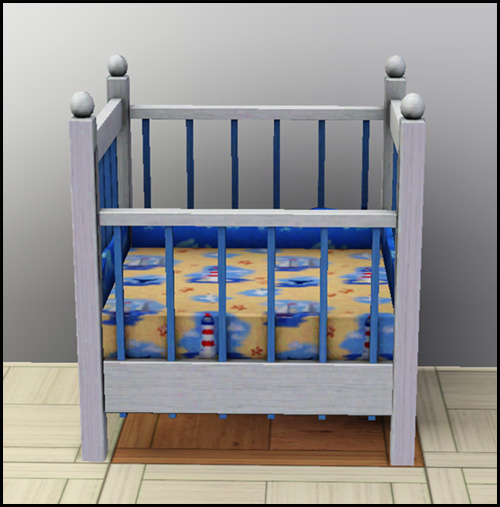

Made with Base Game 1.6.6 but I cloned plasticbox's which is made with Base Game 1.8, so if you have at least one patch for the Base Game it should work fine. You can get the original two tile version by plasticbox here.
Polygon Counts:
692/292
Additional Credits:
Major thanks to plasticbox for the use of the mesh for my mad experiments. The generous usage policy allowed me to just take the already redone mesh and just delete and move some pixels around.
This is a new mesh, and means that it's a brand new self contained object that usually does not require a specific Pack (although this is possible depending on the type). It may have Recolours hosted on MTS - check below for more information.
|
HL_1tile_pbox_CribLittleSister-v2.rar
Download
Uploaded: 14th Feb 2010, 587.1 KB.
57,397 downloads.
|
||||||||
| For a detailed look at individual files, see the Information tab. | ||||||||
Install Instructions
1. Click the download button, or the filename, to download the file to your computer.
2. Extract the zip, rar, or 7z file. Now you will have either a .package or a .sims3pack file.
For Package files:
1. Cut and paste the file into your Documents\Electronic Arts\The Sims 3\Mods\Packages folder. If you do not already have this folder, you should read the full guide to Package files first: Sims 3:Installing Package Fileswiki, so you can make sure your game is fully patched and you have the correct Resource.cfg file.
2. Run the game, and find your content where the creator said it would be (build mode, buy mode, Create-a-Sim, etc.).
For Sims3Pack files:
1. Cut and paste it into your Documents\Electronic Arts\The Sims 3\Downloads folder. If you do not have this folder yet, it is recommended that you open the game and then close it again so that this folder will be automatically created. Then you can place the .sims3pack into your Downloads folder.
2. Load the game's Launcher, and click on the Downloads tab. Find the item in the list and tick the box beside it. Then press the Install button below the list.
3. Wait for the installer to load, and it will install the content to the game. You will get a message letting you know when it's done.
4. Run the game, and find your content where the creator said it would be (build mode, buy mode, Create-a-Sim, etc.).
Extracting from RAR, ZIP, or 7z: You will need a special program for this. For Windows, we recommend 7-Zip and for Mac OSX, we recommend Keka. Both are free and safe to use.
Need more help?
If you need more info, see:
- For package files: Sims 3:Installing Package Fileswiki
- For Sims3pack files: Game Help:Installing TS3 Packswiki
Loading comments, please wait...


Uploaded: 14th Feb 2010 at 1:16 AM
Updated: 19th Oct 2011 at 5:39 AM
-
-
-
-
“Little Sister” crib – Update 2014-08-27, Pets version available
by plasticbox updated 2nd Sep 2014 at 5:15pm
 45
104.6k
212
45
104.6k
212
-
by Christine11778 17th Aug 2010 at 8:50am
20
110.5k
183
-
by Lisen801 21st Jan 2011 at 6:02pm
27
58.7k
129
-
Chalk Hopscotch Court +DEFAULT
by piezoelectric updated 4th Aug 2012 at 2:53am
+1 packs
62 71.3k 186 Generations
-
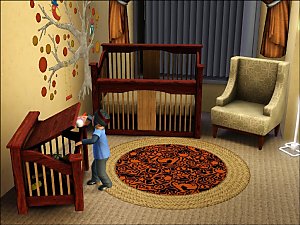
by Morphead 23rd Jul 2012 at 3:30pm
39
106.9k
341
-
by luvalphvle 17th Jul 2017 at 1:49am
2
12.2k
40
-
by TheSweetSimmer 28th Jul 2018 at 6:37pm
3
28.8k
10



-
by HugeLunatic 31st Oct 2016 at 7:33pm
A small collection of windows to match the Wachowt Sliding Door from base game. more...
 16
18.6k
48
16
18.6k
48
-
by HugeLunatic 27th Feb 2014 at 4:56pm
I've always liked the style of this gate, but the lack of recolors and lack of proper subsets means I've more...
6
11.3k
21
-
-
by HugeLunatic 4th Sep 2007 at 12:29pm
A bedroom and small study area in a delicious cherry pattern! more...
-
by HugeLunatic updated 17th Mar 2026 at 4:58pm
A project I've been working on for quite a few years. more...
27
70.9k
136
-
Maxis Shower/Tub Combo Backless
by HugeLunatic updated 7th May 2008 at 3:22am
I love to have a combo tub/shower for my smaller homes, but the surround that Maxis put seems much too more...
194
337.2k
812
-
"The Inner Light" Table Lamp [CEP-EXTRA]
by HugeLunatic 3rd Oct 2012 at 4:34pm
Somewhere along the way EAxis broke the art nouveau table lamp, "The Inner Light". more...
14
26k
42
-
by HugeLunatic 7th Mar 2010 at 5:45pm
I found a counter at Garden Breeze that I loved. more...
-
by HugeLunatic 2nd Jun 2017 at 12:14am
A small edit to the value door, making the handle recolorable separately. more...
19
13.3k
32
-
by HugeLunatic updated 14th Mar 2009 at 12:59am
New Mesh! more...


About Me
Pet Stories || Dog Agility Items? || Castaway Stories || Holy Simoly Extras
4esf Archive || Holy Simoly Archive || CEP-Extras List || Buyable Game Objects
lunie content from GoS/s2a
 Installation of CEP Extras
-the package with pfiles appended to the name will go into your cep extras folder where your game is installed (typically c drive, you do you)
-the other goes in CEP extra folder in documents.
The following locations are what I am aware of, beyond that you'll have to do some searching.
Downloads Folder:
C:\Users\<user>\Documents\EA Games\The Sims 2 Legacy
C:\Users\<user>\Documents\EA Games\The Sims 2 Ultimate Collection
With multiple launchers, the location for your game install will vary.
C:\Program Files\EA GAMES\The Sims 2 Legacy\TSData\Res\Catalog\zCEP-EXTRA
C:\Program Files\EA GAMES\The Sims 2\TSData\Res\Catalog\zCEP-EXTRA
C:\Program Files (x86)\EA GAMES\The Sims 2\TSData\Res\Catalog\zCEP-EXTRA