
 Sign in to Mod The Sims
 Niceland Solid Door & Window Add Ons
 Niceland Solid Door & Window Add Ons


preview.jpg - width=1400 height=788
Preview
1.jpg - width=1400 height=788
Preset 2
2.jpg - width=1400 height=788
Preset 3
3.jpg - width=1400 height=788
Preset 1
presets_window.jpg - width=1400 height=788
Window Presets All
channels_window.jpg - width=1400 height=788
Window Channels
presets_door.jpg - width=1400 height=788
Door Presets All
channels_door.jpg - width=1400 height=788
Door Channels
detail_door.jpg - width=1400 height=788
Detail Door
detail_window.jpg - width=1400 height=788
Detail Window
catalog.jpg - width=558 height=437
Catalog Name & Description


- Niceland Door Solid Version - $385, found under Build/Doors, 3 presets, recolorable, 4 channels each
- Niceland Window - $70, found under Build/Windows, 3 presets, recolorable, 4 channels each
The first presets of both match the first one of the original ea door. The others don't cause they're hideous.
 The door recolors differently in each preset - I didn't want to choose between having the two sides recolorable separately and having a channel for the handle. So the first one has a channel for each side of the door and an overlay over the handle. The second and third have just one for the door and a recolorable handle.
 BG compatible, compressed.
Enjoy!
Polygon Counts:
Door:
high/med: 652f / 170f
Window:
high/med: 212f / 180f
Additional Credits:
Blender, Milkshape, TSRW, Photoshop, S3PE
This is a new mesh, and means that it's a brand new self contained object that usually does not require a specific Pack (although this is possible depending on the type). It may have Recolours hosted on MTS - check below for more information.
|
enablellamasNicelandDoorAddOnSolid.rar
Download
Uploaded: 27th May 2020, 143.9 KB.
5,900 downloads.
|
||||||||
|
enablellamasNicelandWindowAddOn.rar
Download
Uploaded: 27th May 2020, 102.8 KB.
5,567 downloads.
|
||||||||
| For a detailed look at individual files, see the Information tab. | ||||||||
Install Instructions
1. Click the download button, or the filename, to download the file to your computer.
2. Extract the zip, rar, or 7z file. Now you will have either a .package or a .sims3pack file.
For Package files:
1. Cut and paste the file into your Documents\Electronic Arts\The Sims 3\Mods\Packages folder. If you do not already have this folder, you should read the full guide to Package files first: Sims 3:Installing Package Fileswiki, so you can make sure your game is fully patched and you have the correct Resource.cfg file.
2. Run the game, and find your content where the creator said it would be (build mode, buy mode, Create-a-Sim, etc.).
For Sims3Pack files:
1. Cut and paste it into your Documents\Electronic Arts\The Sims 3\Downloads folder. If you do not have this folder yet, it is recommended that you open the game and then close it again so that this folder will be automatically created. Then you can place the .sims3pack into your Downloads folder.
2. Load the game's Launcher, and click on the Downloads tab. Find the item in the list and tick the box beside it. Then press the Install button below the list.
3. Wait for the installer to load, and it will install the content to the game. You will get a message letting you know when it's done.
4. Run the game, and find your content where the creator said it would be (build mode, buy mode, Create-a-Sim, etc.).
Extracting from RAR, ZIP, or 7z: You will need a special program for this. For Windows, we recommend 7-Zip and for Mac OSX, we recommend Keka. Both are free and safe to use.
Need more help?
If you need more info, see:
- For package files: Sims 3:Installing Package Fileswiki
- For Sims3pack files: Game Help:Installing TS3 Packswiki
Loading comments, please wait...

Uploaded: 27th May 2020 at 3:56 PM
#ea, #maxis, #add on, #maxis match, #build, #door, #window, #retro, #modern, #midcentury
-
by HugeLunatic 9th Aug 2009 at 1:32am
 54
94.8k
159
54
94.8k
159
-
-
by leefish 16th Oct 2009 at 3:56pm
38
43.7k
68
-
by Lisen801 18th Jul 2010 at 10:53pm
27
45.6k
96
-
by Lisen801 updated 29th May 2012 at 10:09am
16
42.8k
143
-
-
by heaven 24th Oct 2015 at 7:42pm
4
13.5k
43
-
-
-

-
by enable_llamas 22nd Feb 2020 at 7:16pm
A shiny island counter to match the TS4 Luminous Bar conversion more...
4
9.1k
26
-
by enable_llamas 19th Aug 2020 at 11:19pm
A collection of 3 modern, minimal bedframes with a stylized canopy. more...
5
14.6k
38
-
Floor Plants Placeable On Slots [BG & SEAS]
by enable_llamas 14th Aug 2019 at 3:37pm
Default Replacements BG and SEAS floor plants can be placed on slots more...
-
Light Up Bar Shelves Updated 02.06.2021
by enable_llamas updated 2nd Jun 2021 at 9:00pm
Deco Light Up Bar Shelves more...
6
13k
52
-
BG Altitute Quantizer Stairs Fix
by enable_llamas 29th Apr 2021 at 9:13pm
The base game "Altitude Quantizer" stairs are probably one of my top 2 favourite stairs in the game - they more...
9
41.3k
91
-
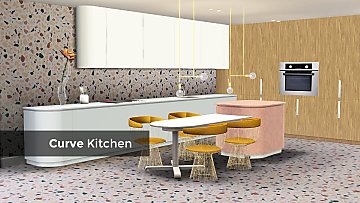
by enable_llamas 16th Mar 2020 at 12:11pm
Clean, minimal style kitchen counters, cabinets, stovetop and two terrazzo patterns. more...
-
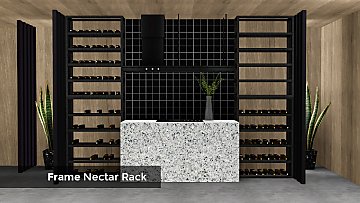
by enable_llamas 26th Sep 2021 at 8:18pm
A simple, industrial style metal nectar rack for all your nectar needs. more...
+1 packs
13 9.8k 31 World Adventures
-
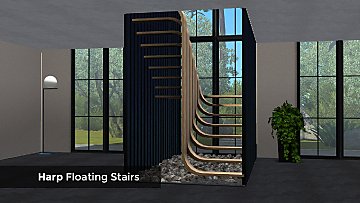
by enable_llamas 26th Jan 2021 at 9:56pm
A set of several floating stairs and accessories, including 2 U-shaped half-landing, 2 regular stairs, 3 partitions. more...
20
30.4k
87
-
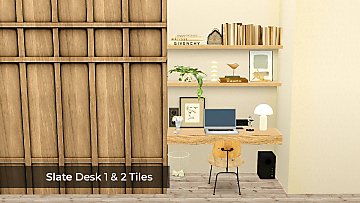
by enable_llamas 7th Apr 2022 at 6:20pm
Some nice, simple shelf-like desks, prefect for niches and nooks without taking up too much space. more...
13
9k
48
By Function » Surfaces » Desks
-

AM SHT Jeans Separated - Bottoms
by enable_llamas 10th Dec 2019 at 4:12pm
YA/AM jeans separated from one of the hidden career SHT outfits more...
12
28k
84
Male » Everyday » Young Adult


