Sign in to Mod The Sims
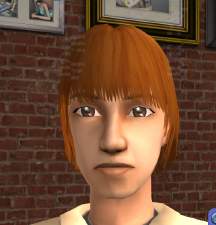
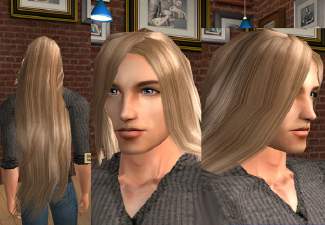
 New Mesh: Male Fuzzy Long Hair
 New Mesh: Male Fuzzy Long Hair


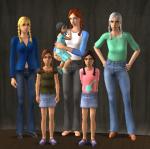
allages.jpg - width=465 height=422
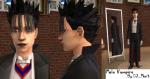
fuzzylongm.jpg - width=572 height=325
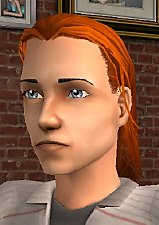
It was originally for adult males, and had no textures at all and a strange UV Map..only about a fourth of the whole thing was covered.
 I changed it and made it as close as I could to the UNI Long Simple Male hair, so that I could use those textures for it, since it didn't have any.
 Also, I deleted part of the mesh, which did not change it's shape at all, but made the entire hair uneditable with an alpha, and I wanted it to be editable, so I edited the alpha and duplicated it, made it smaller, and switched the vertex order, so it wouldn't be see-through underneath.
lol You don't have to understand what that means..it's just for meshing purposes..basically all I did was edit the mesh so that it can be recolored and redone a whole heck of a lot easier.
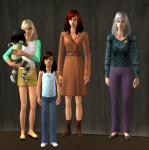
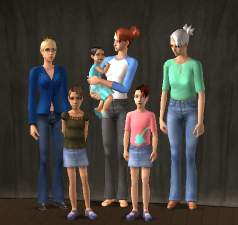
I made this for all ages, and used the four main colors. I did not put it in the correct bins, and did not do my other, extra colors
it's not too ahrd to do those, all you have to do is mix the main ones, lol.Recolor or edit all you want, don't redistribute my meshes, and give credit where it's needed. Yes, this means my name...not just a link.
I hate it when people do that, it makes me feel as if they don't care enough to listen to a simple request from a creator who worked hard blah blah blah you know what I mean. :DEnjoy!
This is a new mesh, and means that it's a brand new self contained object that usually does not require a specific Pack (although this is possible depending on the type). It may have Recolours hosted on MTS - check below for more information.
|
djmalefuzzylonghair.zip
Download
Uploaded: 26th May 2006, 995.4 KB.
10,673 downloads.
|
||||||||
| For a detailed look at individual files, see the Information tab. | ||||||||
Install Instructions
1. Download: Click the download link to save the .rar or .zip file(s) to your computer.
2. Extract the zip, rar, or 7z file.
3. Place in Downloads Folder: Cut and paste the .package file(s) into your Downloads folder:
- Origin (Ultimate Collection): Users\(Current User Account)\Documents\EA Games\The Sims™ 2 Ultimate Collection\Downloads\
- Non-Origin, Windows Vista/7/8/10: Users\(Current User Account)\Documents\EA Games\The Sims 2\Downloads\
- Non-Origin, Windows XP: Documents and Settings\(Current User Account)\My Documents\EA Games\The Sims 2\Downloads\
- Mac: Users\(Current User Account)\Documents\EA Games\The Sims 2\Downloads
- Mac x64: /Library/Containers/com.aspyr.sims2.appstore/Data/Library/Application Support/Aspyr/The Sims 2/Downloads
- For a full, complete guide to downloading complete with pictures and more information, see: Game Help: Downloading for Fracking Idiots.
- Custom content not showing up in the game? See: Game Help: Getting Custom Content to Show Up.
- If you don't have a Downloads folder, just make one. See instructions at: Game Help: No Downloads Folder.
Loading comments, please wait...


Uploaded: 26th May 2006 at 2:19 AM
-
New long hair for men: Jeanette Beidermann hair
by Neemeister 22nd Jan 2005 at 1:28am
-
-
-
-
by SparkleSim 11th Jul 2006 at 12:30pm
-
-
by Rock Chick 2nd Jan 2007 at 9:35am
-
by Rock Chick 10th Aug 2007 at 12:03pm
-
-