
 Sign in to Mod The Sims
 A Better Washroom Door
 A Better Washroom Door


ABWRD-Main.jpg - width=968 height=540
Shown on a diagonal wall.
ladies-recolors.jpg - width=581 height=591
mens-recolors.jpg - width=584 height=605
metalplatedetails.jpg - width=741 height=527
tiledpattern.jpg - width=745 height=579
Shown on a straight wall.

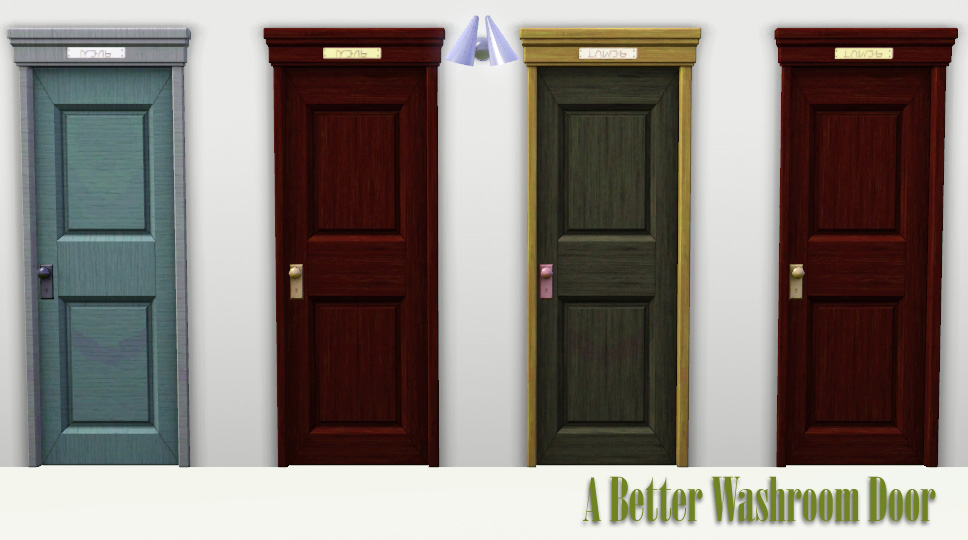
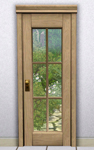
After a little fiddling around in TSRW, I was able to come up with the A Better Washroom Door set. I looked for the most basic, universal door and put little "Ladies" and "Mens" signs on it to signify its a washroom door. The signs are in Simlish, of course, but you can tell which is which by looking at the plaques.
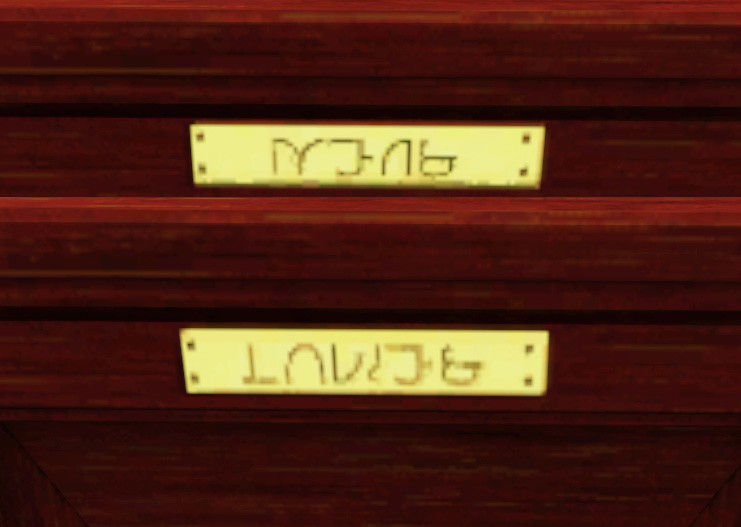
The doors have the proper gender bias. Meaning, males will not go through the female doors and vice versa.
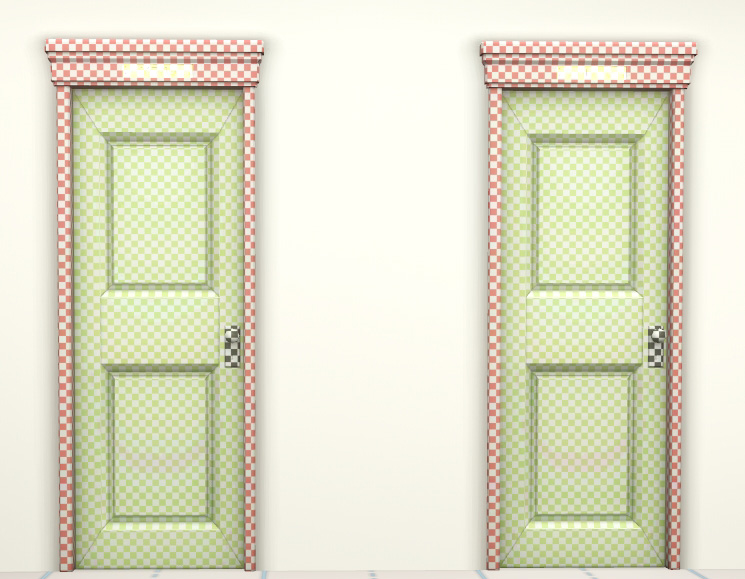
The doors have 4 recolorable channels: Door frame, main door, door-knob and metal plaque. I sacrificed the ability to color both sides of the door differently for more customization of the look of the door. The little metal plaque on the top of the door is on both sides, so you can freely choose which side to have the door handles.
Both doors are found under Build -> Doors in Community Mode, just like the originals, for 125 simoleons. I do not have the hack to use them on residential lots because...well..why would you need that? Feel free to convert to residential use if you must.
You will need WA or any EP after that. The base game does not come with the gender bias doors.
A Better Ladies/Mens Room Door
Conversion of EA's Door Mesh
High Lod: 267 Polys / 454 Vertices
Low Lod: 82 Polys / 156 Vertices
Additional Credits:
Armiel, and others in #create who tested the door for me.
Made with TSRW.
Simlish font by SIMale
|
ABWRD.rar
Download
Uploaded: 4th Jan 2011, 493.7 KB.
12,318 downloads.
|
||||||||
| For a detailed look at individual files, see the Information tab. | ||||||||
Install Instructions
1. Click the download button, or the filename, to download the file to your computer.
2. Extract the zip, rar, or 7z file. Now you will have either a .package or a .sims3pack file.
For Package files:
1. Cut and paste the file into your Documents\Electronic Arts\The Sims 3\Mods\Packages folder. If you do not already have this folder, you should read the full guide to Package files first: Sims 3:Installing Package Fileswiki, so you can make sure your game is fully patched and you have the correct Resource.cfg file.
2. Run the game, and find your content where the creator said it would be (build mode, buy mode, Create-a-Sim, etc.).
For Sims3Pack files:
1. Cut and paste it into your Documents\Electronic Arts\The Sims 3\Downloads folder. If you do not have this folder yet, it is recommended that you open the game and then close it again so that this folder will be automatically created. Then you can place the .sims3pack into your Downloads folder.
2. Load the game's Launcher, and click on the Downloads tab. Find the item in the list and tick the box beside it. Then press the Install button below the list.
3. Wait for the installer to load, and it will install the content to the game. You will get a message letting you know when it's done.
4. Run the game, and find your content where the creator said it would be (build mode, buy mode, Create-a-Sim, etc.).
Extracting from RAR, ZIP, or 7z: You will need a special program for this. For Windows, we recommend 7-Zip and for Mac OSX, we recommend Keka. Both are free and safe to use.
Need more help?
If you need more info, see:
- For package files: Sims 3:Installing Package Fileswiki
- For Sims3pack files: Game Help:Installing TS3 Packswiki
Loading comments, please wait...



-
by lemoncandy 10th Oct 2009 at 2:58pm
 116
170.2k
368
116
170.2k
368
-
by Lisen801 7th Oct 2010 at 6:27pm
17
57.1k
151
-
by Lisen801 updated 27th May 2012 at 12:06pm
63
90.6k
253
-
by Lisen801 updated 29th May 2012 at 9:09am
16
42.8k
143
-
by HugeLunatic 26th Feb 2011 at 7:12pm
77
109.2k
315
-
by TheJim07 30th May 2012 at 2:49pm
17
55.3k
102
-
-
by TheJim07 27th Mar 2015 at 10:19am
10
23.7k
72
-
by TheJim07 18th Aug 2016 at 8:59am
2
17.3k
33
-

-
-
-
Medieval Residential Lots - Ye Olde Kingdom of Pudding
by The Merrye Makers 14th Dec 2011 at 10:49am
Ye Olde Kingdom of Pudding Residential Lots Greetings, good gentles/ladies. more...
+4 packs
19 49.3k 106 World Adventures
 Ambitions
 Late Night
 Generations
-

Restaurant Careers for Teens and Elders
by daluved1 21st Jun 2009 at 10:38am
Okay guys, I'm back yet again! more...
 12
33.8k
34
12
33.8k
34
-
-
The Medieval Kitchen Part 1 - Ye Olde Kingdom of Pudding
by The Merrye Makers 7th Jan 2012 at 2:24am
A sink, stove, refrigerator, and two decorative cooking pots for medieval castle kitchens. Made by Hekate999 for The Merrye Makers. more...
25
90.7k
208
-
-
by daluved1 15th Jan 2011 at 12:14pm
Do you love retro? This set was originally for a Lucy Desi Ball sim I was working on, but...she's more...
28
95.2k
202
Female » Mixed Sets » Adult
-
Medieval Weaving Loom (Dresser) - Ye Olde Kingdom of Pudding
by The Merrye Makers 15th Jan 2012 at 11:34am
A medieval Weaving Loom which functions as a working dresser. Made by Hekate999 for The Merrye Makers. more...
10
66.5k
140
-




Packs Needed
| Expansion Pack | |
|---|---|
 | World Adventures |
About Me
Because my policy is really inconsistent on my uploads, I've decided to make an official policy! So whatever you see here on my profile is my current policy. You may disregard any ''policy'' information you see on the actual upload itself.
-You may use my creations with sims
-You may use my objects with lots.
-You may retexture my meshes.
-You may include my meshes with retextures.
-You may NOT upload my creations with sims
-You may NOT upload my objects with lots.
-You may NOT upload my creations to paysites.
-You may NOT upload my creations to the exchange.
-Always credit me with a link
-I do NOT take requests!