
 Sign in to Mod The Sims
 Fuss no Muss Styling Station Jr.
 Fuss no Muss Styling Station Jr.


StylingStationJr.jpg - width=659 height=486
Channels.jpg - width=425 height=531
Footprint.jpg - width=411 height=492
I wanted to see if I could do anything about it and so the "Fuss no Muss Styling Station Jr." came into existence. This version has a 2x3 footprint.
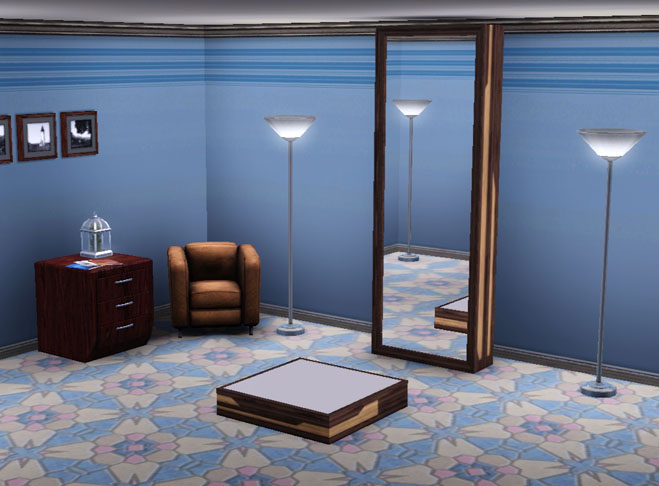
I removed the side drawer stands and the decorative slots associated with them. The indoor and outdoor shadows have been updated accordingly.
The object costs §995 and can be found under Function> Entertainment> Hobbies and Skills OR Room> Study> Hobbies and Skills.
It also features a custom catalogue description.
There is one design preset with three (3) CAStable channels.
Sims can still upgrade the Styling Station if they have enough Tinkering skill and the position for this has been altered accordingly.
Built with game version 1.36 and works perfectly well with 1.38 and 1.42. If you do run into any problems though, please feel free to report them here.
Polygon Counts:
High Detail: 113
Mid Detail: 74
No Low Detail
Additional Credits:
TSR Workshop,
s3pe,
BloomsBase,
cmomoney.
This is a new mesh, and means that it's a brand new self contained object that usually does not require a specific Pack (although this is possible depending on the type). It may have Recolours hosted on MTS - check below for more information.
|
MM_AMB_StylingStationJr.zip
Download
Uploaded: 18th Sep 2012, 22.6 KB.
12,829 downloads.
|
||||||||
| For a detailed look at individual files, see the Information tab. | ||||||||
Install Instructions
1. Click the download button, or the filename, to download the file to your computer.
2. Extract the zip, rar, or 7z file. Now you will have either a .package or a .sims3pack file.
For Package files:
1. Cut and paste the file into your Documents\Electronic Arts\The Sims 3\Mods\Packages folder. If you do not already have this folder, you should read the full guide to Package files first: Sims 3:Installing Package Fileswiki, so you can make sure your game is fully patched and you have the correct Resource.cfg file.
2. Run the game, and find your content where the creator said it would be (build mode, buy mode, Create-a-Sim, etc.).
For Sims3Pack files:
1. Cut and paste it into your Documents\Electronic Arts\The Sims 3\Downloads folder. If you do not have this folder yet, it is recommended that you open the game and then close it again so that this folder will be automatically created. Then you can place the .sims3pack into your Downloads folder.
2. Load the game's Launcher, and click on the Downloads tab. Find the item in the list and tick the box beside it. Then press the Install button below the list.
3. Wait for the installer to load, and it will install the content to the game. You will get a message letting you know when it's done.
4. Run the game, and find your content where the creator said it would be (build mode, buy mode, Create-a-Sim, etc.).
Extracting from RAR, ZIP, or 7z: You will need a special program for this. For Windows, we recommend 7-Zip and for Mac OSX, we recommend Keka. Both are free and safe to use.
Need more help?
If you need more info, see:
- For package files: Sims 3:Installing Package Fileswiki
- For Sims3pack files: Game Help:Installing TS3 Packswiki
Loading comments, please wait...



 View with Names
Uploaded: 18th Sep 2012 at 2:04 PM
Updated: 15th Dec 2012 at 9:05 PM
-

by Fresh-Prince 15th Oct 2009 at 9:31pm
 64
99.4k
111
64
99.4k
111
-
by alianpe 2nd Jun 2010 at 8:16pm
56
65.4k
129
-
by Fresh-Prince 28th Mar 2011 at 6:28pm
32
100.5k
183
-
by chasmchronicle updated 9th Feb 2012 at 4:05pm
38
97.9k
189
-
-
Unhidden Ambitions Stylist outfits
by sweetdevil 17th Mar 2016 at 11:11am
+1 packs
13 27.8k 85 Ambitions
-
by TheJim07 1st Nov 2016 at 1:58pm
10
18.1k
43
-
by TheJim07 14th Jul 2017 at 8:36pm
2
12.4k
30
-
by M4BCreators 6th May 2019 at 12:36pm
+1 packs
6 13.8k 20 Ambitions
-

by vesko_sims3 updated 20th Apr 2026 at 9:45am
2
5.2k
11


-
Fight Sim II Arcade Game With Custom Videos!
by Menaceman44 7th Oct 2009 at 4:03pm
I bring to you today another arcade game machine for your Sims with new custom videos! more...
 +1 packs
20 33k 40
+1 packs
20 33k 40 University
-
TS2>TS3 "Sims Must Wash Hands" Sign
by Menaceman44 9th Mar 2013 at 3:10pm
A conversion of the Sims 2 hand wash sign, now recolourable. more...
11
16.3k
84
-
Modified OfB Zipper Fleece, now with jeans!
by Menaceman44 19th Jan 2007 at 6:21pm
Here we go, my FIRST mesh upload! more...
-
by Menaceman44 29th Apr 2017 at 5:45pm
Overrides TNS text when catching insects to be more grammatically correct. more...
-
TS2>TS3 Touch of Teak Plymouth Armoire Conversion
by Menaceman44 27th Mar 2013 at 6:04pm
The Sims 2 Touch of Teak Plymouth Armoire converted for use in The Sims 3. more...
+1 packs
7 12.9k 32 Supernatural
-
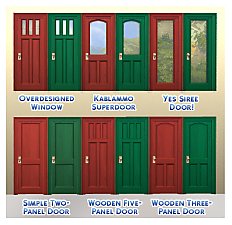
by Menaceman44 updated 14th Aug 2022 at 8:12pm
A file to add missing red and green swatches to six base game doors. more...
 31
38.4k
243
31
38.4k
243
-
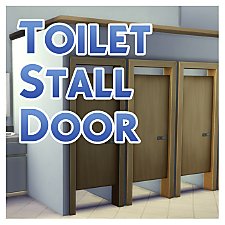
by Menaceman44 updated 9th Sep 2022 at 7:36pm
A door designed for use on toilet stalls. Comes in 14 colours. more...
87
124.8k
472
-
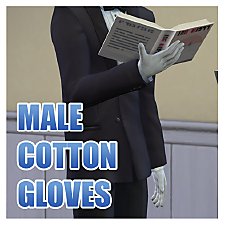

by Menaceman44 26th Sep 2014 at 8:26pm
Cotton gloves for your male Sims' formal occassions. more...
12
23.1k
79
-
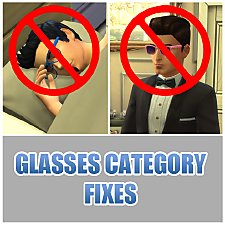

by Menaceman44 updated 28th Feb 2019 at 5:18pm
A file to prevent Sims wearing glasses to bed, and sunglasses to formal occassions. more...
39
29k
138
-

TS3>TS4 Sim City Simmer Hoop Hamper
by Menaceman44 22nd Jan 2020 at 8:52pm
A conversion of the promotional T-Mobile clothing hamper from TS3. more...
+1 packs
11 18.6k 70 Laundry Day Stuff




Packs Needed
| Expansion Pack | |
|---|---|
| Ambitions |