
 Sign in to Mod The Sims
 Simlish Tattoos and More!
 Simlish Tattoos and More!


backtats.jpg - width=939 height=693
daluved1.jpg - width=670 height=765
daluved1preview.jpg - width=413 height=331
men.jpg - width=414 height=680
thumbnails.jpg - width=297 height=136
tinytats.jpg - width=572 height=644
tribal.jpg - width=605 height=528
upperchest.jpg - width=371 height=469

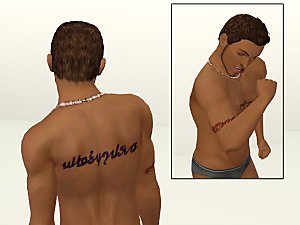
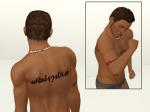
I love putting tattoos on my sims, but one kind I haven't seen for download are name tattoos. I really wanted one to go on my Mini Me's calf, so I decided to make one

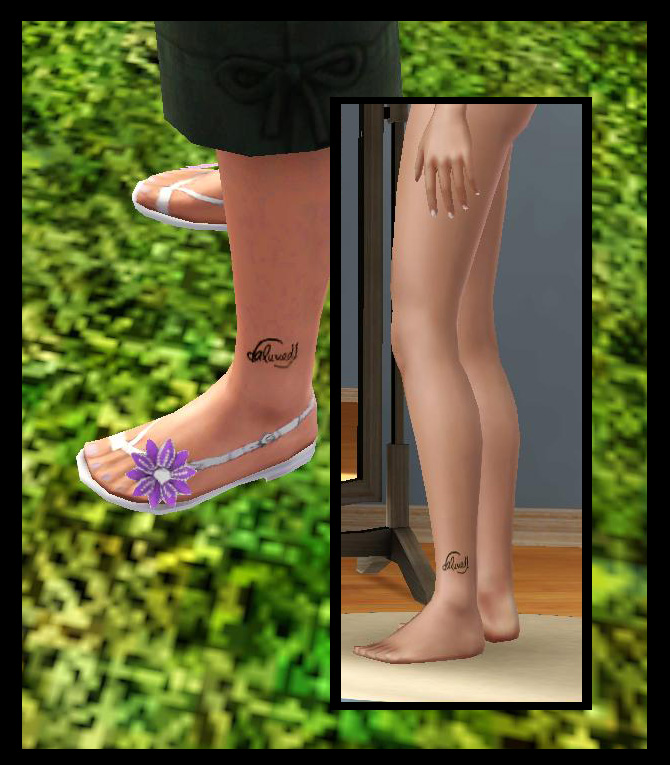
In my usual fashion I got carried away, and ended up making eight more!
I hand drew all of these with pen and ink, then scanned them in and retraced them in photoshop.
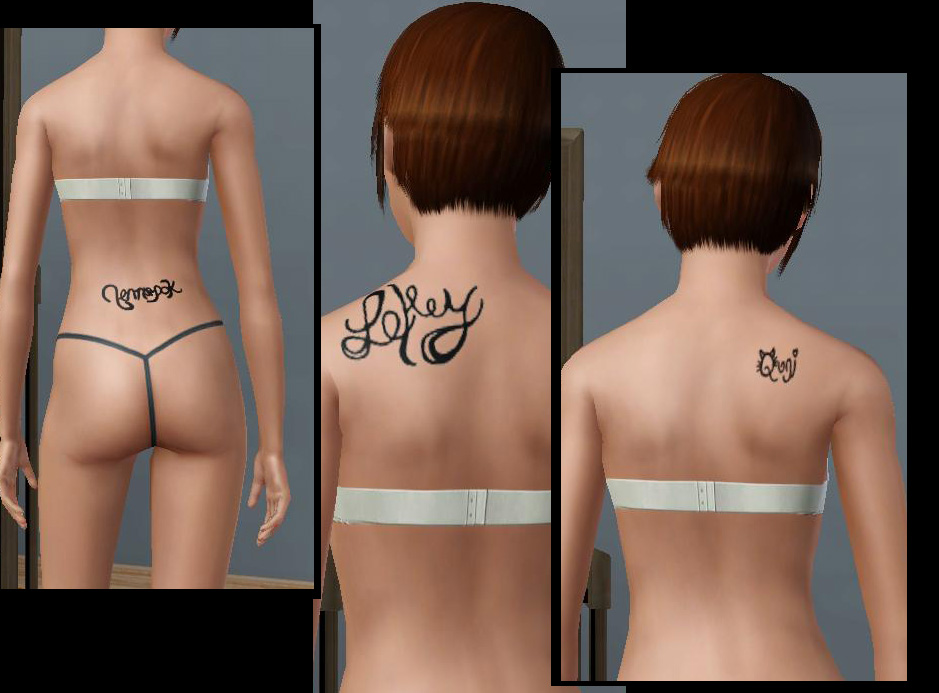
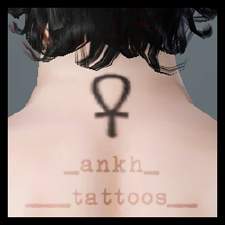
I know a lot of people hate having real words in their game, so I made them using "simlish". Writing cursive simlish is way harder than it looks by the way. =.='
There are five "name" tattoos (including the daluved1..one).
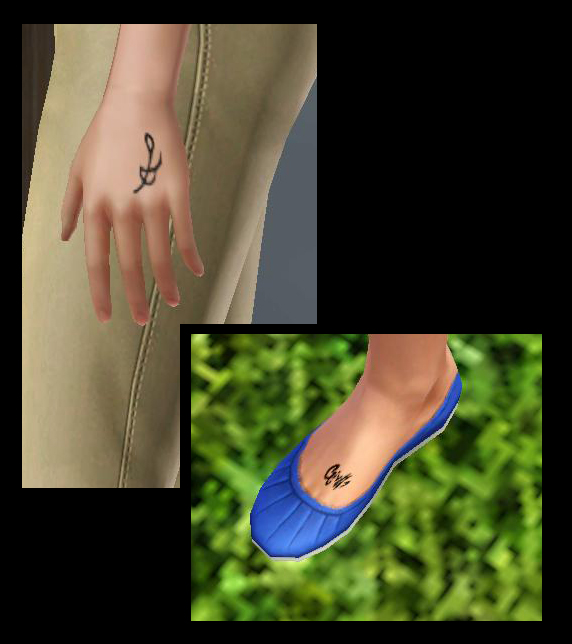
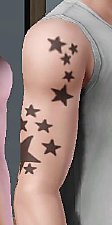
Two tiny tattoos on the hands and feet.
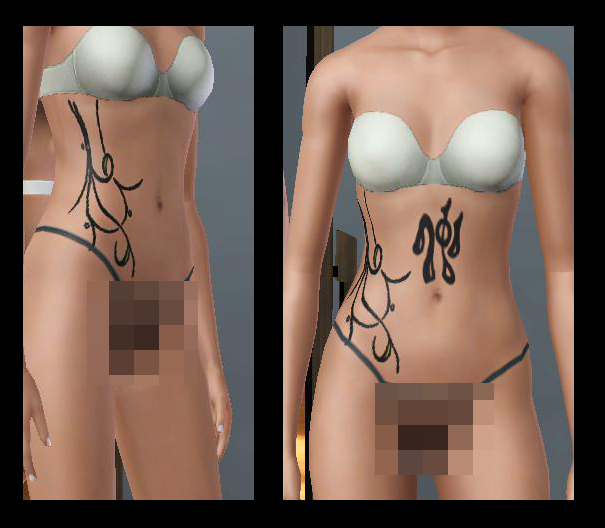
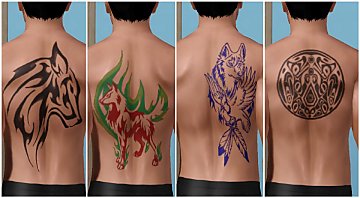
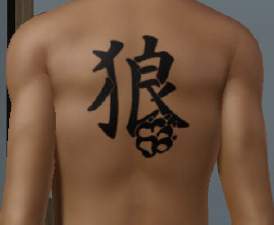
And two tribal tattoos.
Each tattoo has its own custom thumbnail (see screenshots).
I tried to get these to mix-match as much as possible, without taking up too many accessory slots. So, each type can be paired with another, but two tattoos of the same type will override each other. For example, two back tats cannot be worn at the same time, but a back tat and a chest tat can. As soon as a better way to get accessories to overlap comes along, you'll have to live with that
These can be used by males and females, teen and older. I have them set so they will not show up randomly on townies, if you wish to change that, then be my guest.
The base color of all the tattoos is black, however some tattoos allow for a colored outline. If you don't want the colored outline, then simply color the whole thing a dark grey/black.
And just about with every tattoo out there (I think) they won't stay on when your sim gets nudie
 I don't know anyway to get around that yet, but if someone knows how, please enlighten me
Since I actually drew these myself, I ask that you do not redistribute any of these without my permission. That includes the exchange and paysites. You may, however, upload with lots/sims as long as you link back here.
If you want to change the placement of a tattoo, then you can download the Textures.rar for all of the original scanned in designs, then create a new CAS part as you see fit. The designs are in .psd format (Photoshop), but I believe you can open them with other imaging programs as well. Anyhoos, all I ask is that you do not reupload a tattoo with my design
Enjoy!

Additional Credits:
Photoshop 7.0
Delphy's CTU
|
Textures.rar
Download
Uploaded: 7th Aug 2009, 6.14 MB.
5,952 downloads.
|
||||||||
|
ALL.rar
Download
Uploaded: 7th Aug 2009, 1.99 MB.
13,517 downloads.
|
||||||||
|
Tiny Tats.rar
Download
Uploaded: 7th Aug 2009, 679.7 KB.
3,794 downloads.
|
||||||||
|
Full Chest.rar
Download
Uploaded: 7th Aug 2009, 73.6 KB.
3,418 downloads.
|
||||||||
|
Daluved1.rar
Download
Uploaded: 7th Aug 2009, 575.5 KB.
3,546 downloads.
|
||||||||
|
Collar.rar
Download
Uploaded: 7th Aug 2009, 40.0 KB.
3,614 downloads.
|
||||||||
|
Back.rar
Download
Uploaded: 7th Aug 2009, 670.3 KB.
4,489 downloads.
|
||||||||
| For a detailed look at individual files, see the Information tab. | ||||||||
Install Instructions
1. Click the download button, or the filename, to download the file to your computer.
2. Extract the zip, rar, or 7z file. Now you will have either a .package or a .sims3pack file.
For Package files:
1. Cut and paste the file into your Documents\Electronic Arts\The Sims 3\Mods\Packages folder. If you do not already have this folder, you should read the full guide to Package files first: Sims 3:Installing Package Fileswiki, so you can make sure your game is fully patched and you have the correct Resource.cfg file.
2. Run the game, and find your content where the creator said it would be (build mode, buy mode, Create-a-Sim, etc.).
For Sims3Pack files:
1. Cut and paste it into your Documents\Electronic Arts\The Sims 3\Downloads folder. If you do not have this folder yet, it is recommended that you open the game and then close it again so that this folder will be automatically created. Then you can place the .sims3pack into your Downloads folder.
2. Load the game's Launcher, and click on the Downloads tab. Find the item in the list and tick the box beside it. Then press the Install button below the list.
3. Wait for the installer to load, and it will install the content to the game. You will get a message letting you know when it's done.
4. Run the game, and find your content where the creator said it would be (build mode, buy mode, Create-a-Sim, etc.).
Extracting from RAR, ZIP, or 7z: You will need a special program for this. For Windows, we recommend 7-Zip and for Mac OSX, we recommend Keka. Both are free and safe to use.
Need more help?
If you need more info, see:
- For package files: Sims 3:Installing Package Fileswiki
- For Sims3pack files: Game Help:Installing TS3 Packswiki
Loading comments, please wait...


Uploaded: 7th Aug 2009 at 9:54 PM
-
-
-
by The Path Of Nevermore 20th Jul 2010 at 11:55pm
-
-
-
by devilishoblivion 10th Nov 2011 at 4:48pm
-
-
-
-


-
-
Deco Campfire Cooking Pot, Market Stalls & Chamber Pot - Ye Olde Kingdom of Pudding
by The Merrye Makers 8th Dec 2011 at 1:47pm
Miscellanous Decorative Ye Olde Kingdom of Pudding Medieval Objects Decorative Campfire Cooking Pot, Market Stalls, and Decorative Chamber Pot more...
 18
51.7k
124
18
51.7k
124
-
by daluved1 15th Jan 2011 at 12:14pm
Comfy Pajamas The dishes from dinner have been washed and the children are tucked in more...
30
180.1k
313
Female » Mixed Sets » Adult
-
Medieval Cash Registers - Ye Olde Kingdom of Pudding
by The Merrye Makers 1st Jan 2012 at 4:23pm
Community Objects Cash Boxes/Registers made by Hekate999 for The Merrye Makers. Only the General Store register is recolourable. more...
+1 packs
11 43.9k 106 World Adventures
-
Medieval Lighting - Ye Olde Kingdom of Pudding
by The Merrye Makers 11th Dec 2011 at 2:49pm
A collection of medieval lanterns made by Hekate999 for The Merrye Makers. Includes floor, wall, and table lanterns. more...
8
45.2k
134
-
-
-
-
-
Teen Vintage Tees: '70s Style!
by daluved1 updated 9th Jul 2009 at 8:38pm
I'm finally about to start on the eighties set...now, I know the eighties is a lot of peoples favorites so, more...
15
29.1k
37

About Me
Because my policy is really inconsistent on my uploads, I've decided to make an official policy! So whatever you see here on my profile is my current policy. You may disregard any ''policy'' information you see on the actual upload itself.
-You may use my creations with sims
-You may use my objects with lots.
-You may retexture my meshes.
-You may include my meshes with retextures.
-You may NOT upload my creations with sims
-You may NOT upload my objects with lots.
-You may NOT upload my creations to paysites.
-You may NOT upload my creations to the exchange.
-Always credit me with a link
-I do NOT take requests!